Will WriteRoom be able to use IOS Writing Tools at some point?
Or is it that I can’t find them right now?
Thanks
Ian
Will WriteRoom be able to use IOS Writing Tools at some point?
Or is it that I can’t find them right now?
Thanks
Ian
Hum… it was implemented. But I’m not seeing the menu item either… actually I also don’t see the menu item in TextEdit, or other apps. I think yesterday my computer got the new Siri, maybe those menu items went away with that?
Anyone else know what happened to Writing Tools and how they are supposed to work now?
Switching Siri off enables access to the previous version of IOS writing tools.
With Siri and Apple Intelligence enabled, proofreading should be automatic (!) and selecting text then control-click should access the Writing Tools but I can’t get that to work.
Can you get it to work in TextEdit? If you can make it work in TextEdit, but not WriteRoom please example how I can reproduce in both apps and see the difference. Thanks!
I’ve just upgraded my Mac to Golden Gate 27.2, enabled Siri but not Siri AI and the Writing Tools menu item is available again in WriteRoom.
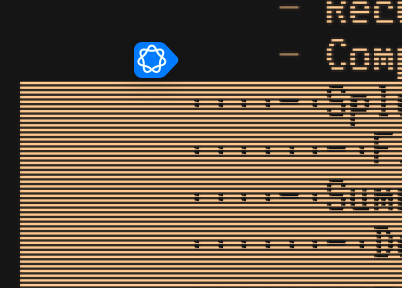
If I select a range of lines in WriteRoom I see a blue icon which reveals, on click, what I take to be a Writing Tools menu
Does anyone know how to disable this ?
Context:
I think I can add a WriteRoom preference as a stopgap, but lets make sure WriteRoom isn’t just doing something wrong…
What about when you select a paragraph and mouse over the selection in TextEdit? Do you see the same UI? Note in both cases the paragraph needs (I think anyway) to be longer then just a short sentence for UI to show up.
Actually from this article maybe it’s not possible to turn off other then with terminal and a defaults flag?
Well, I had tried those settings (as given in the OS X Daily piece), and when they failed to disable the blue icon, Gemini expressed an impression that they had lost relevance in a recent macOS build.
After various other attempts, it offered this:
defaults write com.apple.WritingTools Enabled -bool false
which also failed, even after system restart, and then suggested:
The operating system is aggressively enforcing the new text selection UI on standard text fields, bypassing both the Screen Time logic and the high-level feature flags.
To fix this, you can target the macOS text engine directly. You can pass a user default that forces the underlying text property (NSWritingToolsBehavior) toNone(integer value1), explicitly forbidding the text engine from rendering the Apple Intelligence overlay.
defaults write -g NSWritingToolsBehavior -int 1
Which also doesn’t seem to work here 
Ha! I’m digging on this end. Seems like they must add a setting for this before too long. Lots of people must not like it.
I think one big issue is maybe a bug in the implementation. I think the idea is that it only shows up when mouse is moved over the selection. The bug is it seems to show even when the mouse is hidden.
If if you go click on a paragraph to set caret. Then use keyboard to select that paragraph, it will show even though the mouse isn’t actually visible.
But if (with keyboard) you move caret down to a lower paragraph and select, it will not show. I’m seeing if I can make at least WriteRoom only show it when mouse is visible.
Yes, it does look as if they’re trying to bake it into text tools – shows up, as you say, in TextEdit too …
New release offers and off button in Settings > General:
Thank you ! The intrusion of that blue icon is much reduced on the MacBook Neo system here (macOS 27.2).
I can still bring it up, and find that it still responds, on click, with a Writing Tools form, (despite unchecking WriteRoom > Settings > General > Editor > macOS Writing Tools) if I:
(but its general retreat is already very welcome !)
Curiously, on another system here (M2 Macbook Pro, also on macOS 27.2, though with a pre-history of other versions), the blue Writing Tools icon was never showing, and I still can’t persuade it to appear even by checking WriteRoom > Settings > General > Editor > macOS Writing Tools in WriteRoom 4.0 Preview (421) … (Not that I would want it to appear )
On the M2 system, Writing Tools don’t show up in TextEdit either.
Neither the Neo nor the M2 have Siri enabled in System Settings.
Apple bug ? Perhaps the M2 still enjoys protection from a clearer option (in previous macOS builds) to opt out of “Apple Intelligence” as well as Siri ?
FWIW the two systems (Writing Tools no-show, and Writing Tools obdurate), yield different results for:
defaults read com.apple.CloudSubscriptionFeatures.optIn
UPDATE
The obdurate entanglement of Writing Tools with text fields in recent Apple OS builds and hardware is really an Apple issue, rather than a WriteRoom issue.
I do seem to have found a (profile installation) solution to suppressing Writing Tools across a new Golden Gate installation on a MacBook Neo. I can supply the details, if anyone wants them, via Direct Messages.
Ok, I have to reply just to laugh at this one!