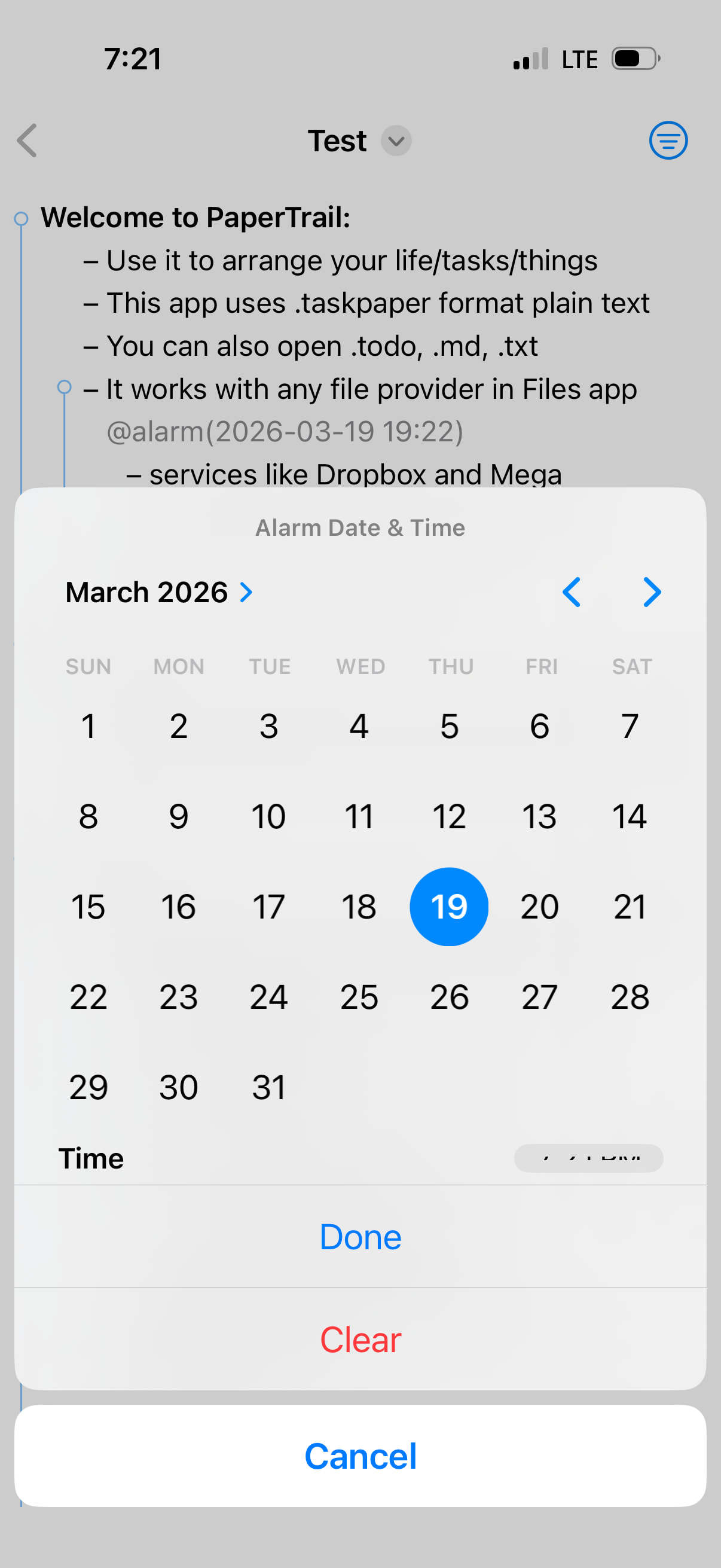
tapping the and then swiping that sheet down is essentially a “cancel”; I expected it to commit the changes I had made.
Good point. I’ll look make those changes live soon.
Swiping L→R on the outline focuses into that node; how do I undo that?
Swipe left from near the edge to the edge, ie. the opposite way. Let me know how it works for you, I can control the widths of the edges swipe areas. I only added this today so it’s quite fresh and not seriously tested.
I can’t seem to swipe to dismiss the keyboard
Will look into it.
I wish I could “swipe down to open a filter typeahead”, like how Bear or Things allow you to do.
Will need more info, as I don’t use either. Please open an issue on the github. See top of thread.
I only have a single taskpaper file… any way to permanently bypass the file picker?
You can use a widget to jump back into the most recent file. There are also some long press actions on the icon but tbh I think the need redoing. I’ll see if I can make this better.
Sadly not since DocumentGroup app type prevents such thing. I can only recommend using “Recent” tab in picker, which means one tap on cold launch. Doc saves automatically with every edit, so you don’t need to close it. If the app isn’t flushed from memory (it’s so small it should stay around) then you shouldn’t have to open the doc very often. @connor
time picker
Odd! One of the first things I added so definitely not very well implemented
Please add as many of these as you can as github issues @connor I’ll get to them tomorrow or at the weekend
remove: widgets, quick actions, url deep links, resume open in some situations
Their implementation and functionality (mostly because I’m using SwiftUI/iOS documentGroup architecture) did not meet my high standards. They only worked on a warm launch (not on cold launch). Hopefully I can reintroduce some or all of them in a more considered way in a future version. But no promises.
I’ve edited above. If you don’t recognise or didn’t use any of the items in the “remove” line, then there’s no need to worry and your use of the app will be unchanged
Excellent work, Matt! The calculation tags open up entirely new possibilities. That’s something Jesse should consider for TaskPaper. By the way, isn’t this year the 20th anniversary of TaskPaper? At this point, a big thank you to Jesse for this brilliant minimalist concept. I’ve been using TaskPaper every single day for so many years, and I’m still fascinated like a little kid (56 years old). How many times have I procrastinated and briefly cheated with other apps, only to come back full of regret? oli
I’m a relative TaskPaper newbie of only 3 years. But it works for me and I don’t see the point in changing. I use it only for simple groups of lists, and archive done. That’s all!
I thought with my app I would add some extra features like cost/progress from old apps like Bonsai, BrainForest, and certain other Palm apps. If those features were possible on such a limited CPU then they should be easy on an iPhone.
PaperTrail (260324.1134)
add: Document launch scene with animated sticky note background
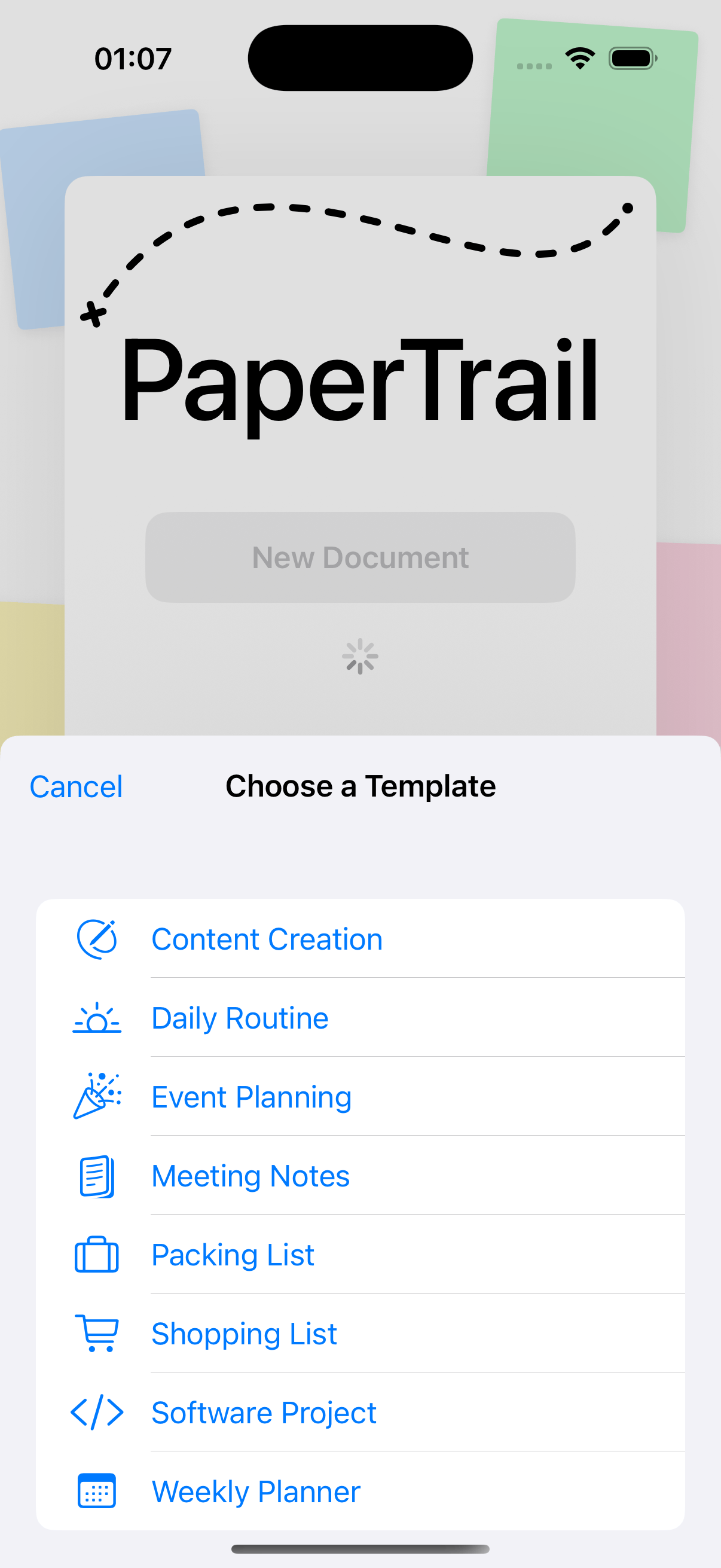
add: “From Template” button with template picker sheet
add: Bundled various built-in templates covering common use cases
add: Custom user templates from Documents/Templates folder
add: @flagged tag toggle in toolbar
change: Blank lines no longer break parent-child hierarchy in folding and tree traversal
change: @progress and @cost now aggregate from direct children only, respecting hierarchy
@matt I’ve been mostly ignoring this project as I work in Bike, but I want to see what all the fun is about!!! Can you open up another few test flight slots?
The “cost tag” is really a practical way for me to track, for example, the income and expenses of a specific project. In TP I usually link to an external Excel file, even though I know that Excel is completely overkill for such a simple plus/minus task.
@jessegrosjean a few more places opened up on TestFlight! Go go go!
@amelchi “maybe” …I’ll look into it. What’s your use case?
Edit: ipad=yes, iphone=not currently
I am bound to the capabilities of DocumentGroup app architecture. it allows the app to be very small because it gives me many features “for free” but at the same time it does not do everything. To move away from it at this point, would mean a huge delay and a lot more code, and bugs.
PaperTrail (260325.2311)
add: Export as HTML Presentation, example: Guide.html.zip (5.0 KB)
add: Note insertion action (Shift+Cmd+Return) that preserves indentation without adding a bullet
add: Collapse/expand current item shortcuts (Cmd+9/Cmd+0) with recursive variants (Option+Cmd+9/0)
add: TaskPaper-compatible keyboard shortcuts for move, indent, @today, and remove tags
add: Focus reveal — focusing a subtree temporarily reveals it even when ancestors are folded
add: Feature interaction policy to centralise focus/search/filter navigation rules
add: Differential edit replay harness to compare editing behaviour between TaskPaper and PaperTrail
add: FeatureInteractionTests covering focus/search scope, selection projection, and filtered writeback
change: Remap Return shortcuts to match TaskPaper (Cmd+Return = task, Option+Cmd+Return = project)
change: Edits targeting hidden folded lines now redirect to the next visible line
change: Return after a collapsed section inserts a sibling after the fold block
change: Selection inside a hidden folded region jumps to the next visible line instead of the fold parent
change: Launch decorative note colours are now different in Dark mode
fix: Fold child detection no longer claims same-indent non-project lines as children of projects
remove: Same-indent project ownership logic from text processing and folding manager
 and then swiping that sheet down is essentially a “cancel”; I expected it to commit the changes I had made.