That’s the beauty of Files support, you can pick any provider!
If you’re reporting bugs please make sure you’re using the latest version in TestFlight.
Hey @matt, I have original saved searches in my Taskpaper file but these searches yield nothing in PaperTrail. When I tap a Taskpaper-saved search I noticed that search syntax is shown with the \escape character, though they do not have it originally in Taskpaper search.
\(not @done and @due < [d] today\) or \(not @done and @on < [d]today\)
I had to manually remove the escape character, then it worked.
Thanks, this is a fun one. Seems like an easy fix.
I’ll try to reproduce.
It’s been fun to build this app and see all the different ways people use TaskPaper features. I only use the thinnest top layer of features myself, so it’s been a struggle and somewhat enlightening to build out all the deeper stuff.
2 Likes
The above escaped search issue has been resolved.
I also added some code to resolve conflicted files. So you should always be able to open anything.
…fingers crossed!
It’s going to be 18 apps next week.
1 Like
PaperTrail
- change: hide keyboard dismiss button in tool belt when hardware keyboard is connected
- fix: keyboard dismiss button causing keyboard to immediately reappear
1 Like
Returning to TaskPaper after a very long detour (Obsidian, Things, Noteplan, etc). So excited about this app. Was going to ask for a TestFlight spot, but since it seems it’s almost out, I’ll wait for the AppStore release. Best of luck!
2 Likes
I pushed some small changes.
- change: fold indicators are now subtle with partial opacity, collapsed dot stays solid
- change: fold marker circles are slightly larger for better visibility
- change: toggle-done tap zone tightened to bullet area only, tapping text now places cursor
- fix: pressing enter on an empty bullet removes it and outdents instead of creating a second bullet
…I think i went to opaque with the fold markers so they will be a little lighter in the next version
3 Likes
Would love to suggest a gesture or quick action button to “focus” on the current node!
1 Like
I see what you mean! I’ll look into it.
1 Like
PaperTrail 1.0 (260315)
- add: Tool Belt customisation — show, hide, reorder via the guide/config sheet
- add: descriptions for each tool in the guide sheet
- add: quick filter tool to focus on current project
- change: Tool Belt guide button icon from ? to config slider symbol
- change: reformat and quick filter tools repositioned with editing tools
- change: power-user tools hidden by default (alarm, fix, todo, call, priority, clear, reformat)
- change: consistent naming to ‘Tool Belt’ throughout
- change: folder markers slightly more opaque
- change: code optimisations
The far right tool used to be ? help but now is something that looks more like “config”. Not sure about that TBH. Might go back to the ? even though it’s less accurate it is perhaps more discoverable.
3 Likes
PaperTrail (260316)
- fix: collapsed sections no longer lose their fold state after edits, line moves, tag toggles, or undo/redo
- fix: cursor no longer jumps to the next line when toggling
@doneoff in some situations - fix: fold indicators now update correctly after line moves
Thanks for the detailed bug report with video, Mike!
concerning the MobyDick file… that means that you can import/read md files? even md/Bike files?
Not .bike files, as they are html.
To test Moby Dick I used the .md file
So, yes, it will open files with any of these extensions (I’m going from memory!):
- md
- markdown
- todo
- txt
- taskpaper
New files will be created as .taskpaper
Let me know if there are any other file extensions or types that make sense and I’ll look into it. All files are considered as plain text. There’s a reformat/reindent tool (hidden by default) if you need to get files into proper shape.
After launch we can think about whether it makes sense to work with .bike files and, if so, in what way. I’m not sure.
perhaps .opml
1 Like
With the current formats, there’s no real conversion done. They are all plain text, so are loaded and edited and saved as such. In that way PaperTrail is more like TextEdit.
With .opml and .bike, perhaps they could be loaded and converted, but what happens for saving? Would they import only and save as .taskpaper? If it’s one way then why not just export as .md? Would they need to be converted back? If so how would metadata be lost or kept?
I don’t think there are any easy answers.
1 Like
PaperTrail (260318)
- fixes for some issues I introduced yesterday
I seem to have got carried away with inspiration from some old outliners. Mostly Natara Bonsai and Shadowplan on Palm.
PaperTrail (260319.0031)
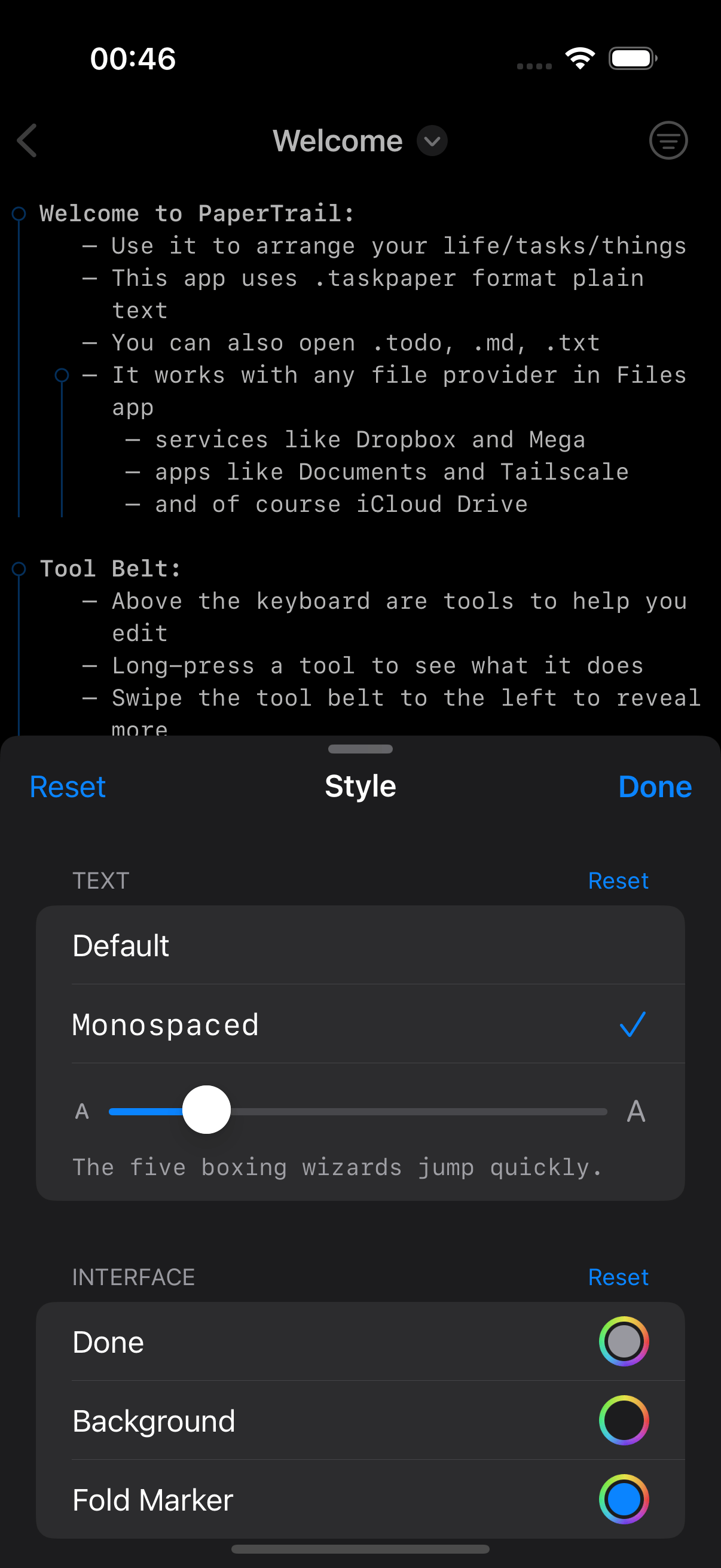
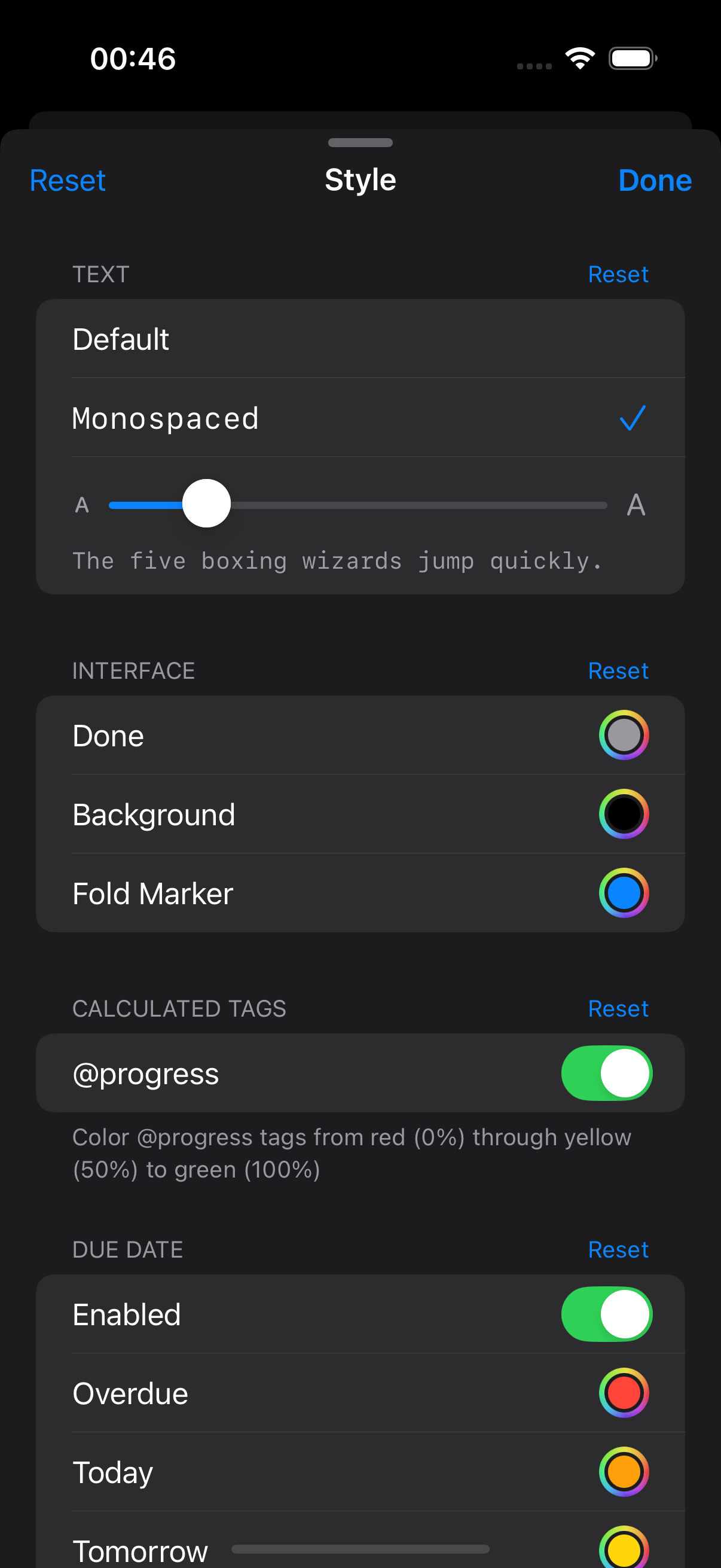
- add: style settings to customise font, text size, and various colours
- add:
@progresstag to track task completion percentage across children - add:
@costtag with aggregation methods (sum, count, ave, min, max) and filters - add:
@start(auto)and@due(auto)tags that compute dates from children - add: fold-to-level menu for collapsing to a specific depth
- add: find button in the toolbar
- change: tapping a tag now triggers search even while editing
- change: tag search now matches by name only, ignoring value
- change: auto-capitalise first letter typed on empty bullet lines
- change: improved scroll performance with reduced restyle buffer
- change: fold indicator drawing uses cached markers for smoother scrolling
- fix: corruption bug during text editing of calculated tags
- fix: fold indicators properly refresh after scroll ends
OPML import is done and will be in the next build
1 Like
PaperTrail (260319.2207)
- add: OPML import converts outlines into TaskPaper structure
- add: Focus In/Out tool to drill deeper or step back through the outline
- add: Focus In/Out keyboard shortcuts to Option+Command+Arrows
- add: Left edge swipe to focus in/out
- add: Right edge swipe to reveal/hide the filter panel
- add: Search toggle to include descendants of matching items
- add: Collapsible sections and nested project tree in the filter panel
- change: Priority toolbar icons changed to chevron style
- change: Find button now visible in toolbar by default
- change: Search help sheet updated
- fix: Auto-capitalisation no longer eagerly capitalises every word on bullet lines
- fix: Selection preserved correctly across rapid focus transitions
- fix: Fold indicators no longer cause crash with some large files
1 Like
Is anybody using this on iPad?
Is there anything I could do to make the experience better?