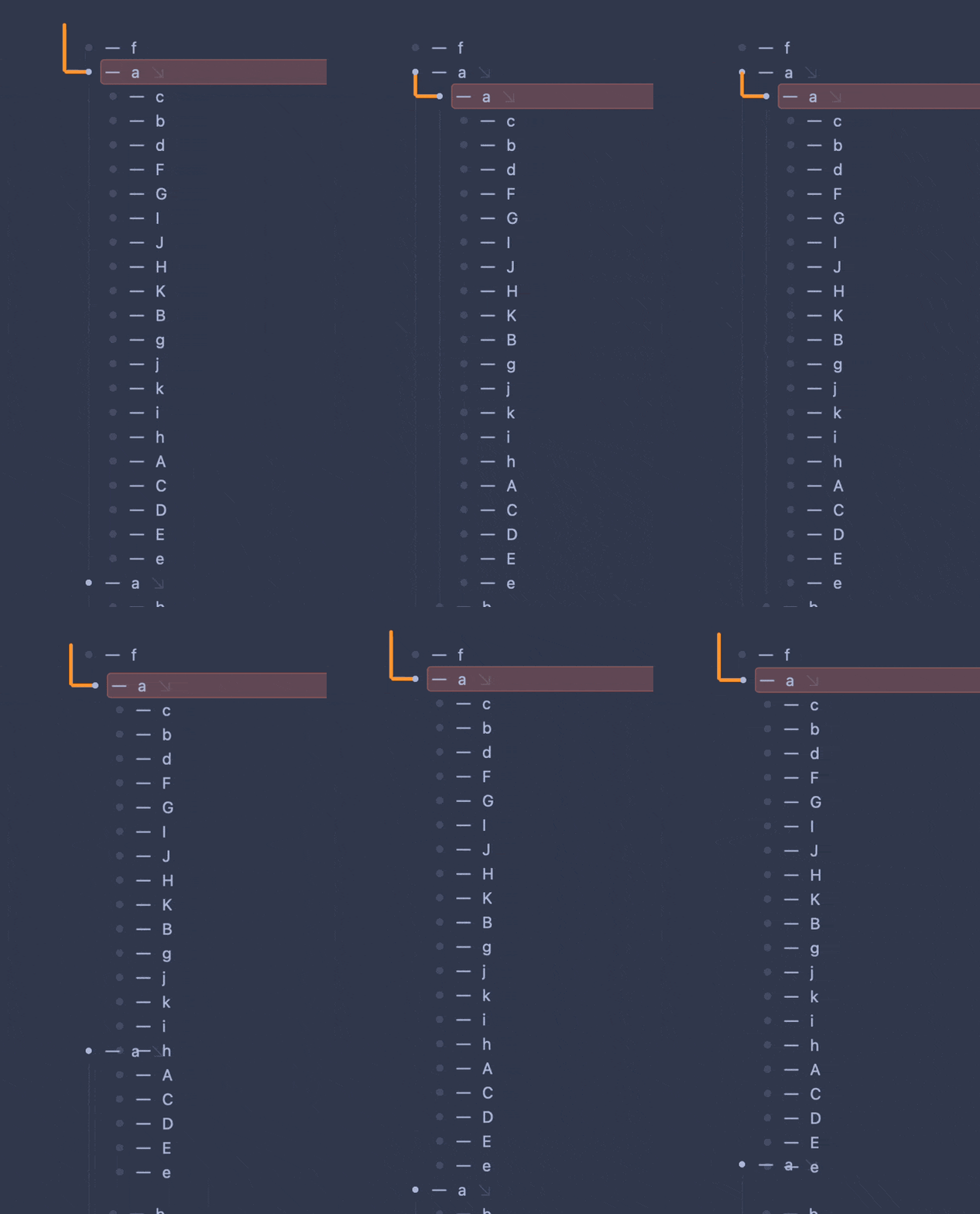
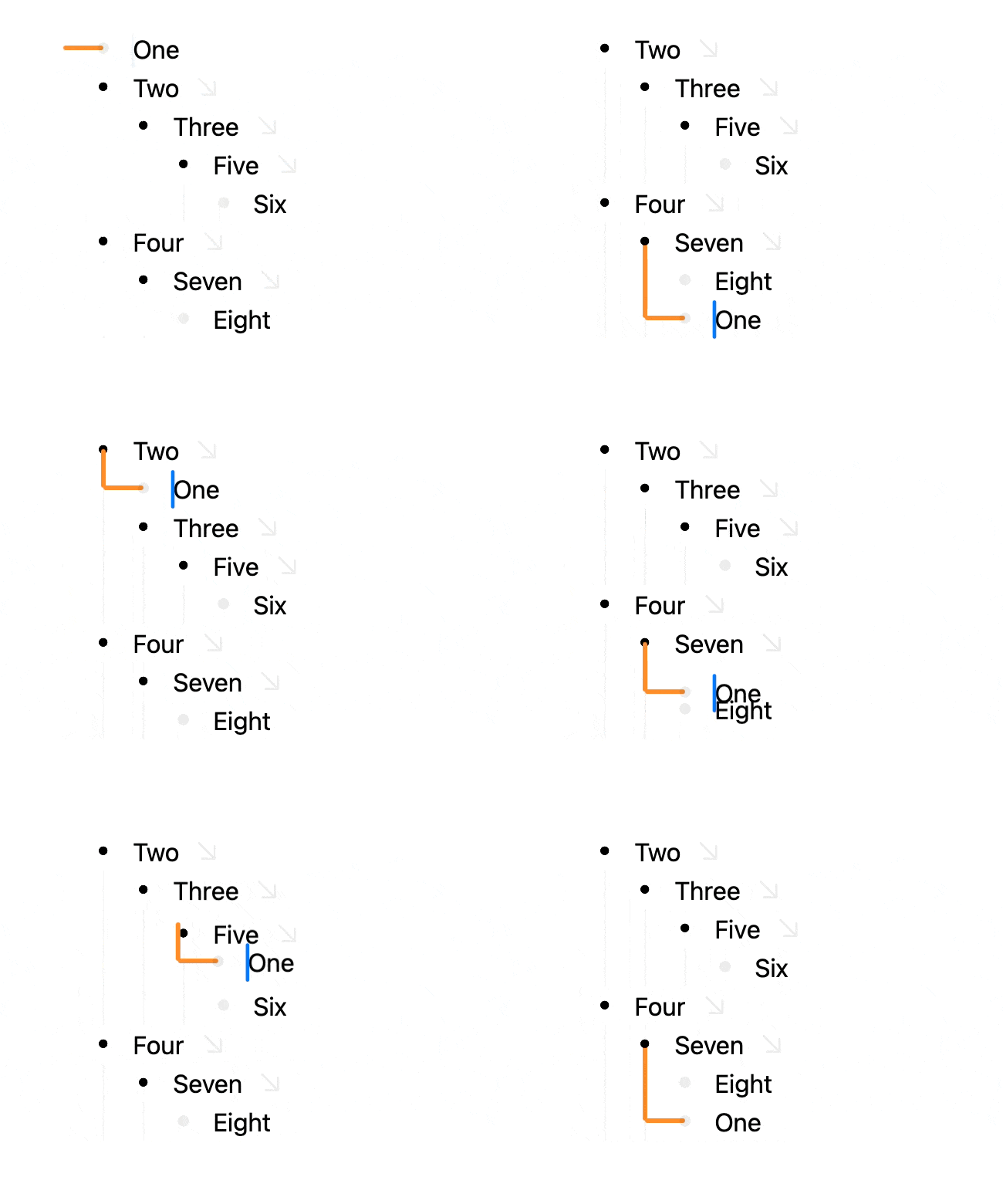
What will happen if you go down two more? If this happens, I think the behaviour is pretty good:
- Two
- Three
- One
- Two
    - Three
- One
If it always jumps all the way down, it could create some very large jumps. And if you want it to skip all the way down on one jump, you can collapse Two.
(To be clear, I still think I would prefer what you suggest!)
The current up/down logic prioritizes short reversible moves that are easy to understand visually and don’t disrupt current outline expand/collapse state.
Here are some cases that I am trying to avoid, how do you think they should be handled if moves are more structural and stick to indentation level.
Move “One” down:
- One
- Two
    - (50 rows)
    - Three
Creates a long move scrolling all context out of view.
Move “Three” up:
- One (Collapsed with 50 rows)
- Two
    - Three
If try to stick to level do you take collapsed rows into account and do something different? Otherwise you will start having rows expand everywhere as you move rows.
Move “Three” up:
- One
    - a
        - b
            - c
- Two
    - a
        - b
            - c
                - Three
If you start trying to stick to level it’s unclear how far to take it. For example does three end up as child of “c”?
Move “a” up: (non-reversible example)
- Two
    - a
    - b
        - c
            - Three
When I am moving rows I want to avoid surprises and I want up/down and back/forward to reverse each other as much as possible. In this example if you move “a” up (and try to maintain the structure as requested) it becomes difficult to reverse and requires careful use/ordering of move right and up to get back to original location.
I think there may have been a similar discussion in Bike 1.x. In Bike 1.x I feel like I went with the current behavior because outline mode was already a special and slightly weird mode.
long moves scrolling out of context are acceptable (movement by level is intentional, I expect to lose original context)
moving up/down to a collapsed parent-sibling (uncle? in-law?) acceptably expands it. Again, this is to be expected, you’re targeting a specific place in the outline.
Bonus points if row automatically collapses behind you if you move past and don’t perform any other actions. With Bike’s animations it could look like a cool ripple (or maybe trigger epilepsy, not sure).
restrictions on vertical movement are acceptable (I prefer Group A, see below).
IIRC initial goal was to align Bike 2.0 more with other outliners, this seems like a deviation
I think what could make Bike’s current logic better is some easy way to tidy up surrounding outline by level from cursor inside current row. This would help movement economics and maybe help with confusion. I know, extension, but maybe this should come out of the box.
The rest
If you’re still reading, current state of outline(-adjacent) apps is this:
Group A: Nodes move up/down by level and can change parents but not grandparents
Tana
Logseq
Roam
Obsidian (w/ Outliner plugin)
Workflowy
Group B: Nodes can switch order between siblings but not change parents:
OmniOutliner
Zavala
Wasn’t able to test some others like Dynalist, Checkvist and Drummer, but I’m assuming they’re either A or B. Bike currently takes a different approach.
I think as far as reversibility is concerned, both groups cover that, because you’re only moving up/down the same level. At most, you’re sacrificing some tidiness by expanding collapsed rows.
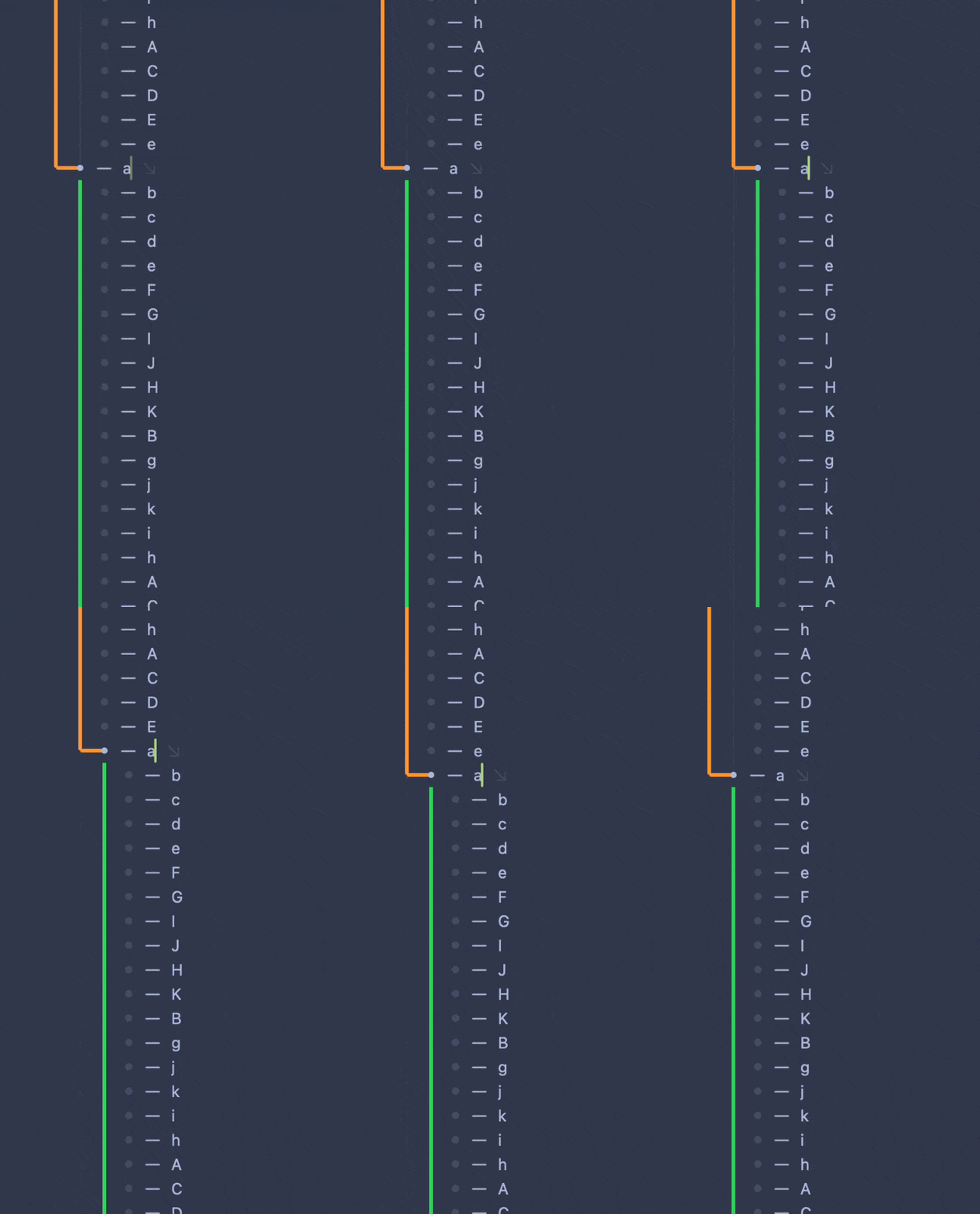
There are some cases in Bike where reversibility isn’t true without de-denting. This gets visually very confusing in larger outlines, especially if you take into account that:
rows can have types and are additionally visually offset by type signifiers
there’s currently no obvious way to collapse surrounding outline to avoid this
Bike Move down Example 1: Reversible
Bike Move up Example 2: non-reversible
I think we just have pretty different likes and wants.
When I use Bike I am mostly using it somewhat like a sheet of paper. I’m putting idea on it, and creating some visual organization. I am not so much thinking about strict outline hierarchies (these are my level 2.1 headings, etc), instead I’m thinking (move this idea over there). Maybe that affects how I think about things and how I want move commands to work.
From a pure UI perspective I really think Bike’s current implementation is good, and for me better then what I’ve tried in other outlining apps.
Key benefits of the design are:
Easy keyboard shortcuts: Once you have held down Command-Control then you are in “move” mode and you only need press arrow keys to move rows in the direction of those arrows. Not sure if this is unique, but I feel that it’s very valuable to me. For example in both Workflowy and Tana I can’t do this.
Moves are as short, predictable and reversible as possible. It’s true move-left (your example 2) isn’t perfectly reversible, but I don’t think it can be in any outliner if we are also trying to maintain outline structure.
I like this default behavior and don’t think I will change it.
Solutions
I see two solutions if you want different behavior.
First, it should be possible to override all my decisions with your own preferences in an extension, but before going that route there is also the open keyboard combo Control-Option-Command-Arrows. It’s a lot of modifiers to list, but physically they are all in a nice easy to press clump.
I would be OK with adding commands to move by sibling and then mapping those to Control-Option-Command-Up/Down to move by sibling. Would that work for you, or would you still be likely to instead just create your own extension and own move bindings?
I work with both, often in the same document (one part structured, other part brainstorming).
I’m not a fan of doubling functions (unless they’re in distinct modes like Bike 1.x). I’m more likely to either learn to use Bike the new way properly, or completely override existing commands with a custom extension.
I would be OK with adding commands to move by sibling and then mapping those to Control-Option-Command-Up/Down to move by sibling.
As someone who don’t mind customising hotkeys in apps, I don’t think it’s a bad idea to have more menu bar commands, even though some have weird or non-existing hotkeys out-of-the-box. (At least if the alternative is to not include something some users, like @Gorgonzola, wants.)
This one could even be hidden behind the optn key. You already have some things hidden under the Outline menu item.
Any thoughts on what left/right arrows should do in this mode where up/down moves by sibling?
I guess they could do what existing left/right move does. Or maybe they are not mapped at all? Or maybe they do something different. For example I could imagine they move to deepest or shallowest possible position in current view?
I haven’t taken the time to fully understand all the examples here. But I’m really happy with OmniOutliner’s “strict” approach, and with Bike 1’s outline mode, which largely lets me do the same thing. If Bike abandons that, I would be really disappointed.
Re: >> When I use Bike I am mostly using it somewhat like a sheet of paper. I’m putting idea on it, and creating some visual organization. <<
That’s a minor use case for me. My major use case is maintaining a ton of information over time in a hierarchically-structured way. I count on being able to move rows without accidentally violating the structure.
I’ve implemented alternative “Move Up”, “Move Down” commands for the next release.
I’m implementing these in the extension layer code which is a good test and has caused me to add a few more useful API functions. The behavior of these new functions (taking move up as example) is:
Search up for next position where selection can be inserted at it’s same level
Reveal that position by expanding rows as needed
Move selection to that new position.
This behavior is a bit different then Bike 1’s behavior. Bike 1 would move row to before prev sibling, but when there was no previous sibling it would move to before it’s own parent, and change it’s indentation level as a result. This would break the ability to easily reverse the move with opposite arrow key.
New implementation always maintains row’s indentation level for these up/down moves, making them always reversible.
Interestingly, I observe the behavior you describe with Bike 1 when I first place a row in outline mode and then move it. If I don’t first place it in outline mode, it maintains its level when I move it. The Bike 2 behavior is, as you describe, better, although the only way I would run into this given the way I use outlines would be if I made a mistake.
In Bike 1 moving in text mode was strictly text line/indent based. It didn’t try to maintain any outline structure. So when you moved a row in text mode it would not bring its children. It would also always move up/down line by line, instead of skipping to next sibling position.
This new command in Bike 2 will maintain structure and move between sibling/cousin/etc positions.
Anyway, I’ll share it soonish, I’m still working on updating UI for macOS 26, taking a while.
 ) acceptably expands it. Again, this is to be expected, you’re targeting a specific place in the outline.