Bike 2.0 (Preview 278)

  • Restored a broader set of built-in themes
  • Added relative color syntax for use in theme files

Refined “Go To…” and “Move To…”:

  • Can now target any row, not just sidebar items
  • Prefix filter with - to search across all rows
  • In “Go To…”, prefix with > to execute commands
  • Added menu items that insert these prefixes automatically

Fixed

  • Improved performance of moveText in large outlines
  • Fixed word drag case where original word was lost track of
  • Link hover only shows URLs when the pointer is over text
  • Sidebar leaf chevron color/alpha now matches its row label
  • After a failed search, the caret returns to the original search anchor

Themes & Extensions

  • Breaking changes to ChoiceBox API
  • Breaking changes and additions to Color API
  • Building your extension should type-check it to indicate needed changes

Download:

2 Likes

Can I suggest Cmd+1/3 toggle sidebar and inspector if they have keyboard focus?

Example:
Cmd+1 opens sidebar/automatically assigns keyboard focus. Cmd+2 to go back to editor. Cmd+1 to go back to sidebar. Another Cmd+1 closes sidebar, shifts focus back to editor.

EDIT: Another suggestion/question for sidebar keyboard movements:
Opt+up/down already moves selector to top/bottom. Would it make sense to have Cmd+up/down move between sections of the sidebar (Top, index, pinned, queries)?

Yeah, I’ll get that done for next release.

Makes sense to me. I’ll add it. Though I think maybe it should be Command-Up/Down takes you to start/end, while Option-Up/Down takes you to prev/next section.

1 Like

On API, might there be any way of reading the bounds of the active display – something like an {x,y,w,h}, so that we could then set the bounds of the Bike outlining document window, and an extension’s NSPanel ?

(Using Keyboard Maestro here to split the screen between an editing view and an extension display view, but wondering whether there’s scope for doing that inside the extension – I guess that not all users will want to turn to Keyboard Maestro, or continually reposition and resize by hand)

( I typically use, for example, a 1/3 ⇄ 2/3 horizontal split, but mileage will vary )


UPDATE

Ah, Webkit seems to give us that in the DOM via window.screen

(I could then post it back to the app context – direct app context access to screen frame would be nice, but perhaps just a luxury :slight_smile:, and low priority )


If we could read screen frame dimension direcly from the app side, then perhaps we could launch the NSPanel immediately with the dimensions (and position) that we want, rather than adjusting them after learning the display coordinates from an app ⇄ dom exchange of messages ?

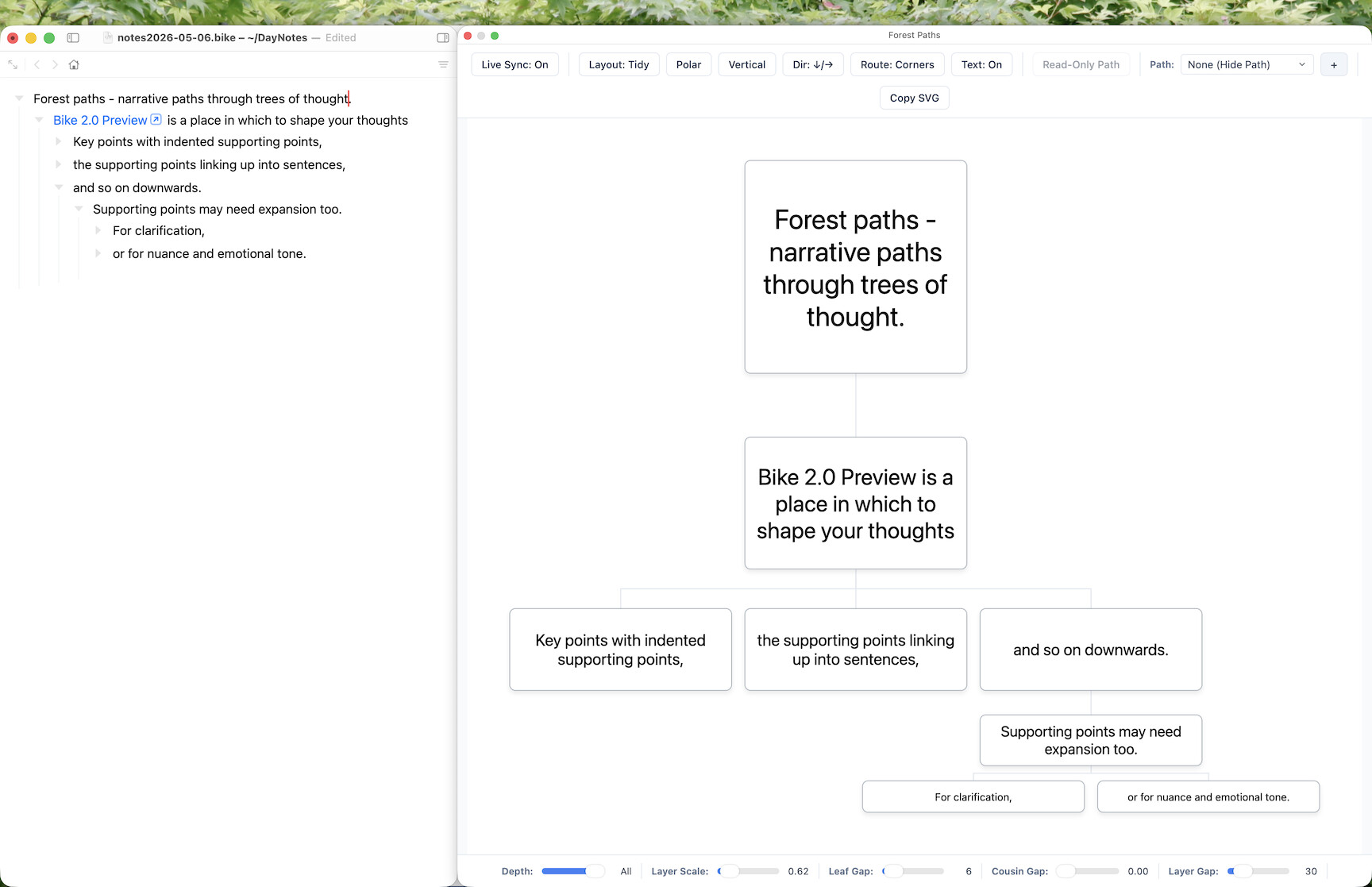
const panel = await bike.showPanel<SVGForestProtocol>({
  script: 'view.js',
  title: 'Forest Paths',
  width: 900,
  height: 700,
  role: 'inspector',
  hidesOnDeactivate: false
}, currentWindow);

But perhaps it isn’t straightforward, or even feasible, for PanelOptions to have x and y options ?


Otherwise I could perhaps do something from JS for Automation’s route to AppKit

Expand disclosure triangle to view JS source
(() => {
	ObjC.import('AppKit');
	
	
	return $.NSScreen.mainScreen.frame;
})()

or perhaps

Expand disclosure triangle to view JS source
(() => {
    ObjC.import("AppKit");

    // frameXYWH :: Bool -> Bool -> {x, y, width, height}
    const frameXYWH = ofMainScreen =>
        visibleOnly => {
            const
                screen = $.NSScreen,

                // Primary screen or active screen ?
                { origin, size } = (
                    ofMainScreen
                        ? screen.mainScreen
                        : scrreen.screens.firstObject
                )[
                    // Visible only ?
                    visibleOnly
                        ? "visibleFrame"
                        : "frame"
                ];

            return Object.assign(origin, size);
        };


    return frameXYWH(true)(true);
})()
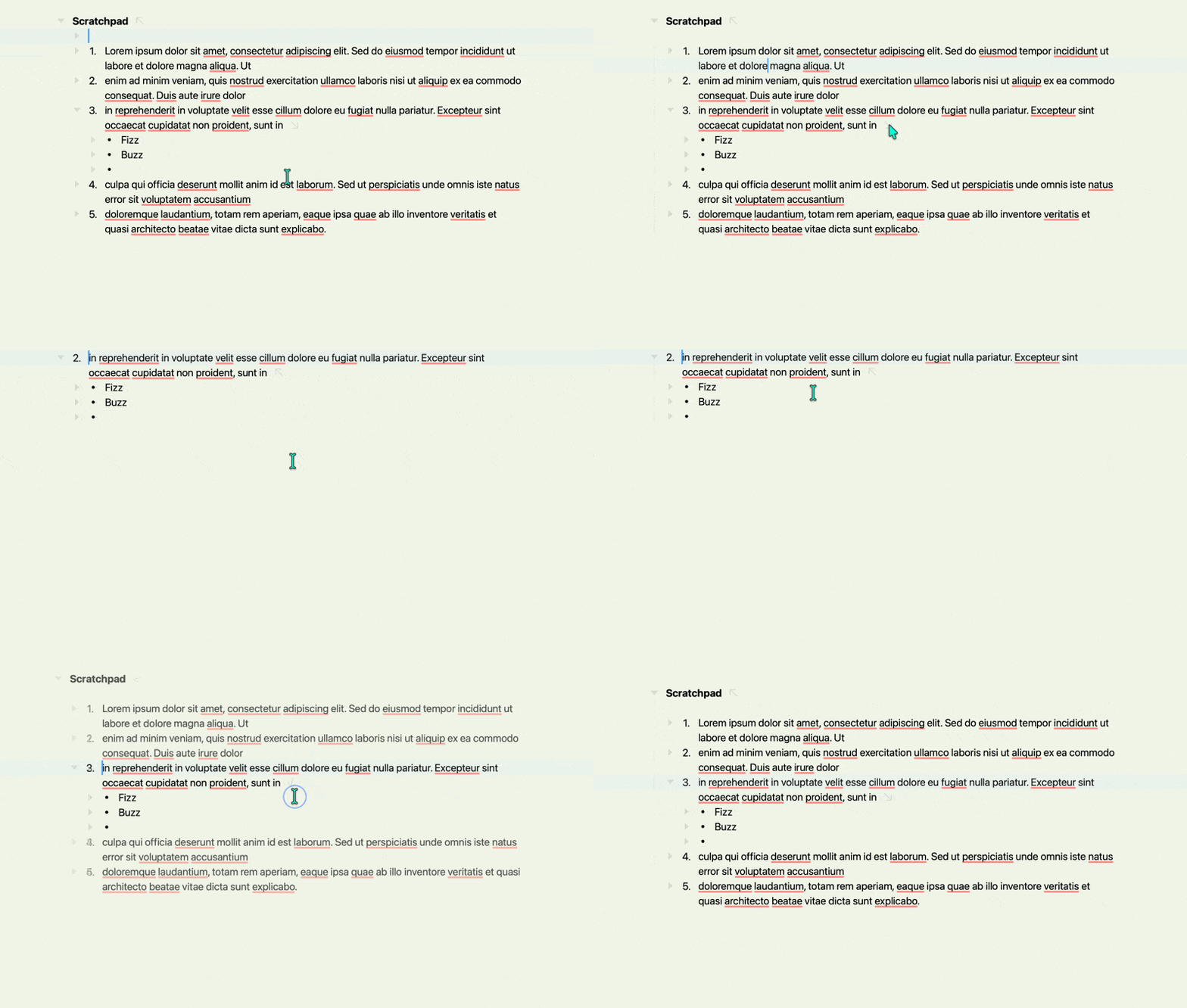
I noticed a small bug when it comes to ordered lists and focusing into a list item. Please see recording below. The number in the list changes depending on whether I’m focused in or out.

CleanShot 2026-05-07 at 11.09.42

But what’s weird is that it seems to depend on the number of characters in the list items. If I cut out some of the text in the list items 1-3, I can’t replicate the bug..

Oh thanks, good find!

Edit Oh, this also shows up in just a long list where earlier items are located outside the top of the viewport.

Anyone seeing crashes lately? I don’t think I’ve had any 278 crash reports. Has me wondering!

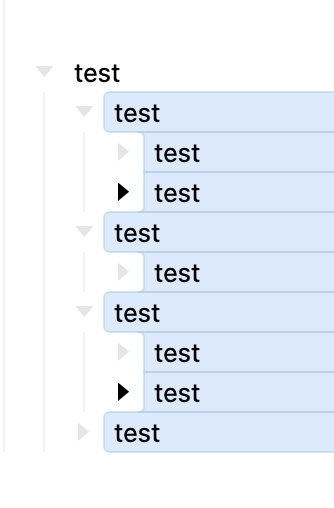
starting with this:

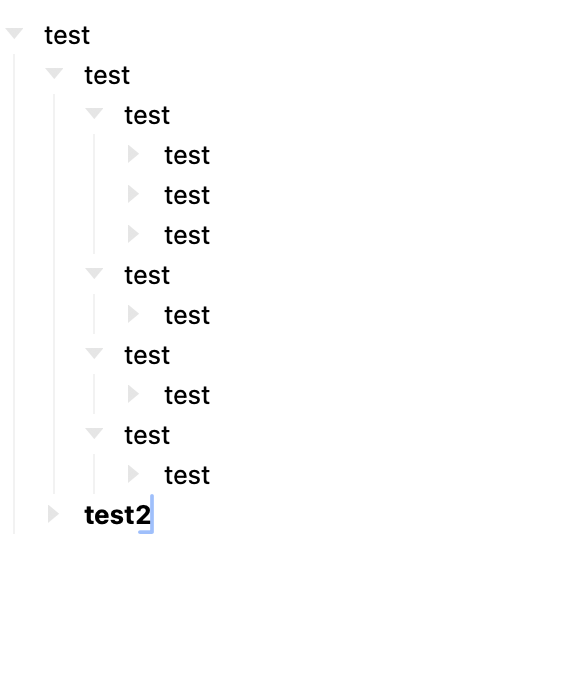
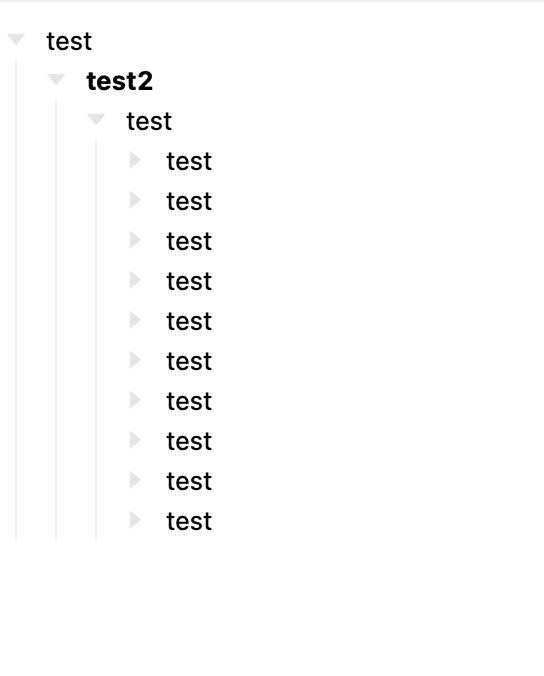
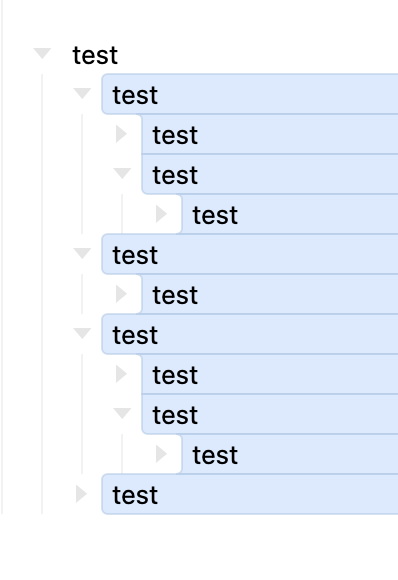
if i select test2 and use cmd-shift-uparrow, to move test2 up, the nesting disappears as i move up.

this is using the custom keybinding:

also, not sure if this is a bug, but when I expand a folded row (cmd-0), the unfolding happens level by level, but when i select everything and use cmd-9, all levels fold up at once, whereas i would have thought the folding up should also happen level by level

also, sometimes after selecting a bunch of folded rows, I need to send cmd-0 more than once to get Bike to respond.

(sent the logs by email)

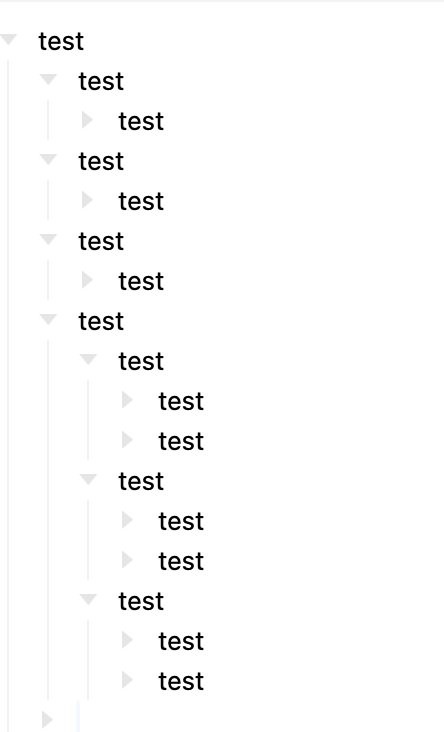
another bug:

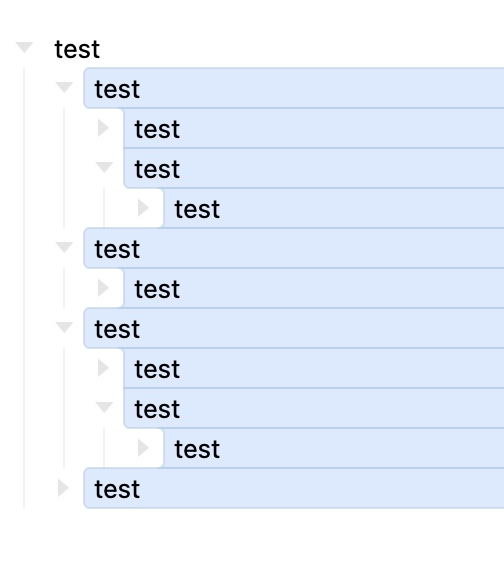
starting with this:

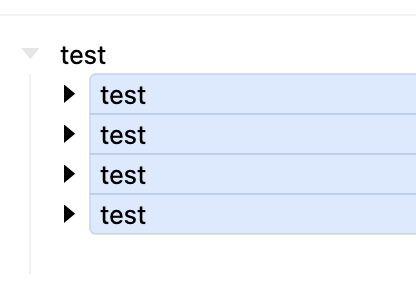
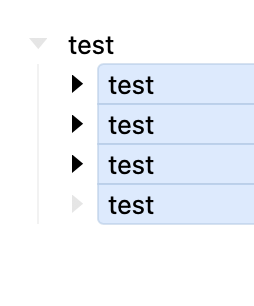
folding everything and selecting:

cmd-0 unfolds by level but loses the selection on the lowest items:

5 posts were split to a new topic: Row: Text Moves + TaskPaper style over indent

Are you sure you are using Command-0 and not Command-Option-0? The intention is:

  • Expand Row (Command-0) expands every visibly selected row
  • Expand Row (By Level) (Command-Option-0) expands every visibly selected row level by level.

These (and inverses using 9 in stead of 0) both seem to be working as expected for me.

If you still think you see a problem can you give me a concrete example. Thanks!

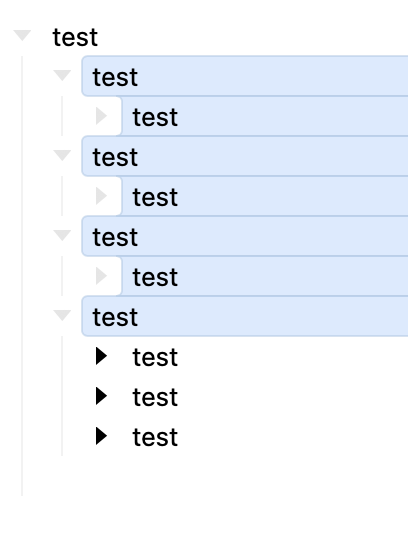
starting with this

cmd-9 (all folds up)

cmd-0 first time (partly unfolds)

cmd-0 second time (next level unfolds)

works this way both orders. definitely not using cmd-opt-9/0

I think this might be due to a recent bug in the last release (or maybe few releases). You can reproduce when you copy/past outline structure into Bike. Then the folding of those pasted rows doesn’t work right first time. I have this fixed for next release.

That is a weird case that I have wondered about. The reason for it is pretty strait forward. The children of that last row are not selected. And so on expand that are still not selected. I’ve tried a few other outliners and they have similar problems.

Or if you consider having a single row selected. And then you expand… it would be weird to select the children in that case.

With that said this interaction has bothered me in the past. I wonder if the rule should be that if you have a single row selected, use current behavior. If you have multiple rows selected then extend selection to expanded children?

if i’m expanding, i want to be expanding the whole suboutline, so losing the selection just forces me to have to re-select. So, yes, i would like to see the selection extended to the expanded children

Ok, that’s expected, but an odd case.

Currently the standard fold command is applied to each row that is visibly selected. So in your first example all the tests are folded.

And expand works the same way. Each row that is selected is expanded. So when you expand in step #2 the is only 4 rows. That are expanded the first time. And then the two addition rows that show the second time.

I’m willing to consider another solution. I guess maybe the collapse case should be adjusted to only collapse top level rows? I think that might be the right answer. Other ideas welcome.

for expand / collapse, i think the most convenient behaviour would let me just place a cursor in a row (no selecting anything) and use cmd-9/0 to progressively fold/expand the rows under that row, without needing to move my cursor around to re-select each time. Then cmd-opt-9/0 would act the same but expand/fold all levels at once.

1 Like

I think this would work for the expand case, but not for collapse? If your cursor is in a row that has many expanded children levels… collapse should collapse the row your caret is in directly. Not start progressivly at the deep children. Correct me if I’m misunderstanding.

I think the current set of commands is a pretty good foundation. I am modifying the behavior slightly for next release:

  1. Collapse will only collapse top level selected rows. That solves the first case you shared.
  2. I’m also investigating ways to make the selection better “stick” when expand/collapse rows. Not sure on that yet.
  3. Mulling other issues.

Also looking for examples. If you have another outliner whose selection/expand/collapse behavior you prefer please point it out. I’m not sure I’ll change Bike’s behavior to drastically at this point in time, but would still be useful to see.

collapse should collapse the row your caret is in directly.

I think it works if cmd-9 progressively collapses the children rows. But i’m also just trying to report possible bugs much more than request feature changes.

Sorry I lost track of this request. I think you are right that it is needed. Will think about exact implementation.

1 Like