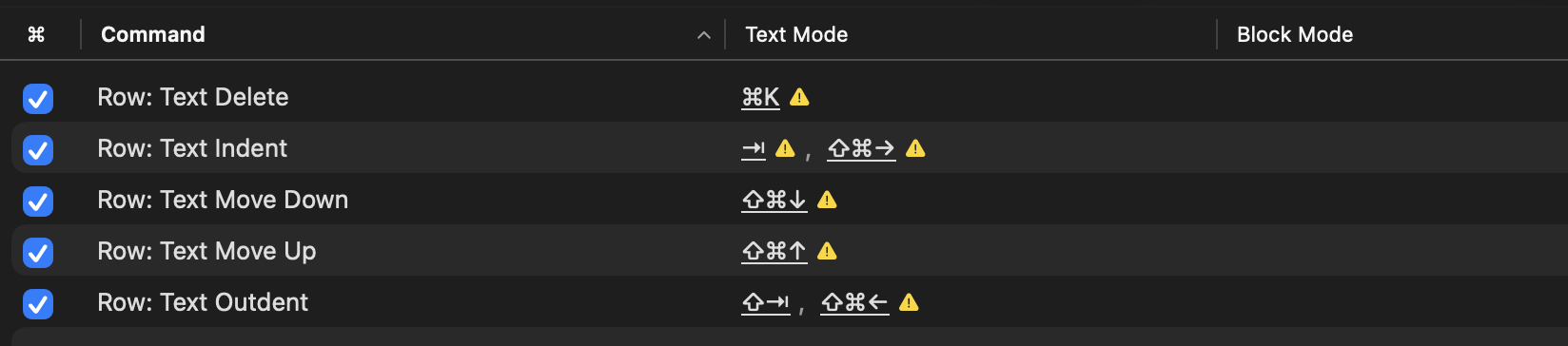
I think this behavior is expected in current implementation of that command. I think the behavior can be simplified to:
- A
  - A
    - A
- B
When you move B up then for pure text move your idea outcome is:
- A
  - A
- B
    - A
Note that in this ideal outcome the - A is indented two levels under the - B. The problem is Bike can’t model that in double indented in its pure parent-child outline structure. So instead that command in Bike uses closest representation that it can model, which is:
- A
  - A
- B
  - A
And that’s how the A’s get flattened out in this setup.
That explains it.
Solutions…
Know the limitation and live with it
Detect the limitation and beep, or skip that position
Model in Bike’s outline by adding a new “indent” property in the way that TaskPaper did.
I’m unsure. I remember explicitly deciding not to support this in Bike, because I wanted a “simple” outline. At the same time I don’t remember that it was all that complex to implement. Hum.
for Row Text: Move Up/Down, I definitely would prefer the Taskpaper behaviour. i don’t think it’s a problem if an item is multiply indented just because i moved something above it. I think most people would use Row Text: Move Up/Down to move a piece of text “through” a suboutline, and thus, the move up/down should not disturb the pre-existing organisations.
the principle i have in my head is that the indentation structure is the whole point of making an outline, so one should not change it except through direct user behaviours.
Right, though I think the question is should an outline structure behavior be defined by more then parent/child relationships. To my knowledge all outliners, except for TaskPaper, say no… but I will admit that I also liked that ability in TaskPaper. Again, hum.
After posting this and messing around I also realized/remembered (it’s been a while!) that Bike 1.0 also works this way, it has the “indent” attribute just like TaskPaper. That tipped the scales and I have been busy adding back this “over indent” possibly to Bike. That should also solve the original issues with the Move Text commands.
I prefer Bike 1’s behaviour when moving text, because it’s more predictable. Moving text through another part of the outline shouldn’t change the structure of the text being moved through; the moving text should flow through like a wave.
If I need to adjust a few indents, i want to do that on purpose, but what i don’t want is to inadvertently lose the information contained in the existing indentation structure.
I’ve been trying to figure a solution that will make Text Based moves easier to opt into. The current route of needing to modify a bunch of keyboard shortcuts in Commands Explorer works, but is a bit cumbersome.
What if instead I just bind row:text moves to a common unused keybinding. For example maybe:
Control-Option-(Up/Down/Left/Right)
This way if you want text move semantics you can just use/learn that keybinding. If you want both text and outline move semantics you can learn both. And what it avoids is having modify Commands Explorer shortcuts, or having to have a “I like text mode best” setting.
For me personally that might conflict with window management shortcuts, so I wouldn’t avoid remapping either way. But might be viable for those that don’t have external window managers, I don’t recall any system commands using that combo.
i’m using cmd-shift u/d/l/r (+ tab and shift-tab for r and l) because i find ctrl-opt awkward to type. I suspect everybody will have their own preferred keybinding.
But since this is a coherent subset of commands, maybe you can create an option in settings to group-specify the keybinding, with ctrl-opt being the default.