I’m still avoiding the “Document it all step”. Should start that next week I think. And fix up all the links in the process. Though this particular link might stay as is, because once Bike 2 is out this will be correct release notes link.
So I’ve been having A LOT of fun having codex generate extensions for me as I play around with how to change visualization. That said, I realized something that I couldn’t find any info on.
For the most part, I use your defaults (dark theme) for like 90% of what I do. That said, for those 10% of times I am trying to do something different, I would like to use a theme/extension with one window. But it seems that is a global setting across everything.
Is there any plans to support per file settings? For me, I’d be fine if it used whatever the default was when creating a new document, then I can go change the settings for the document itself.
(I am in the process of creating a codex for my novel, and I’m experimenting with how to show things grouped together in different ways).
I’d like to try experimenting with the keybindings again.
I experimented with cmd-shift-up/downarrow and ctrl-shift-up/downarrow for Row:Text Move Up/Down, but both of them caused the Bike to slow down by a lot, so i had to remove them.
Is there something else i need to do to add these keybindings?
I think not for this 2.0 release, but could be added in point release with (I think) not to much trouble. It’s not so much a technical problem as it is decisions (which settings are global, which are per document, which are per editor) and UI design that are the problem.
So for now I’m going to ignore this request, but feel free to make a case for it post 2.0 release.
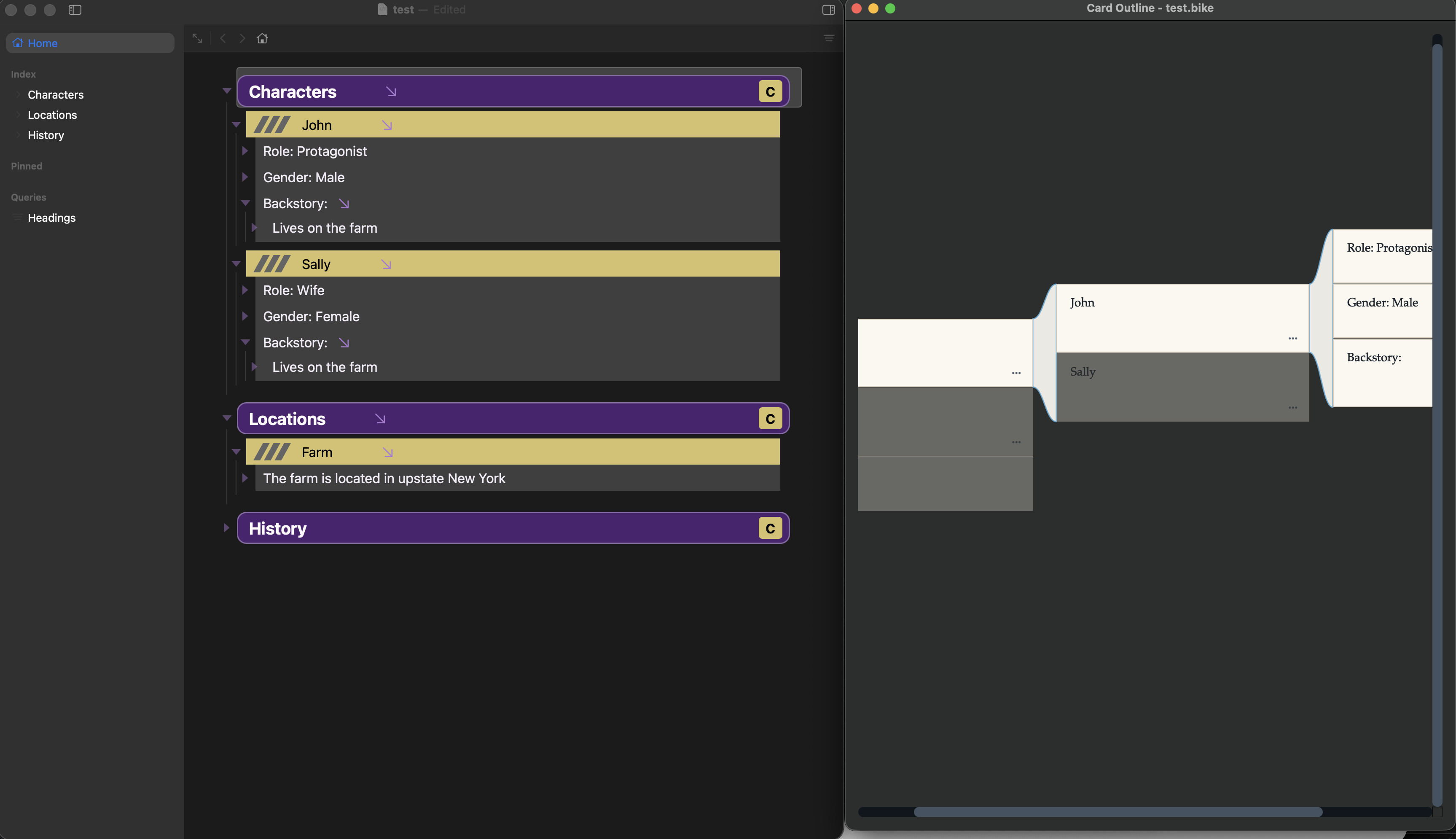
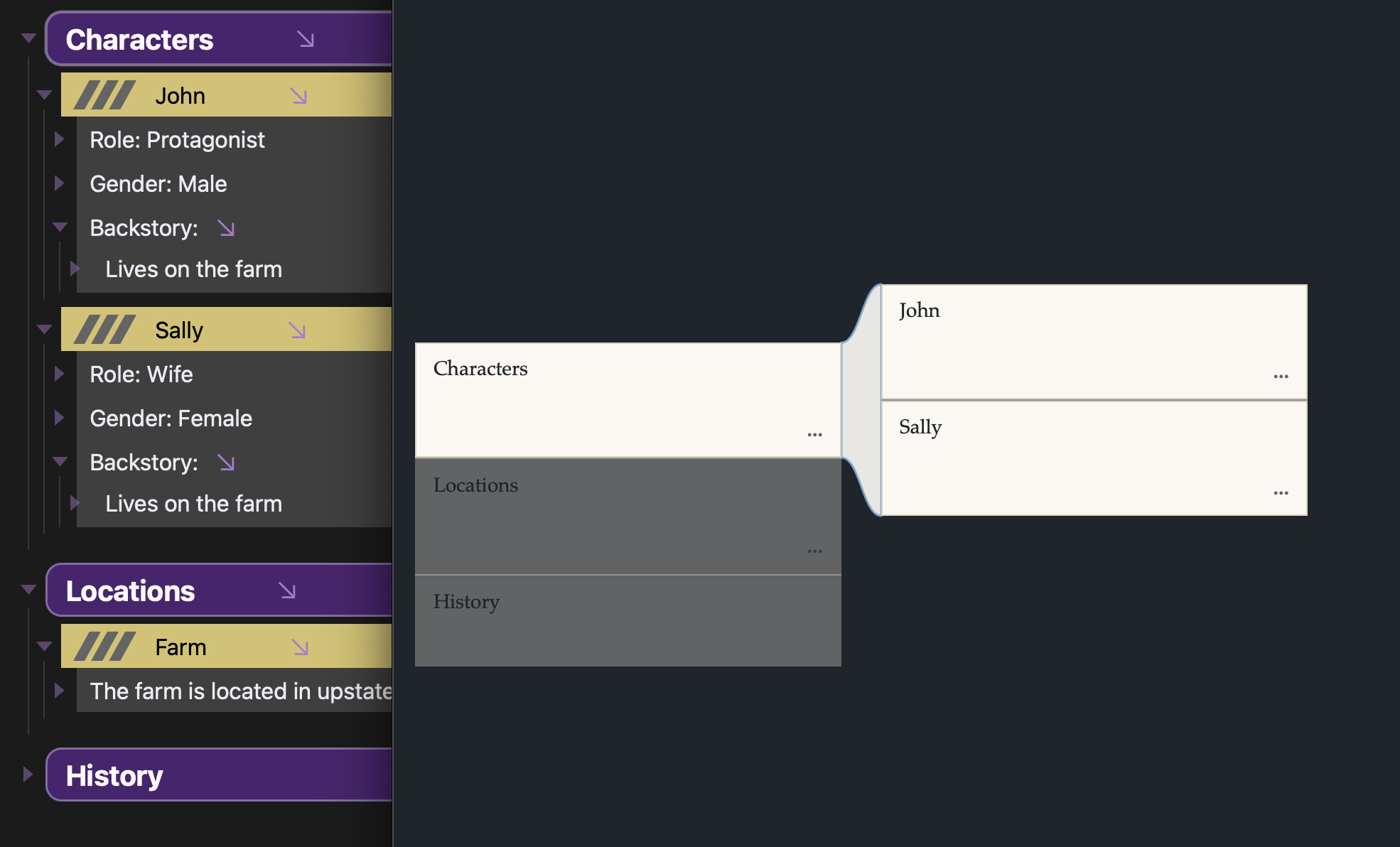
Absolutely, totally understand feature creep, as a coder myself. Because I like to see what people are doing with my software, I wanted to share a sample (I just made up some quick info not in my book) to show the type of setup I am exploring. I really like visual distinction, which is why I love the freedom in Bike2 to play around with such intense styles. Here, I added some graphics to the yellow line, and the C at the end of the row opens up a python script that shows the .bike file in miller rows similar to Ginko Writer (so just gives you yet another way to visualize the data.
Given I wouldn’t want to use this setup for all my other uses of Bike, I’ll think of how I can quickly switch for now as I normally have like 5-6 bike documents up that I am actively working with for all sorts of reasons.
Again, I want to reiterate with how amazed I am with Bike 2. You really have put a lot of effort into how it works, and it shows. Flexibility is hard, and yet, you really give that without losing what makes Bike one of THE BEST outliners I have ever used.
I do, and thanks! Is that second window an extension panel? Or another app reading file changes?
I “think” you can automate switch by just modifying user defaults to change theme. Unfortunately I don’t think you can do that from extension, but terminal defaults key set should do from terminal.
The difficultly in this feature is just figuring how to cleanly limit it and explain that limit.
For example there are many Settings that could be editor specific (General, Typography, Appearance, Autocorrect, etc). I tried at one point, but I don’t want to implement a full cascade where all settings can have values in global, window, and editor. Too much for user to think about.
So instead I currently have global settings that you set in Settings. And then editor specific settings (Writing Focus, Typewriter Mode, Zoom) that you set through menu items or other UI.
I think the answer might be as simple as rename Settings > Appearance “Light Theme” to “Default Light Theme”. And then when you long press the sidebar button in window titlebar, list the themes and allow changing windows theme.
The second window is another app (python app) just reading the bike file directly.
I hadn’t considered this as part of the extension! I should really try that.
One your second question, does the theme control which extension is loaded? When I disable my extension with the slider in the Extensions Explorer, everything goes back to normal. Select it again, and all the boxes and colors are back.
I wasn’t sure how that would interact with themes.
The nice thing that could allow is two way communication between the visualization and outline. Visualization can update immediately as outline changes. Clicks in visualization can be sent back to changes in outline editor.
No, but if your theme is included in an extension, then if you disable the extension the theme won’t be available anymore. So in your case I think the theme must be included in the extension that you are disabling?
Generally I encourage people to bundle themes into extensions. But you can also just put a theme file directly into Bike’s theme folder (accessible through Settings > Appearance) window
Alright, I will work on porting the python over to the extension, as I’d like to make that tighter anyways.
Yes, the theme is inside the extension. As I mentioned, I’ve been letting codex with 5.5 medium doing a lot of the heavy lifting at the moment before I dig into the code. So for now, I’d just have to leave that window up and start/stop the extension to turn it on and off as I switch between different windows.
Someone just asked me whether Format > Clear Formatting is designed to set the type of a row to body.
My instinct was to feel that data-type values are structural properties – conceptually distinct from inline formats – but then I noticed that at a certain stage of Bike 1 development the release notes referred to extending Clear Formatting to row types (presumably setting them to body, effectively ?)
No, the current implementation is intended to just clear inline formatting. It’s actually named clearTextFormatting. I think in Bike 1.x I may have updated it so that if there was no text formatting, then it would clear row formatting. But I think for Bike 2 (until I change my mind!) I’ll leave as is.
Yes, to clear a rows type, backspace at row start should do it. You can also select multiple rows and choose Format > Row > Body (or use the popup in status bar) if you want to clear type from multiple rows.