I’ve noticed a few funny things, for which I’m not sure if they’re bugs or just my bad handling of extensions:
If I lock the screen, unlock and go back to Bike, custom keybinds (like the left/right to expand/collapse in block mode) don’t work for a few tries.
If I cmd+tab to a different app and cmd+tab back to Bike, none of the windows get focus (the traffic lights remain greyed out). EDIT: This last thing seems to be true only if I’m switching virtual desktops while switching between Bike/other apps, and I can’t reproduce this reliably. Switching Stage Manager on/off seems to help.
Thanks, I think this is fixed for next release… (the hierarchy is preserved)
I think this is actually correct behavior if I understand correctly.
For me inline formatting (bold, italic, etc) is not lost from “One”, but row type is lost. This is because the row “One” is being joined with the empty row. And in this case (since you are deleting forward from empty row) its type takes precedence. Really what is happening is row “One” is being deleted and the text of row “One” is being appended to the empty row.
I’ve fixed for next release. Issue was related to swift NSXMLParser, when passing those strings it would throw no parse error. And do my .bike decoder was being used, when .txt should be used.
Good question… in theory yes, but in a few minutes of messing around I’m running into problems. I’m going to defer until after 2.0 release to look into this too deeply.
This was mostly done with AI, but I had to go in there to figure a few things out by myself.
The way this is structured is:
app context figures out what the current row is and what its ancestors are
feeds that information into style context to draw the lines
uses userCache and watches for changes and tells style to draw changes once the caret/selection changes rows
I couldn’t figure out how to use only the style context to determine ancestor paths. For some reason AI insisted on using row('.parent() = true and <OUTLINE PATH TO FIND SELECTION> => { to match parents of selected rows which didn’t really work.
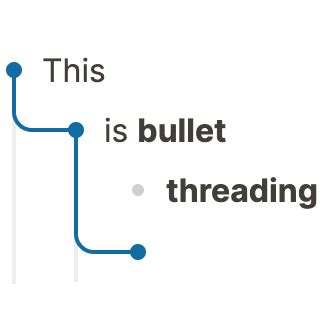
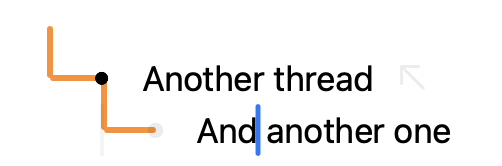
I also don’t know how to get rid of the top-most horizontal line. I swore there was a @level attribute somewhere, but that seems to be gone. Good thing about this is when you’re focused into a row, the vertical line points up, indicating that you’re in focus view, which isn’t too bad:
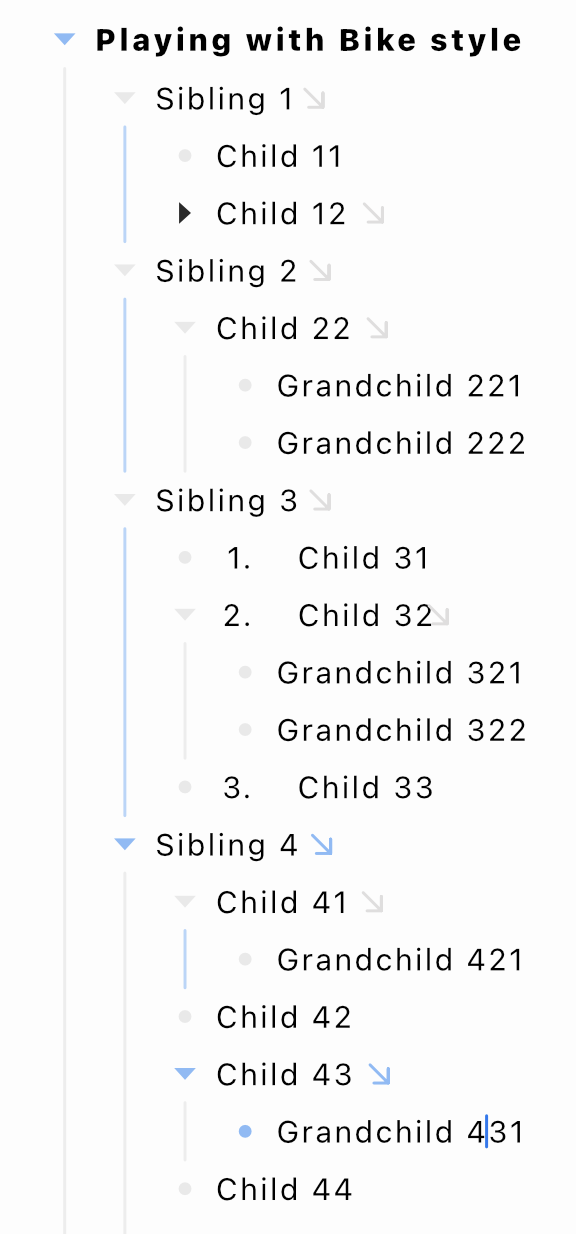
Still have some digging to do to understand how to make it draw nice rounded corners (currently it’s just a vertical and horizontal line joining) and how to make it style the bullet handles with the same color.
At that point my idea was to do it only with colouring the elements that’s already there (this was way before extensions) — but something like your solution is obviously much clearer.
OK, here’s the link to the (unbuilt) standalone extension:
Once you build it, theoretically this should work with any editor style to various degrees of visual appeal.
There are a few things I don’t like about the current implementation:
It relies on setting @bullet-threading attributes to rows. These get added and deleted as you move the caret around the outline to track the threading path, but it still means you see an extra attribute in the files, and the file gets an ‘edited’ state as soon as you navigate between rows. If you save the outline, the attribute will save with it, which means on next open, you’ll see where you left the caret until you pass through that row again. It’s possible that you end up with the attribute saved in multiple places.
I want to fix this somehow, but I can’t figure out how to access current row and its ancestors on the fly in a better way. As I reported above, I wanted to explore using .selection() = caret or similar in style context alone but I get crashes if I add / to that relative outline path. This bugs me because .selection()=caret/parent:: clearly works, but not .selection()=caret/ancestor-or-self::.
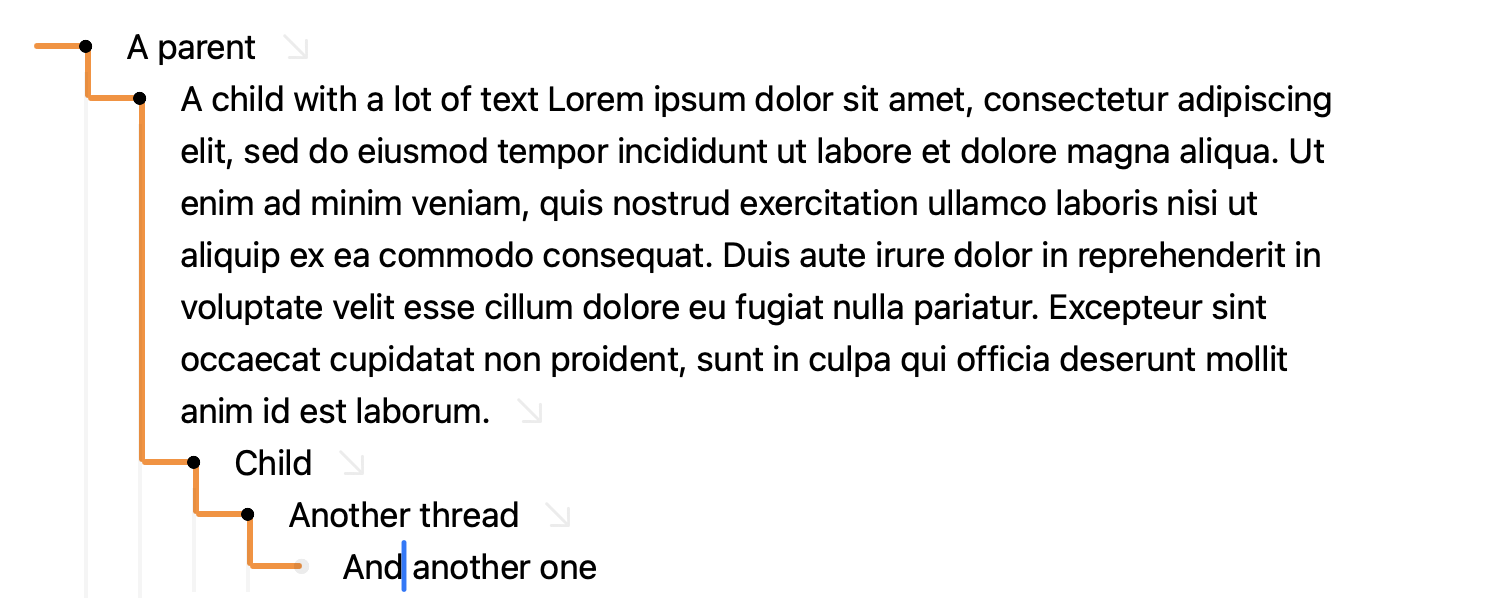
Visually, it’s still not done. I want it to give colour to the row handles along the thread, and make it round corners nicely.
In very long outlines, where you have to scroll to get back up to parent, the thread disappears for some reason. I have no idea why this happens.
In any case, try it out for yourself, it’s pretty fun seeing this working in Bike.
Ha, looking at this now, and my brain is a bit stretched by layout logic to draw vertical line from child to parent. It makes sense, but I wouldn’t have thought of it.
Yes, this should be possible, you shouldn’t need to add those @bullet-threading attributes. I think the simplest correct match rule for this will be:
./descendant-or-self::selection() = caret
But unfortunately (as you say) that will crash in current Bike release. I have fixed problem locally though, and it works… with that said it’s not going to be very efficient in larger outlines. Will require full descendants traversal for each row in the viewport and (in the viewport) also includes all ancestors of rows in the viewport. End result is lots of traversals.
Because of this I think I will add an optimized editor function for this.
I guess something like:
selection-ancestor() -> caret|range|block|null
So that function would return caret if the current matched row contained a descendant with caret selection. Make sense?
Hah, that’s a very restrained way of describing bad coding, and totally my fault. I’m sure even with AI I could have given it better instructions on what I wanted to do, but this seemed to work.
I’ll definitely try this out once it’s available. I’ve just realised that setting @bullet-threading attributes all over the outline also affects undo functions, and that’s unacceptable.
I wouldn’t have realized that layout.top is also the height we want (still not quite sure, but seems to work). And then tricky to get into right position by setting y anchor to 1.