Fixed memory leak; memory should go down again when closing windows.
Fixed ignoring front-matter in plaintext files unless bikemd: true is set.
Fixed default outline path search to be case-insensitive.
Fixed error in RTFEncoder that could crash when pasting (PDF, etc.).
I’ve been working to make it easier for AIs to build Bike extensions. Part of that work is to show the AI how to use Bike’s AppleScript evaluate command to test and debug code snippets interactively. These changes are to support that effort.
Added explainQuery to JSOutline.
Improved detail in error reporting from OSA Script evaluate commands.
Updated WebViewDOMScriptManager to accept inline scripts in addition to file paths.
They should be working, but missing documentation (where is that broken link from?) and quit a few of the expected features. (at the moment they are just text, accent, and background color) This posts shows the basics for now to use.
I will get back to them, but I’m trying to tackle “the hardest remaining thing” for 2.0 … and keeps changing as I continue. I think Markdown support is pretty good now, next focus is navigation bar features.
I think those are pretty much ready for 2.0 as is. They are very powerful, but require programming to do and so are of limited use to most people. Themes can be thought of as configuration files for editor styles, themes do not require programming and so are much easier to make and experiment with.
The extension kit code/docs should be up to date. That’s the repo that I’m building Bike’s included extensions out of. It also has updated tutorial.bkext code, but it’s been a while since I copied that over to the guide docs.
I’ll do that now, not sure if there are many changes, but probably a few .
Just found one big documentation bug that could give you a headache. Inline attribute names have changed to align better with HTML names and in generally be shorter since they may mixed in with text content in .bikemd files.
export type TextAttributeName =
  | 'em' // was emphasize
  | 'strong'
  | 'code'
  | 'mark' // was highlight
  | 's' // was strikethough
  | 'a' // was link
  | 'base' // was baseline
  | string
The default bike style in the extension kit is updated to use these names, but I found at least one place in the documentation that wasn’t yet updated.
I’m getting reports of crash on paste bugs, that so far I have not been able to reproduce. Has anyone else seen these crashes? Found a reliable way to reproduce them?
I couldn’t find the paste bug, but I found one related to deleting rows with ^+D:
Create blank document
Label first row ‘One’
Press return to create new row, label ‘Two’
Indent ‘Two’ under 'One
Create new blank row above ‘One’
Place cursor in blank row and delete blank row with ^+D
The result is that the blank row will delete, but will also outdent ‘Two’.
This seems true regardless of where you are in the outline. If you delete a blank row above another row containing children with ^+D, all children will get outdented.
EDIT: This also seems to strip the row immediately below the deleted one (‘One’ in this example) of any formatting.
FWIW I am finding that I can’t paste from a public.utf8-plain-text clipboard (no other types present) if the clipboard text is less than 4 characters long.
Deli pastes successfully, for example
but Del (3 alphabetic characters) appears here to be unpasteable.
(Bike 2 Preview 253)
Byte count, rather than character count, perhaps:
lea (3 bytes) doesn’t seem to be pasteable,
but there is no problem with pasting the single emoji character (4 bytes)
and similarly we can’t paste 文 (3 bytes) (from a public.utf8-plain-text-only clipboard), but we can paste (the 6 bytes of) 文武.
Unicode byte lengths as measured by:
Expand disclosure triangle to view JS source
const unicodeByteLength = s =>
	(new TextEncoder()).encode(s)
	.length;
@Gorgonzola@complexpoint Thanks for these reports! I’ve been busy painfully trying to figure out what Glass UI means for Bike … which means endless fiddling and frustration for the last few days, and not much room for else, but I’ll get to these eventually! Thanks again!
Another thing: I wonder if background.zPosition doesn’t work as intended..?
(As always, it might just be because I’m doing something dumb. )
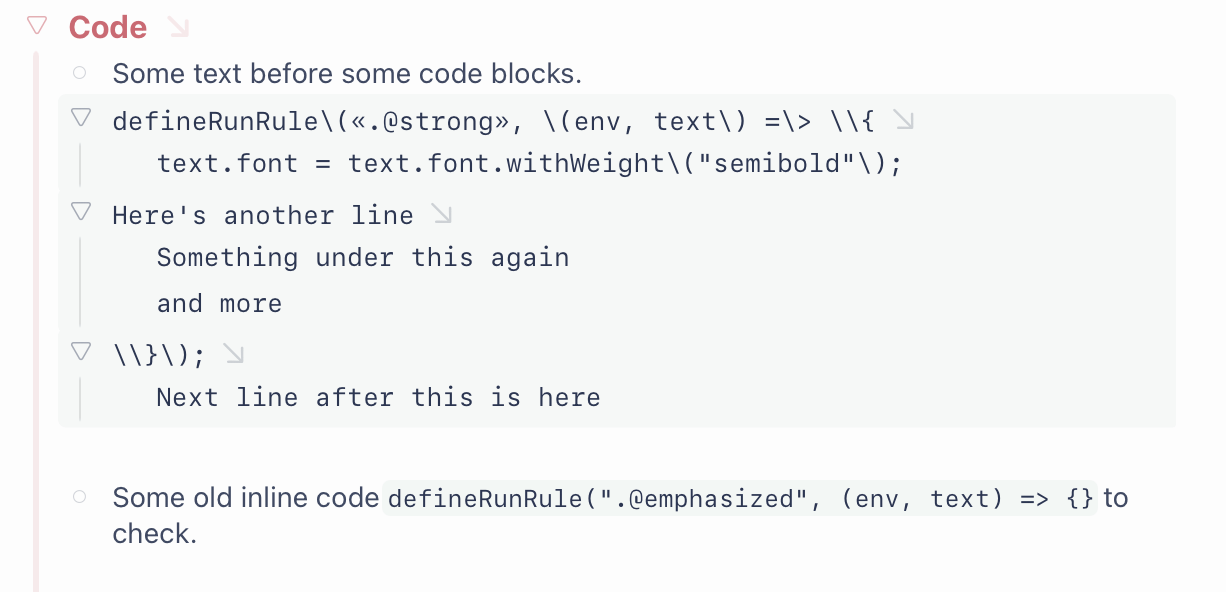
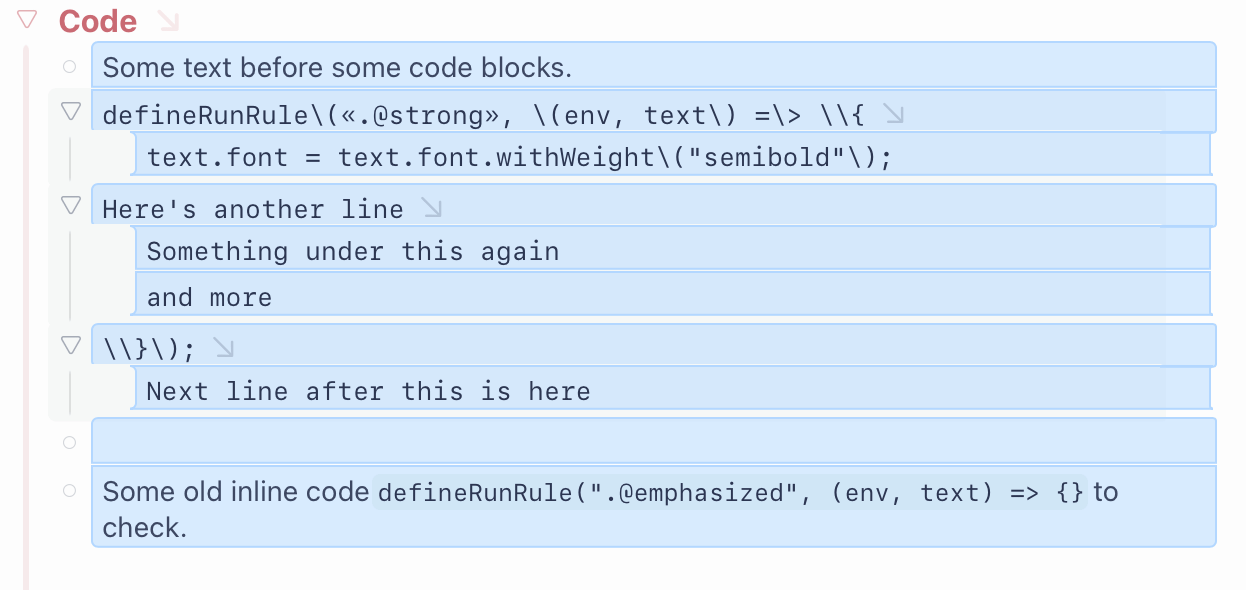
I’m trying to give a background colour to my codeblocks — and to make them blend, I don’t want to use opacity on the colour. (I instead mix the accentColor with the backgroundColor.) However, even though that one has zPosition -20, the block selection (with -2) doesn’t go _on top_.
If I change the latter to 1 it DOES go on top, but then it also goes on top of the text…
I also have an issue with .md files declared as bikemd: When I have actual code in codeblocks, forwards slashes \ keeps getting added… (And I don’t open the files in any other app — and the file is located in Bike’s iCloud folder.)
Like this snippet: defineRunRule\(«.@strong», \(env, text\) =\> \\{
The issue is that code block is a row.text decoration, while selection block is a row decoration. Row decorations can stretch to entire branch, while row.text decorations are just for the rows text … those decorations are not siblings, and so zPositions can’t change their relationship.
Hmm, I see. I tried some things that made it a bit better:
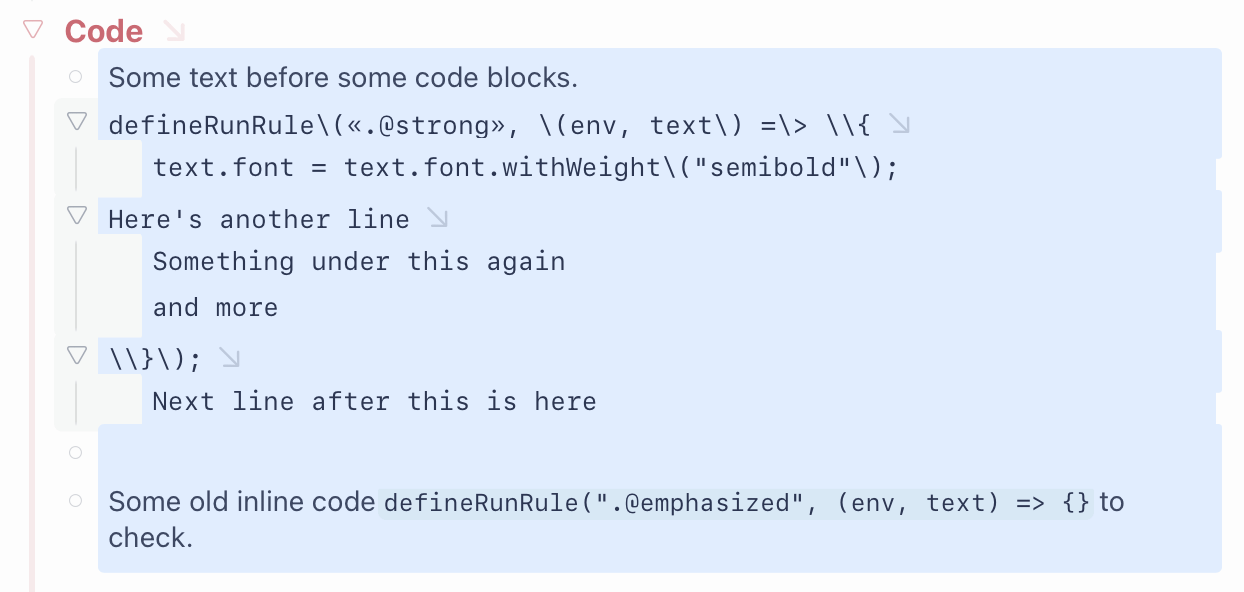
I changed the codeblock to be row decorations instead, and the inline code to use withAlpha.
The reason I don’t want to use Alpha is that I want the codeblock rows to blend together — and with Alpha you’ll see the different layers.
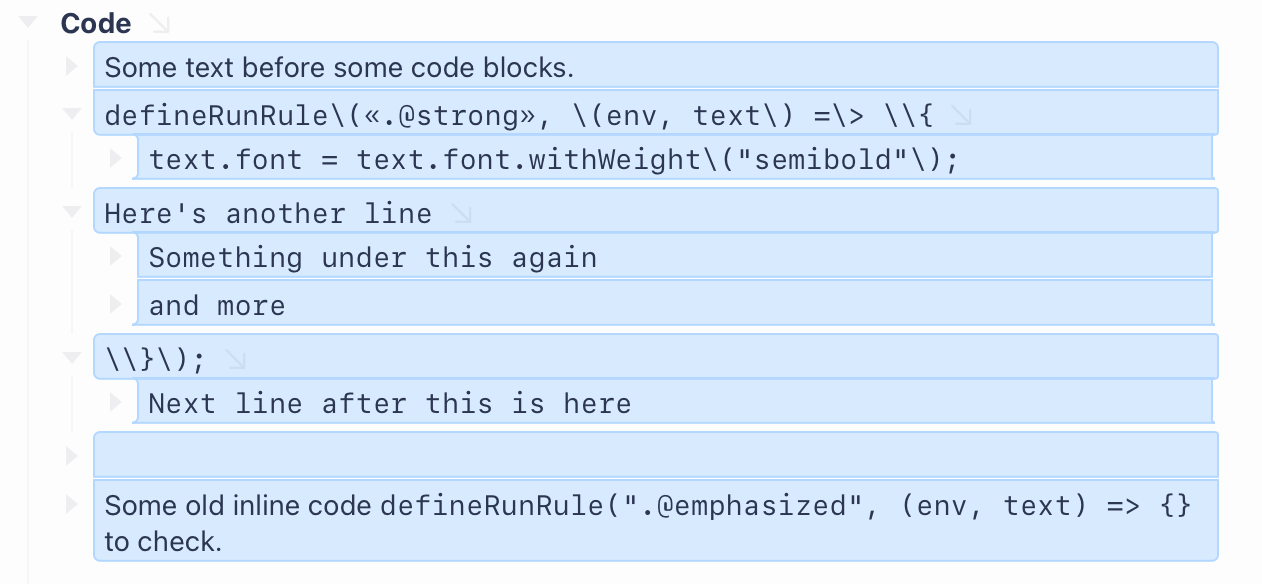
The selection is still a bit weird, though: I don’t know why you get those rounded corners on the right, and in general I don’t love how uneven they are.
And, to be clear, this is an issue with the default styling as well. (Like, why doesn’t the rows stop at the same place on the right?)
I think I got it looking a bit better by doing a similar thing that with the codeblocks: Removing the border, and then mixing the colour with the BG colour instead of using alpha. (I made it a bit lighter after taking that screenshot…)

 and
and  , but it doesn’t work with symbols like → or an emoji like
  … Weird!
 (4 bytes)
 )
)