Changed app ID. WriteRoom 4 now has a new app ID, so it can get its own App Store listing. The first time this build launches, it brings over your preferences, license, themes and untitled drafts from the previous build’s Container. The old copies are left where they were.
- Added a notice when Settings changes a customized window
- Changed wrap-to to keep the column’s share of the window
- Changed switching fonts to keep the column width
- Changed the caret to scroll to center when partly offscreen
- Fixed ⌘` cycling through background tabs
- Fixed the scroller not showing while scrolling
1 Like
This release changes WriteRoom’s app ID to com.hogbaysoftware.WriteRoom.universal.
I needed a free ID that I could use for both Mac App Store and direct download, that I hadn’t already used for old WriteRoom or old WriteRoom for iOS. Headache, but I think this is the right solution.
This change means that WriteRoom’s app container (special folder) is also changed. When you launch the new version it should copy over everything (license key, temp files, etc) as needed. It shouldn’t change anything, just copy.
If for some reason it doesn’t import over something you need (such as temp saved file) you can redownload WriteRoom 414 to access that old container.
FWIW a footnote on app ID changes for anyone who uses Keyboard Maestro with WriteRoom:
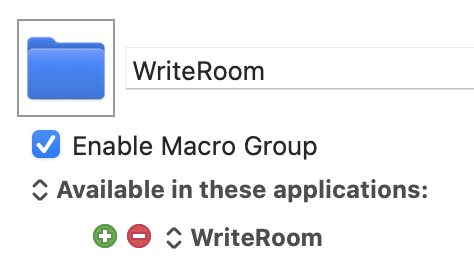
Settings on any WriteRoom-specific macro group
If you have a WriteRoom-specific group of macros in Keyboard Maestro:
- Click the red button to remove assignment to the old id, and
- use the green button to pick
WriteRoom from an app list and create a fresh assignment.
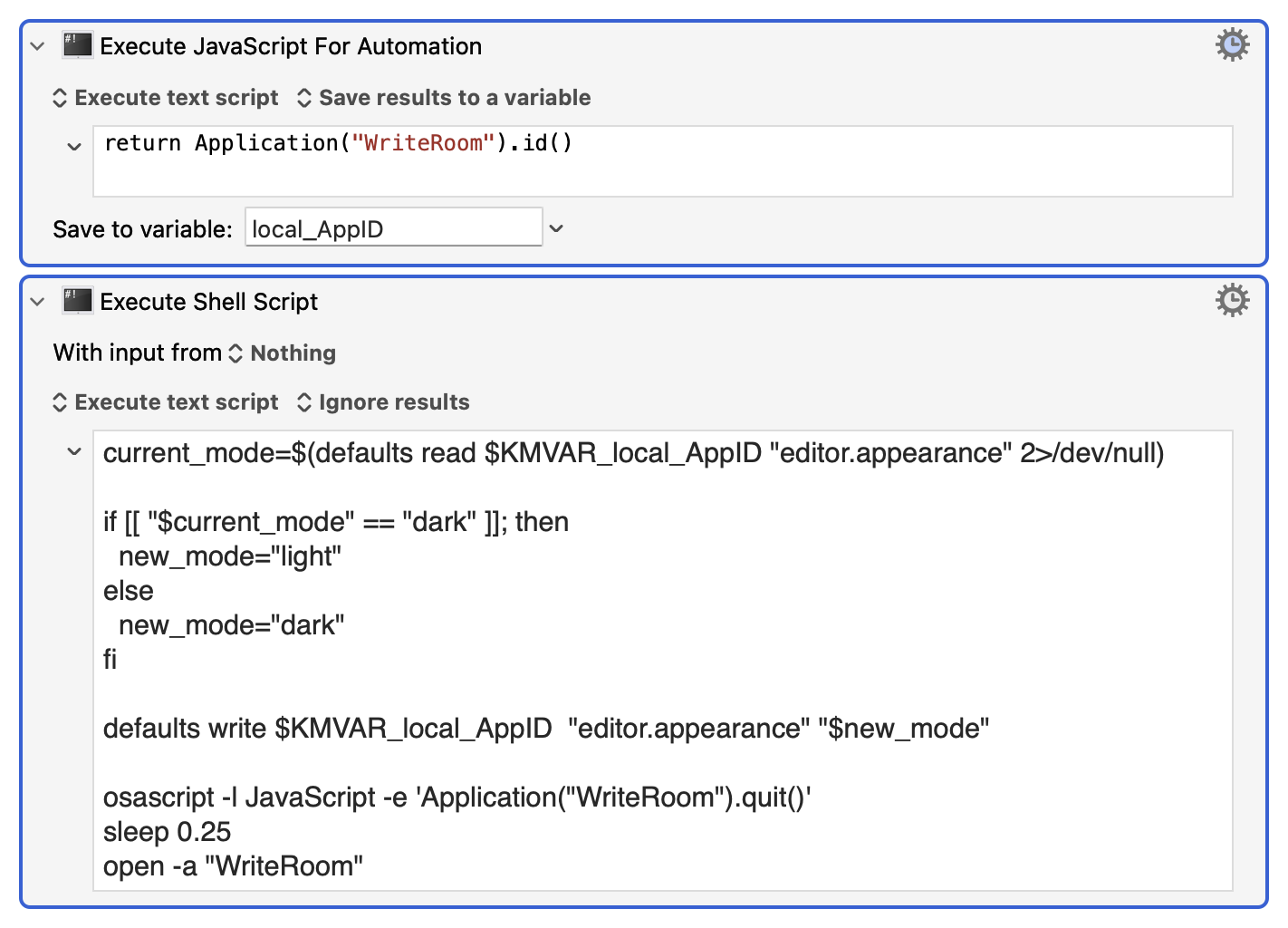
Obtaining the correct id at osascript run-time
Applescript
tell application "WriteRoom" to id
JavaScript for Automation
Application("WriteRoom").id()
Using a run-time-captured id in shell scripts
Switching between dark and light illustratively, but a bit clumsily, here: