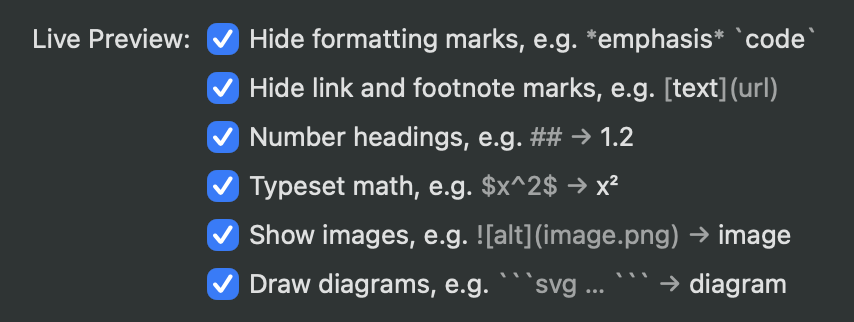
Pictures, equations and drawings. Pictures, math and svg/mermaid fences now draw in place as objects. A click selects one whole, Return opens its Markdown, and Space shows it in Quick Look. Drag and drop files to editor to attach.
Added svg and mermaid drawing fences
Added Text Bundle documents with attachments
Added previews for attached files that aren’t pictures
Added Quick Look for a selected object (Space)
Added Rename File and Copy File for pictures and assets
Added LaTeX highlighting in math source
Changed equations and drawings to select whole, like pictures
Fixed Settings… greyed out on some keyboard layouts
Oh, for others, I got didn’t set the new feature defaults to ON. Will do that for the next release. But to see the new features you’ll need to check the last three items in Settings > Markdown > Live Preview:
Save As{.textbundle, .textpack} are both working well,
and I find that I can open a .textpack file with WriteRoom 4.0 Preview (412).
If, however, I create a .textbundle package (either by dragging an image into an .md file,
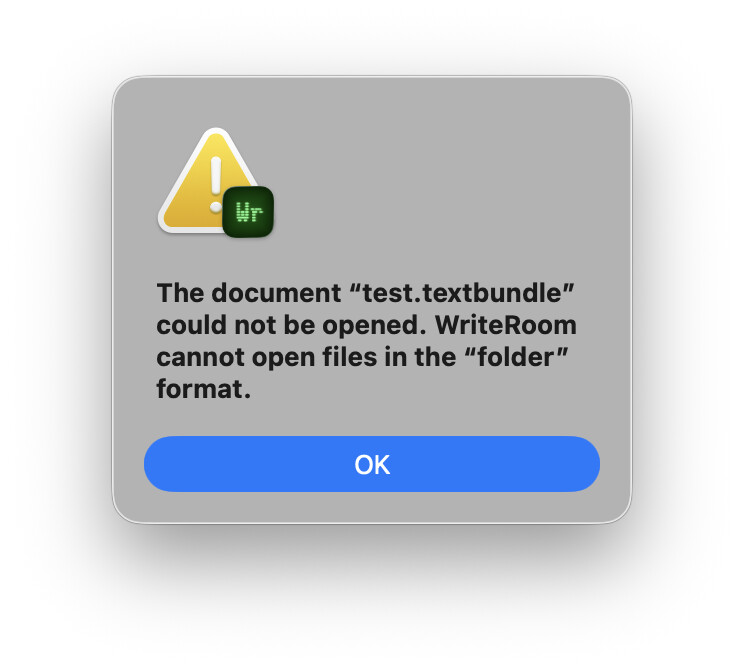
or via Save As), I find that I can’t subsequently open that bundle with WriteRoom.
You beat me in the debug race. I think the MultiMarkdown Composer declaration isn’t right… but really UTI declarations are often a mess hard to say who is right! I am working on a hack/workaround that I think will allow you to keep MultiMarkdown Composer, while also allowing WriteRoom to open the bundles.
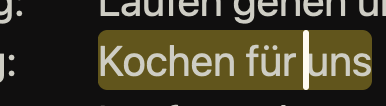
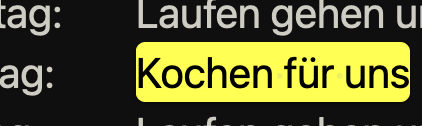
There is no markup on the phrase. It is dark yellow when complete, bright yellow when exclusively selected and the highlight goes away when I delete a letter. It comes back, when I complete the phrase again.
I sadly can not supply the complete file, as it is private. Can I help otherwise?
It must have, maybe I overlooked it; I did not intentionally started a search and I was looking around for causes for some minutes. Sorry for the false alarm!
Quite possible you found at least a partial bug case… ah actually I think I figured out what happened. I think you accidentally did (Use Selection for Find) Command-E. That gets you into the state without a good way to get out until you show/hide the find panel. Will fix.
I think the TextBundle opening code is more forgiving and the find highlight behavior more predictable in WriteRoom 4.0 (Preview 413). Also should default to showing images and diagrams.