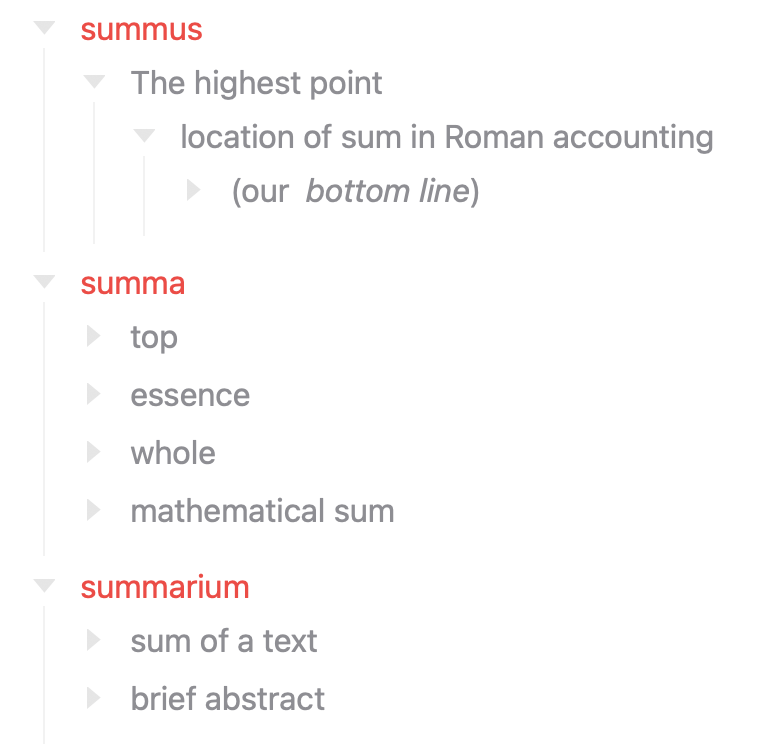
Experimenting here with definition lists (terms with definitions indented under them – as in the Pandoc DefinitionList type), and wondering about the most efficient way to:
- Define one style for a term row
- Another for its descendant definition rows
My first experiment seems to work,
// 1. @classes contains "term"
// 2. descendants of such rows
defineEditorStyleModifier(
  'term-definition',
  'Term Definition'
)
  .layer('base', row => {
    row(`.@classes contains "term"`, (_, row) => {
      row.text.color = Color.systemRed();
    })
    row(`ancestor::@classes contains "term"`, (_, row) => {
      row.text.color = Color.systemGray()
    })
  });
but I wonder if there’s a more direct way of
- applying one style to a matched row, and
- another style to to its descendants ?
Probably not quite the style I want, but just using system colors for the moment: