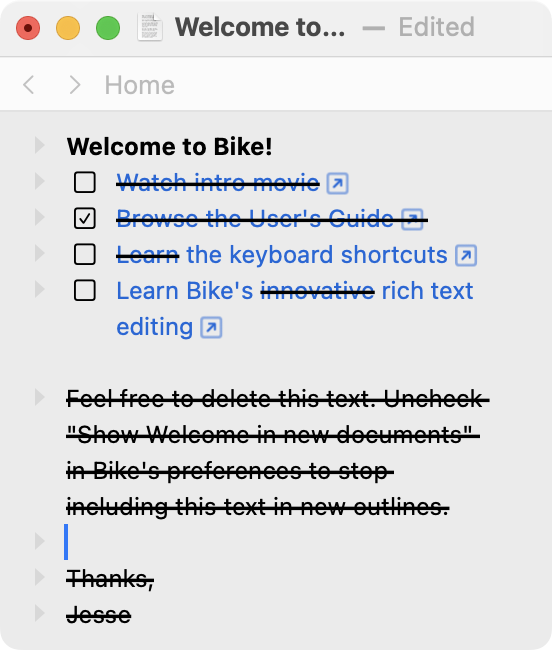
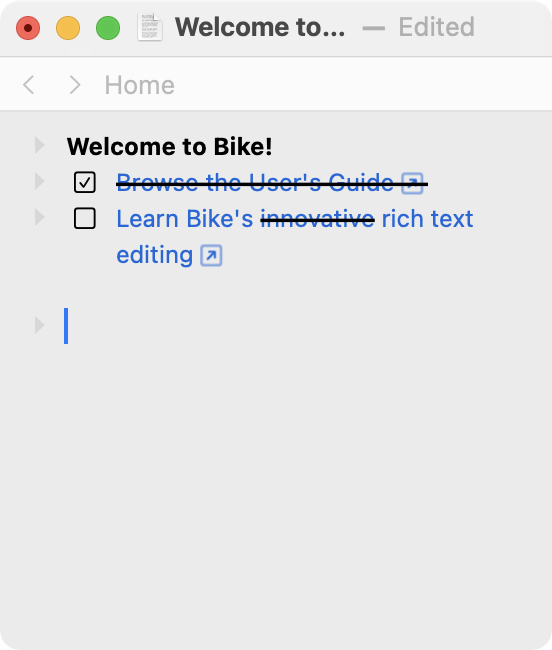
The script only handles the selected rows and it’s not perfect.
Note the third and fourth lines.
.
tell front document of application "Bike"
	set rs to selection rows
	repeat with each in rs
		if exists character of text content of each then
			if strikethrough of text content of each is true then
				delete each
			end if
		end if
	end repeat
end tell
.
I’ve also been looking into removing parts of a row with partial strikethrough, but haven’t had any success yet, it seems to be because it can’t directly process the array with attributes obtained by attribute runs. Maybe?
Want to clean strikethrough parts
tell front document of application "Bike"
	set rs to selection row
	set rsa to attribute runs of text content of rs
	repeat with each in rsa
		if strikethrough of each is true then
			delete each
		end if
	end repeat
end tell
Alas I don’t have any idea why this works an your attempt didn’t, but this script is deleting strikethrough runs for me:
tell front document of application "Bike"
	set rs to selection rows
	repeat with eachRow in rs
		tell text content of eachRow
			delete (every attribute run whose strikethrough is true)
		end tell
	end repeat
end tell
to remove all hyperlinks from the selected rows while keeping other formatting intact.
tell front document of application "Bike"
  set ls to selection rows
  repeat with each in ls
    set link of every attribute run of text content of each to ""
  end repeat
end tell
Where 'a', the name of the HTML link tag, is drawn from the various possible values of TextAttributeName
export type TextAttributeName =
    | 'em' // was emphasize
    | 'strong'
    | 'code'
    | 'mark' // was highlight
    | 's' // was strikethough
    | 'a' // was link
    | 'base' // was baseline
    | string