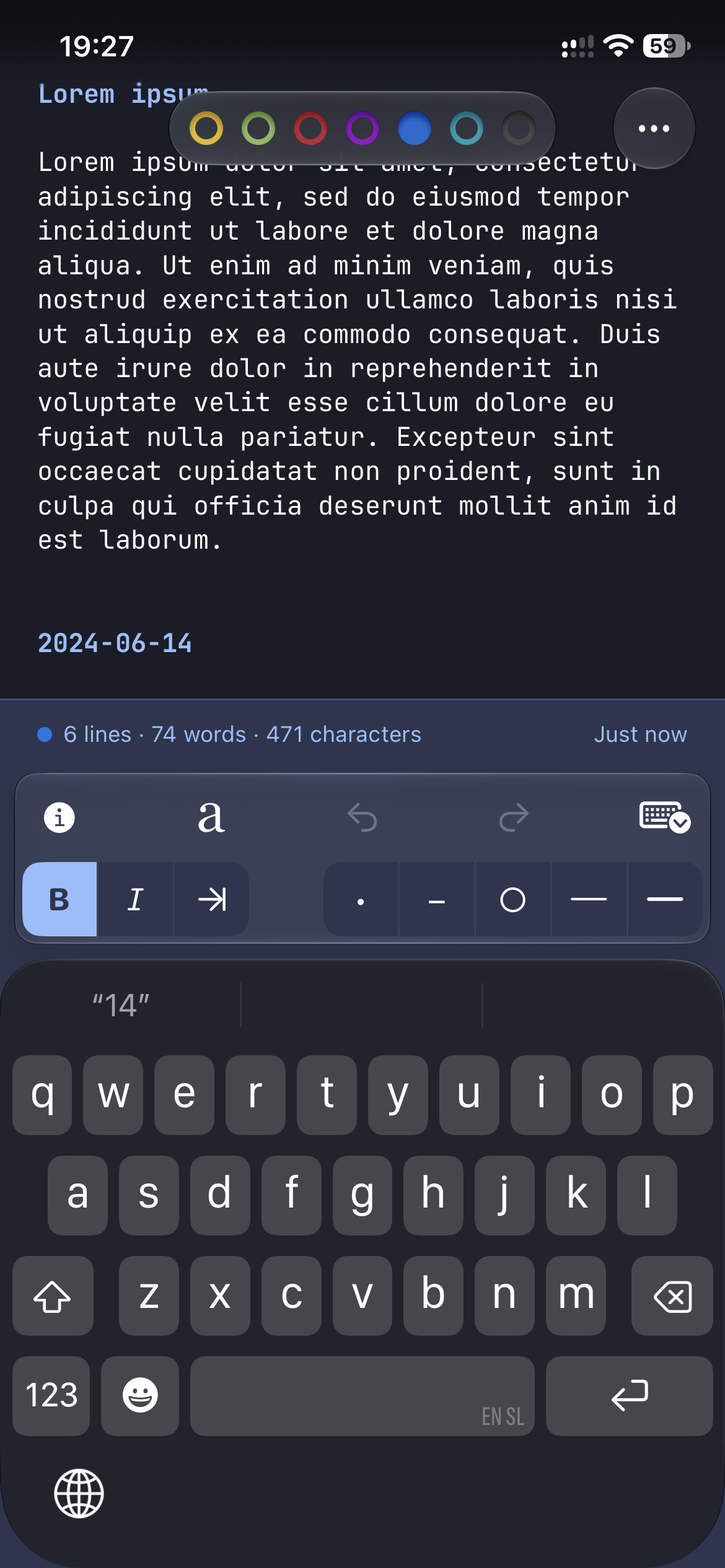
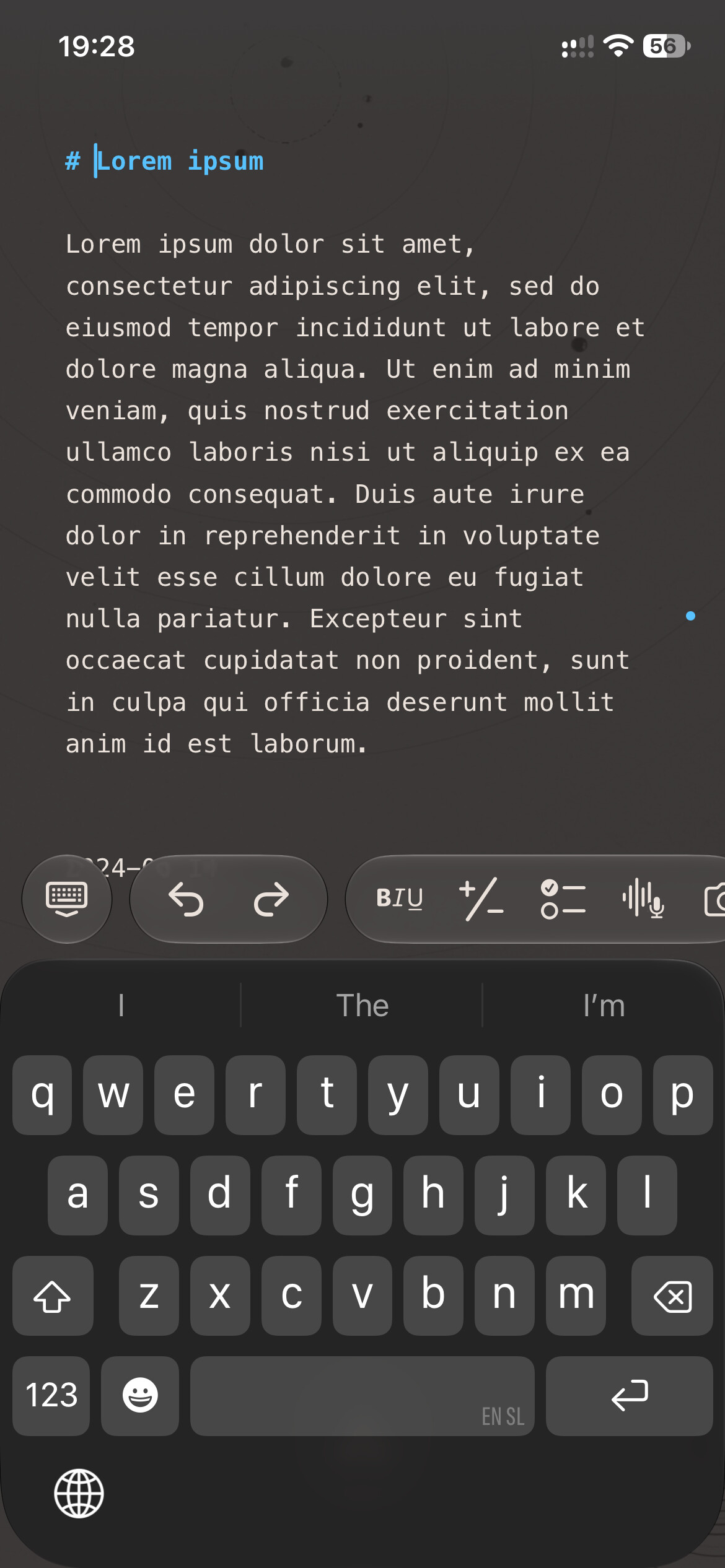
Just wanted to say that the thing keeping me from fully converting all of my writing into Bike is the lack of an iOS app. I even bought & used Kosshi for a while (I am generally an “everything into a single file” person, anyway), but it just doesn’t feel as well crafted as Bike.
Curious if you have thoughts around the macOS app being “done” and any plans for iOS?
The good news is that I think macOS app has been done “enough” for quite a while.
The bad news is I’m a bad manager. And tweaking for perfection is much more fun then trying to figure out marketing video, screenshots, etc. Ugh… but you are right I really need to call it done and just do it.
The good news on iOS is that I do already have the editor working pretty well there, so it’s not a start from scratch task.
An iOS app is really the last thing preventing me from using Bike for everything. The current MacOS version already does everything I need for notes, thinking, project tracking etc. And it does so far more elegantly than most of the alternatives!
Yes, very much so. Mobile apps are sorely missed. Foldnotes is alright for bike files (great for markdown), but I’m so looking forward to hopefully test the mobile apps soon (wink Jesse :D).
The core editor has some good progress. But no surrounding app. Any favorite document based app iOS UI’s?
I’m looking for clean and simple while also nicely supporting a collection of multiple documents to open. One feature I would like is a “main” document, UI defaults to showing that. Other suggestions welcome, I generally am not much of an iOS user.
Super simple and fast quick capture is probably the thing I would like most, similar to Apple Notes’ quick note action. So some kind of shortcut in the control centre allowing jumping straight into today’s calendar branch.
Defaulting to a “main” document sounds great as well.
Mainly I’d like to have a Bike reader on iOS. I only have 3 Bike files; one for personal notes, two for work; all of them are long form notes/text. I frequently need to open them and jump to a particular section/headlng.
I put together a basic design for Bike iOS. Attaching a pdf as well as an html file.
The html file is sort of a playable so you can try out options and make suggestions off your user experience. It runs in any browser and will also run on your iOS device.
If you like what you see, let me know and I’ll continue with design for the Settings and various Explorers and other interface elements.
Essentially this is an on-the-go Note adder and annotator (“Notes”). You can either create a new file, or append a note to your existing file.
Date picker (“Tasks”) will allow you to see your day’s tasks and also add new tasks with @due values
The file browser (“Reader”) lets you access all your Bike files in your Bike iCloud folder, and search too.
PS - the html needs to open as a link in Safari, or else you will see a blank screen due to JavaScript underpinnings. Alternatively, you can click this link -Claude Artifact
Give Antinote on iOS a try. You have to sign up for the Testflight beta but I’m pretty impressed with how deep it goes with a minimal UI. It’s not document-based but library is mostly just switch between notes. I think you’ll find some FoldNotes influence there too.
I like Antinote a whole lot too, and bought it right away - although I use it almost exclusively as a scratch pad for the math and sum functions, or to jot ephemeral quick-lists.
Caveat - with its minimal interface and absence of calendar or tagging capabilities, I would think of its UI more in line with what an iOS version of WriteRoom would offer rather than Bike.
I agree as far as use case goes, they’re entirely different animals. But what I like about the iOS version is that it has one floating button, and everything else is tucked away behind swipes and taps. The iPad version even does split screen.
I think it’s a great example of how you can integrate a full interface on a touch screen without wasting realestate. Compare with Tot:
Thanks for sharing this! I didn’t take a close look until just now. I’m not sure about the full feature set, but it’s a bunch of ideas I hadn’t considered, so great input. Thank you.