Given this:

I want to deterministically go to gen and focus in on it like so:
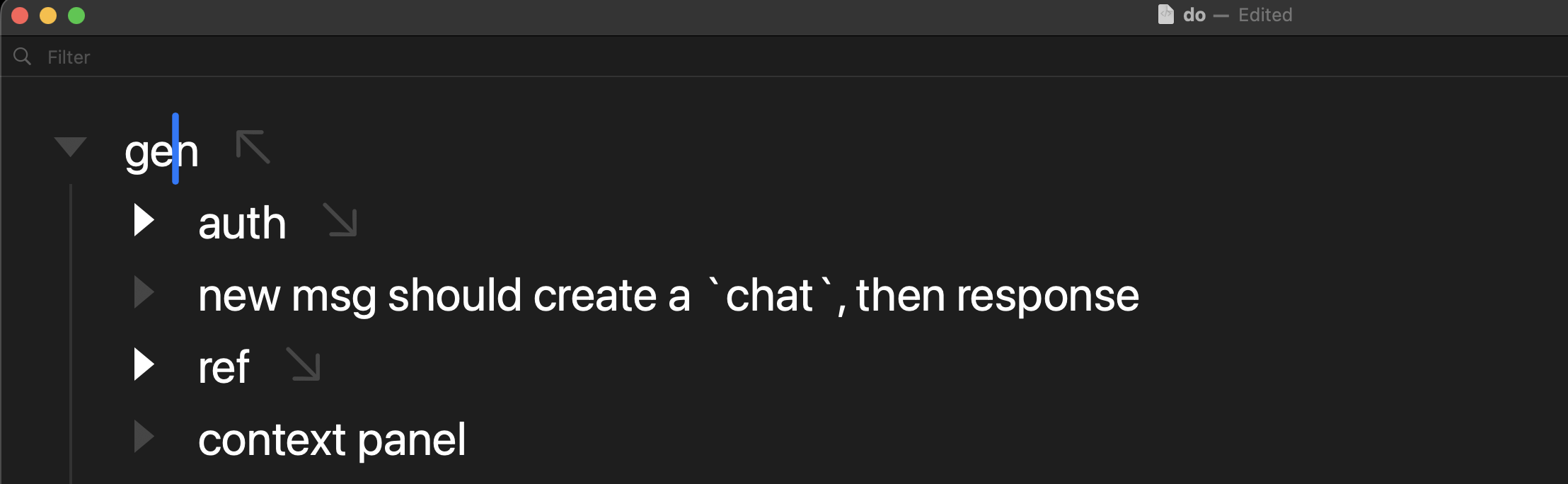
I need some way to script open/focus a certain title by its text content, can I do that somehow?
Thank you: 
Given this:
I want to deterministically go to gen and focus in on it like so:
I need some way to script open/focus a certain title by its text content, can I do that somehow?
Thank you:
I only need to choose from the root nodes too. I will have specific keybinds to jump between root nodes basically. I just need deterministic way to do this fast.
I will eventually (before 2.0 is final) implement a Bike 1.x style “Go to Heading” command. That will popup a fuzzy filter UI to select a row.
I also expect to expose an extension API for this functionality, where your code gets to choose the rows to choose from, but you don’t have to implement the fuzzy select UI. I think this would be the easiest and best solution, but not yet implemented.
If you wanted to build something today you would need to create an extension that showed a UI sheet, as explained here.
General flow would be:
I want to avoid any UI for this. I want smth like URL scheme or similar. Keybind into certain row focused in on.
I am confused how to achieve this. Would really appreciate some help/code as it will be massive unlock to productivity. Thank you.
Hum, can you be more specific. Like provide a small example outline and then the exact key sequences that you would want to use to navigate to specific rows?
Actually reading again, maybe this is what you want?
With this keybinding if you are in block mode and type gen you will focus out to root (or you could have it focus into a specific row that you hardcode)
bike.keybindings.addKeybindings({
  keymap: 'block-mode',
  keybindings: {
    'g e n': (context) => {
      context.editor.focus = context.editor.outline.root
      return true
    },
  },
})
Or if you want this to work in text mode you could require Control-M gen for the same behavior.
bike.keybindings.addKeybindings({
  keymap: 'text-mode',
  keybindings: {
    'ctrl-m g e n': (context) => {
      context.editor.focus = context.editor.outline.root
      return true
    },
  },
})
Can you help me, how can i run this, where do I put this code to test this? Thank you.
Ah, sorry, this is using Bike’s new extension system.
There will be a learning curve to setup the environment, but once you have that done then coding extension logic (depending on how complex the thing is you are trying to do) is relatively strait forward.
So first look at this for understanding and setting up environment:
And then look at this for the App Context. The App Context is where you will include the above code.
Your code will look something like:
import { AppExtensionContext } from 'bike/app'

export async function activate(context: AppExtensionContext) {
  bike.keybindings.addKeybindings({
    keymap: 'block-mode',
    keybindings: {
      'g e n': (context) => {
        context.editor.focus = context.editor.outline.root
        return true
      },
    },
  })
}
Hope that helps, please ask questions when you get stuck.
And in the meanwhile, one variant is to test Extension Kit code from Script Editor (in JavaScript mode) with something like this, using the special .evaluate method.
(() => {
    const outlineRootFocused = () => {
        const
            editor = 0 < bike.outlineEditors.length
                ? bike.frontmostOutlineEditor
                : null;

        return editor
            ? (editor.focus = editor.outline.root, true)
            : false;
    };

    return Application("Bike")
        .evaluate({ script: `${outlineRootFocused}` });
})()
(possibly binding a keystroke to it with Keyboard Maestro or FastScripts etc)
Doing these things in the Extension Kit itself is, of course, more flexible and performant – and perhaps more interesting too 
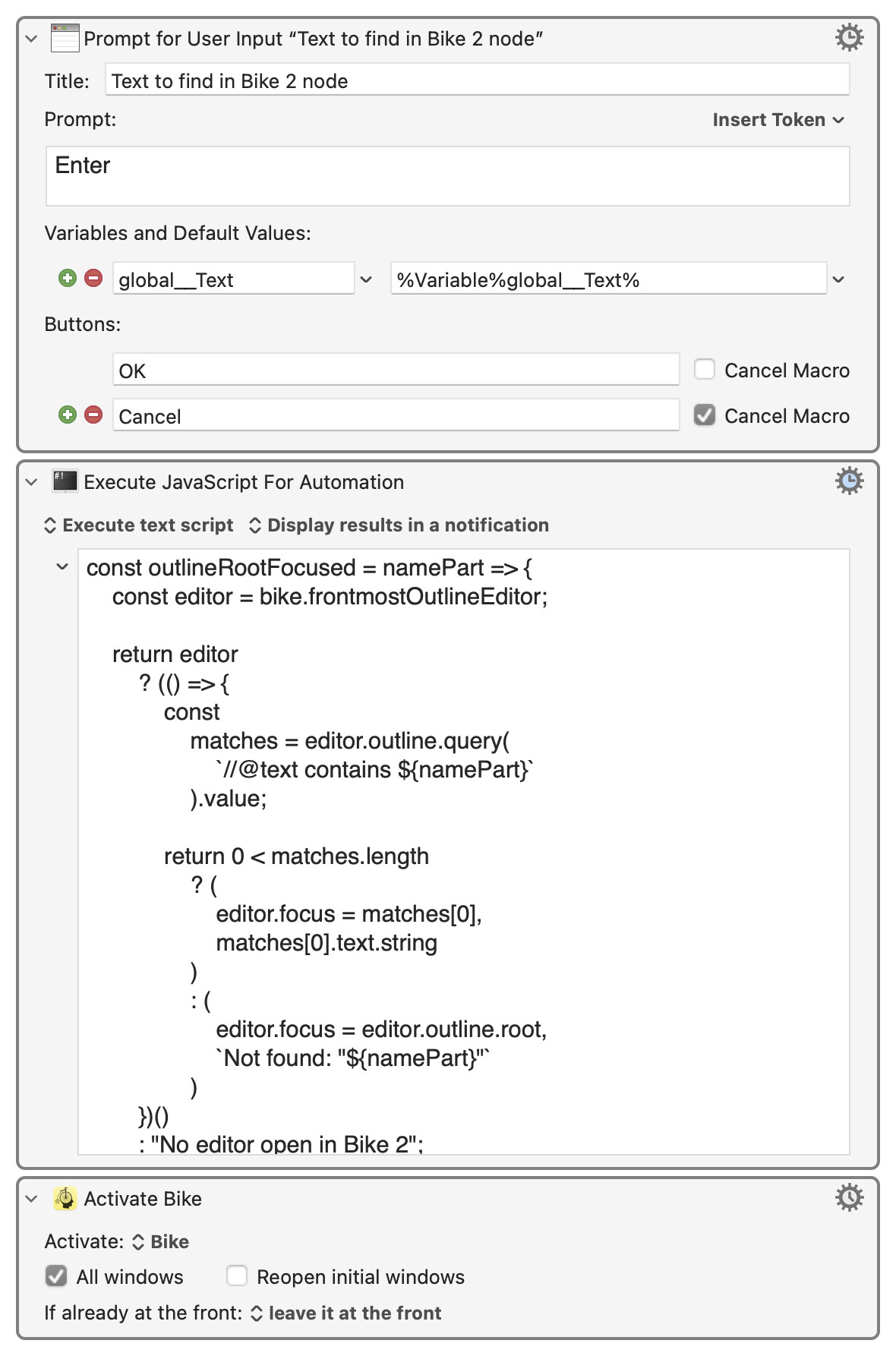
If the idea is to:
then perhaps something more like:
const outlineRootFocused = namePart => {
    const editor = bike.frontmostOutlineEditor;

    return editor
        ? (() => {
            const
                matches = editor.outline.query(
                    `//@text contains ${namePart}`
                ).value;

            return 0 < matches.length
                ? (
                    editor.focus = matches[0],
                    matches[0].text.string
                )
                : (
                    editor.focus = editor.outline.root,
                    `Not found: "${namePart}"`
                )
        })()
        : "No editor open in Bike 2";
};

return Application("Bike")
    .evaluate({
        script: `${outlineRootFocused}`,
        input: kmvar.global__Text
    });
as in this draft of a Keyboard Maestro macro: