How to include Bike highlighting in pandoc exports to MS Word docx
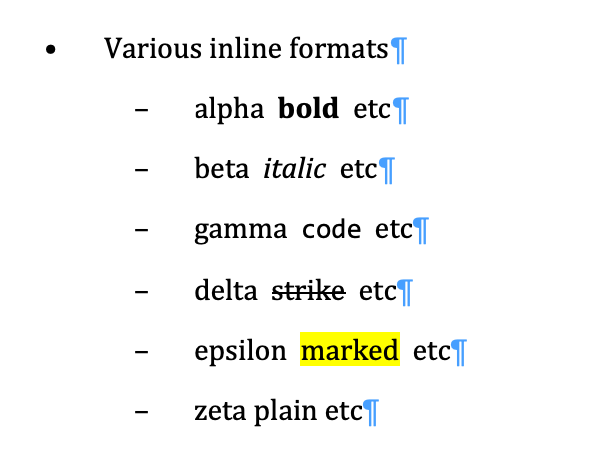
-
In addition to the basic pandoc command line for
Bike -> MS Wordexports:-
pandoc -f html -t docx note.bike -o note.docx -
(which already exports Bike's bold , italic
codeandstrikeformatting)
-
-
we can additionally export Bike highlights by adding references – in our command line – to two utility files (
reference.docx, anddocxHighlight.lua), which can be anywhere on your system. -
In the command line below we're not giving a full path to either of those files, so we're assuming that they are in the same folder as your
.bikefile:-
pandoc -f html -t docx note.bike -o note.docx --reference-doc=reference.docx --lua-filter=docxHighlight.lua -
The
--reference-docoption points to an MS Word file which contains a definition of a custom style calledMarkedYellow. -
The
--lua-filteroption points to a file containing a snippet of code in theLuascripting language, to which pandoc provides a special interface.
This particular snippet maps Bike highlighting onto the customMarkedYellowstyle in MS Word.
-
Here are zipped copies of those two files, together with a note.bike file for testing:
bikePandocExample.zip (18.0 KB)
Pandoc itself can be installed with brew install pandoc
Note: If you want to further tweak the appearance of outlines exported from Bike to MSWord by that pandoc command line, you can adjust the existing style definitions in reference.docx
Expand disclosure triangle to view the Lua snippet
function Span(elem)
    if FORMAT:match 'docx' and "mark" == elem.classes[1] then
        elem.attributes['custom-style'] = 'MarkYellow'
    end

    return elem
end