OK, so now I finally got some time to experiment with the new way of creating extensions/editor styles. My coding experience is that «I’m a novice when it comes to CSS» — so this isn’t easy for me.  But I’ve had fun, and worked with Claude (fed as much documentation as possible) to try and learn stuff! (I don’t like vibe coding, as I want to be able to understand what’s going on, heh.)
Here’s the link to the part of the repo with the extension.
My Bike usage
I’ve always loved the way Bike works and feels. And I also find myself using lists a lot when writing notes — so an outliner is attractive to me. However, I’ve struggled to incorporate Bike into my workflow, especially because the info is so hard to get to on the go.
But using bikemd with .md files helps a lot here! So now I’m trying to go back to Bike for the Nth time.
I don’t use it for OBTF (One Big Text File) in the strictest sense — but perhaps more like SBTF (Some Big Text Files). So, I’ll take a quite large subject and collect everything about this in a large outline.
For instance I have a large file all about «Apps», where I have sections about most apps I use. Here I’ll write thoughts, pros/cons, feedback for the devs, what I learn about using them, etc. I’m also keeping notes about menu bar items, home screens, etc.
Another example is one large file regarding one of my customers (I freelance). I’ll keep tasks, meeting notes and more here.
I don’t currently use it for longer form writing — but I’d love to be able to do so in the future!
The reason I’m bringing this up, is that my choices might not make sense if your usage is very different to mine!
The goals behind the editor style:
First of all I just find it fun to customise things to my liking! The extension has two themes included (light and dark mode), and I’ve also tried to keep every colour in the style only using the three colours in themes and systemColours. This way it should work OK with other themes… (The screenshots here are with the default theme!)
But I’ve had a couple of issues with Bike that I’ve tried to «fix» (according to my preferences).
Headings
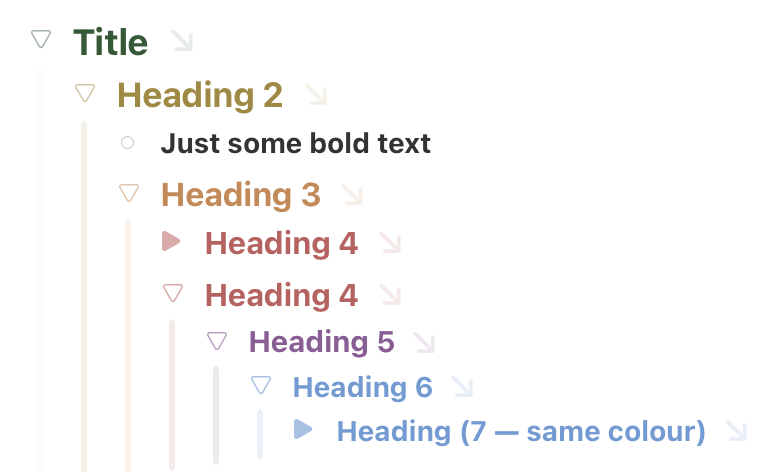
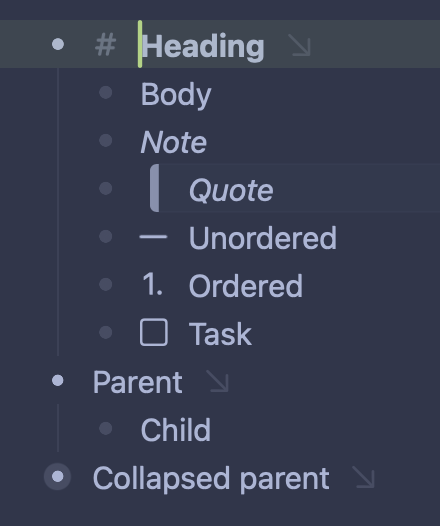
I’ve always found it completely baffling that Bike doesn’t separate between headings and just some bold text… So in my style, not only can you clearly see the difference between these — I’ve also made it so you can tell H1-H6 apart. (They’re currently colour coded with Apple’s six colours.)
Lists
Lists in Bike have always been a bit weird to me, as sort of everything is a list! What I have done is simply choosing some different compromises!
- Generally, handles (the little triangles) are very subdued. They’re unfilled circles with low opacity. When something becomes a parent, it becomes a triangle outline (that’s filled if it’s collapsed). The triangles are clickable like by default. I like that, in general: triangle = is a parent.
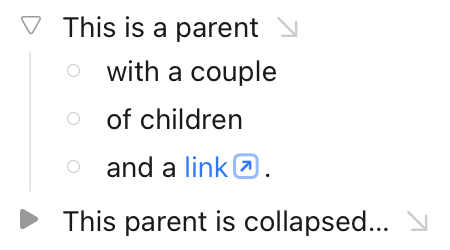
- Then, if you create a list/list item (unordered, ordered or task), it will only indent half a level, and at the same time the list marker (solid circle, number or square) will replace the handle.
- To me, this makes sense — as I’m used to lists indenting slightly, but I don’t want it to look like the list is part of the next level.
- The circle, number or square will all subtly show if it’s a parent or not and if it’s collapsed/expanded.
- The circle and number is also clickable now, and will expand/collapse like the triangles.
- As task markers already does something on click (finish/unfinish), I’ll add a triangle if a task becomes a parent!
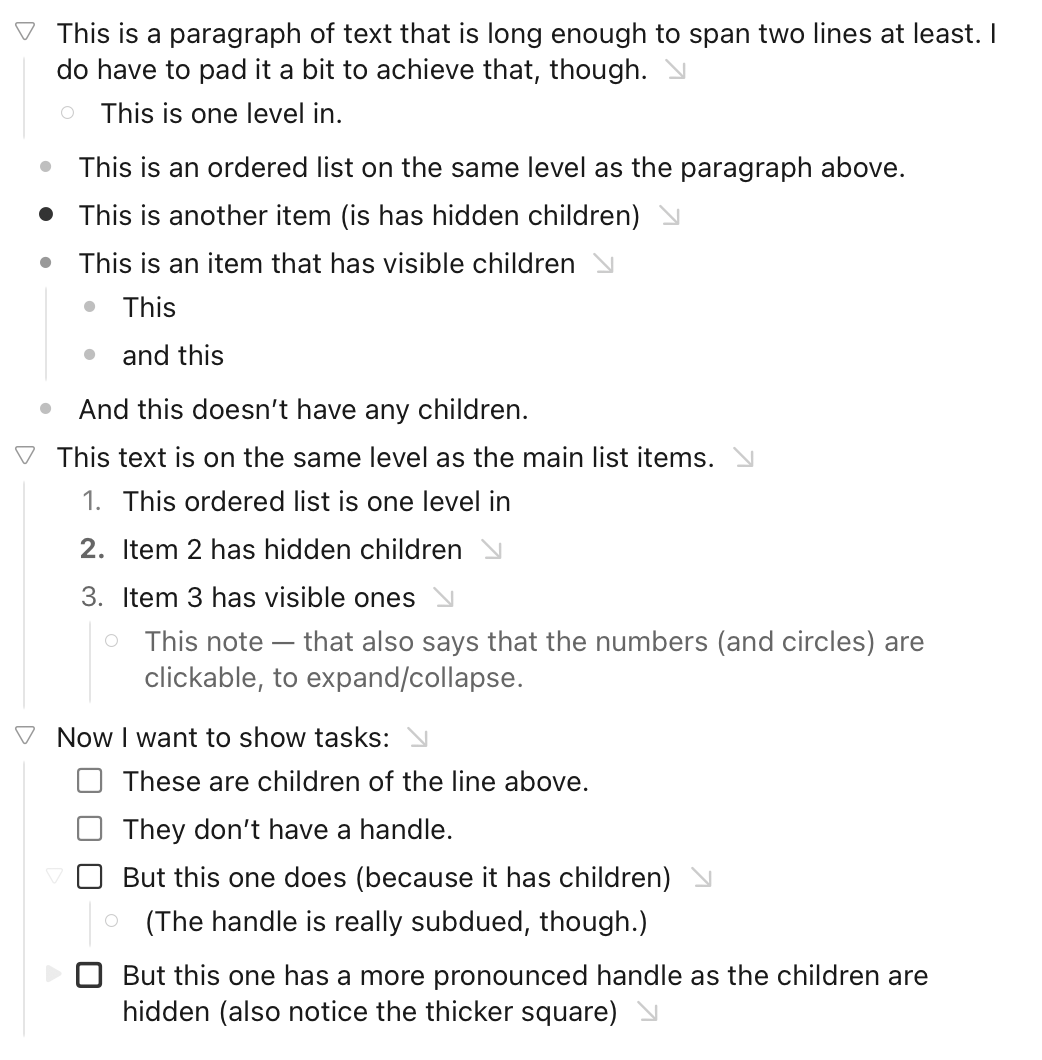
Also notice how the focus arrows tells you that an item has children.
I know this isn’t perfect either — but I think the “Having the list markers replace the handles, and do a half-indent” is better.
Other (mostly small) changes:
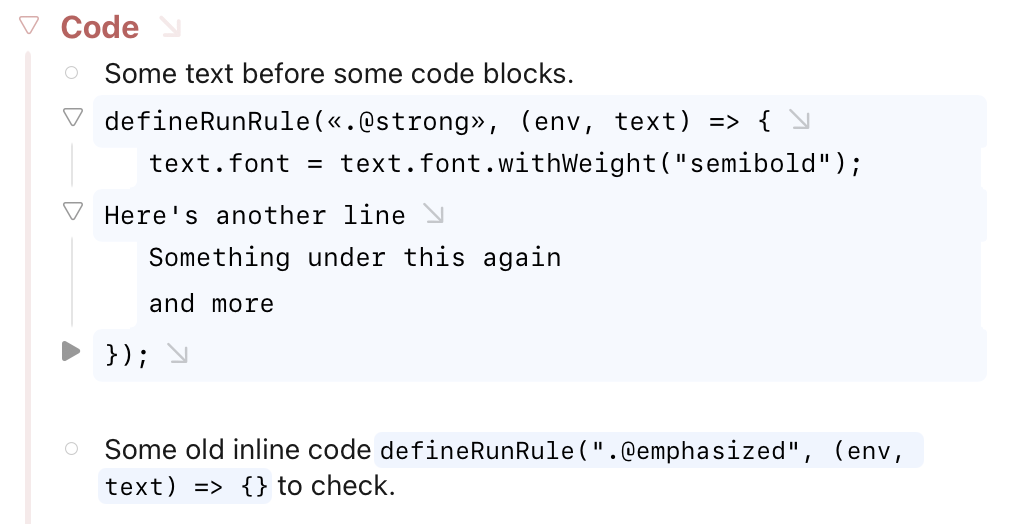
I’ve added a background to code and codeblocks. (Codeblocks have a visual selection bug I’m working on…)
The horisontal rule is a bit more pronounced, and doesn’t have a handle.
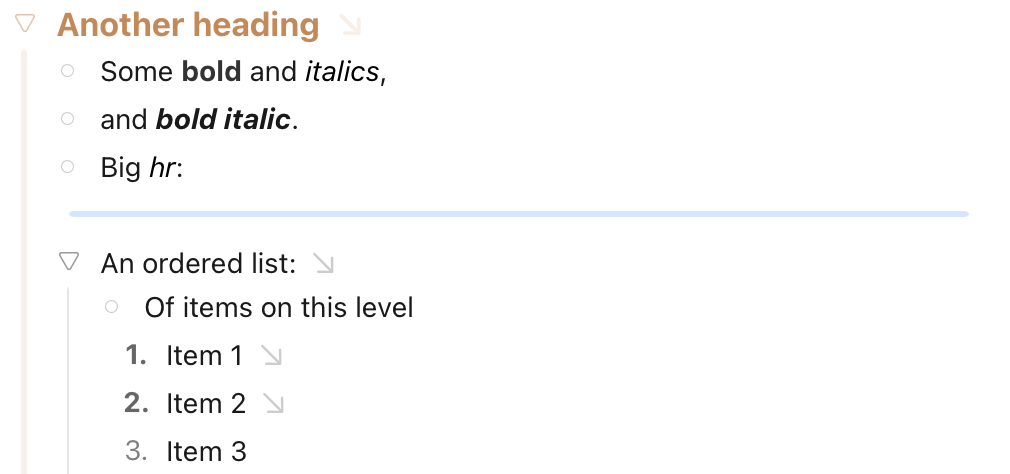
I’ve also done some small visual adjustments here and there.
I hope someone takes a look! The code base is probably very cumbersome and stuff, but the result still make Bike more useful and fun to me!
The next thing I’d like is to try the Tag extension posted elsewhere, and to get the headings in the sidebar somehow… 
PS: I wrote this post in Bike — and getting it from there over here was terrible. None of the copy options work well… 

 And below is what I got when pasting.