Would you consider adding a “Preview in Marked” menu item, like Bear has? I would love to be able to send my WriteRoom working document to Marked with a quick keyboard shortcut. I don’t know how many others would appreciate such a feature, or if you would be open to adding it.
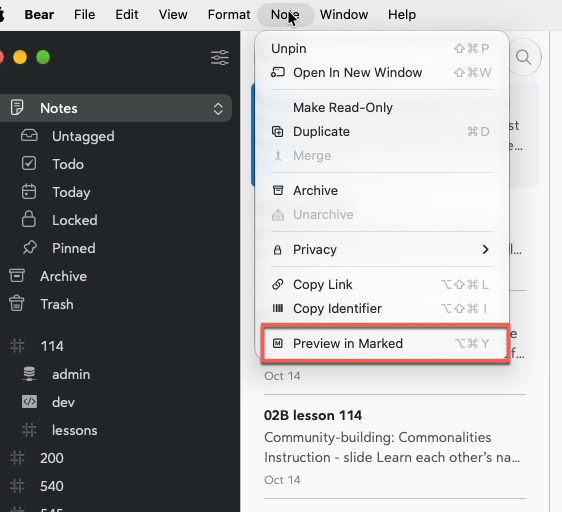
In the meanwhile, you could use something like Keyboard Maestro to bind ⌥⌘Y to the following shell script, which assumes installation of:
Expand disclosure triangle to view shell script source
encoded_path=$(writeroom get document -o json 2>/dev/null | jaq -r '
    .fileURL |
    select(. != null) |
    sub("^file://"; "")
' 2>/dev/null);

[[ -z "$encoded_path" ]] && exit 0;

open -g "x-marked-3://open?file=${encoded_path}&scroll=true&raise=true"
Keyboard Maestro macro:
1 Like
@n10lindy I’ve added to File > Export in latest WriteRoom
2 Likes
Thank you so much. It’s an amazing experience to make a feature request at night and then wake up to discover that it’s already been implemented!
2 Likes