I like to use the option “Display Attachment” → “Actual Size” with screenshots, and unfortunately, wider attachments become really blurry:
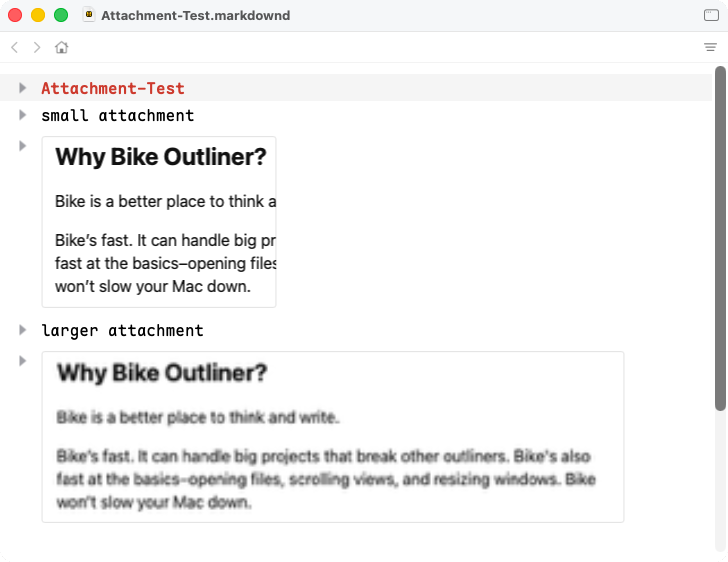
There seems to be some unnecessary downscaling applied…
I like to use the option “Display Attachment” → “Actual Size” with screenshots, and unfortunately, wider attachments become really blurry:
I’ll dig in, but I’m unable to reproduce that degree of blurriness. I can reproduce some blurriness, but maybe half what you are seeing.
I think it has to do with Retina/non-Retina displays: when I move my original window to the Macbook’s display and remove and re-add the wider screenshot, it looks much better (but still blurry). After that, I can even move the window back and forth between Macbook and non-Retina display and it switches live from blurry to not-that-blurry.
I think this is fixed in latest. At least looks fixed in my retina screen, please test on non-retina and let me know!  Bike 2.0 (Preview 296)
Not sure if I am remembering correctly, but didn’t versions prior to 295 have the option to show images at different sizes?
That was a great feature and seems to be missing now.
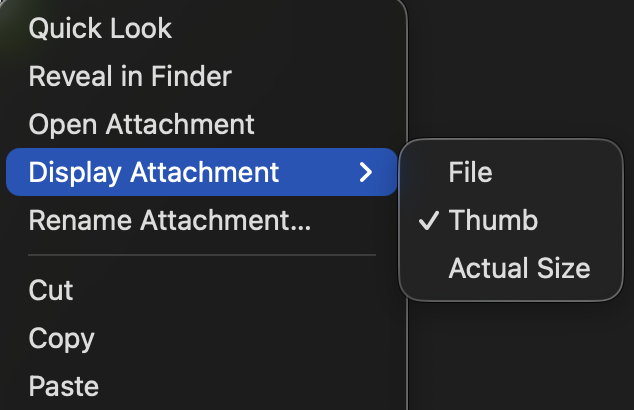
Ctrl-click attachment for contextual menu, then:
Display Attachment > {File, Thumb, Actual Size}
In a DOM extension you can display an attachment at arbitrary size.
extension-kit/docs/attachments-tutorial.md at main · bike-outliner/extension-kit
In previous releases I also had options for half width and full width. But I took them out in favor of the current set. It seemed like:
Was just too many options. And depending on image size Half and Full sometimes didn’t make sense, or other times would behave exactly like Actual Size. Made things more confusing to me.
I agree, having all those options gets confusing, but how about:
• File
• Thumb
• Half width
• Full width
Full size (as you had it) could lead to weird results if the image was huge. Scaling to fit the document window would make sense, as would half width. I think it is more important that the image fit the window, than be displayed relative to its actual size. If it was important to show an image full size (or something approaching it) the user could re-size the window and the image would scale with it.
Some notes apps allow you to resize the image freely with a corner handle, VERY convenient and a decent UX. The only problem with this approach is if you have 30 images that you need to resize, in which case a dropdown menu works better.
I still limit max size to viewport/wrap width.
I agree this (and other options) could be useful, but I think for the 2.0 release the current options are good enough. I’m still looking to fix any bugs that come up, but I need to stop on the features!
Sorry for my late reply - my blurry attachments are gone!
Thanks!