I have F8 mapped here (by Keyboard Maestro) to the creation or opening of a .bike file with a name containing today’s date.

F7 moves backwards, finding or creating the file for yesterday or beyond.
F9 moves forwards, finding or creating the file for the day after the one I am looking at.
These are the Keyboard Maestro macros that I am using at the moment
UPDATE
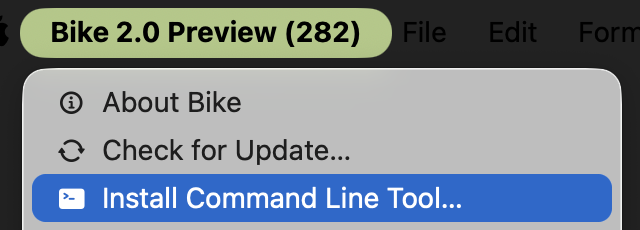
Updated to work with Bike 2.0 Preview (282), and depend on installation of the new version of the bike Command Line Tool.
Bike day files Macros 2.kmmacros.zip (15.3 KB)
1 Like
But I notice, on inspection, that it has more dependencies, so you may need to perform some surgery.
I’m using HazeOver, and another Keyboard Maestro macro for tiling, so I’m not sure that this will be very ready out of the box, for others. (Just posting in response to a query from @amelchi)
KM tiling:
It’s may be sensible, if you experiment, and are familiar with Keyboard Maestro, to disable calls to the tiling subroutine – they look like this:
If you are brave, of course, you could try to install those too …
WINDOW TILING CYCLES – Toggling or cycling front window size and position Macros.kmmacros.zip (23.8 KB)
1 Like
when I try to define settings it gives me “the file “notesundefined.bike” doesn’t exist”
what is my mistake?
Either your version has not yet defined the Keyboard Maestro NoteISODate,
( in the macro Note file for Today)
or NoteISODate has been defined, but is not found by the reference kmvar.NoteISODate
( in the macro note File Open )
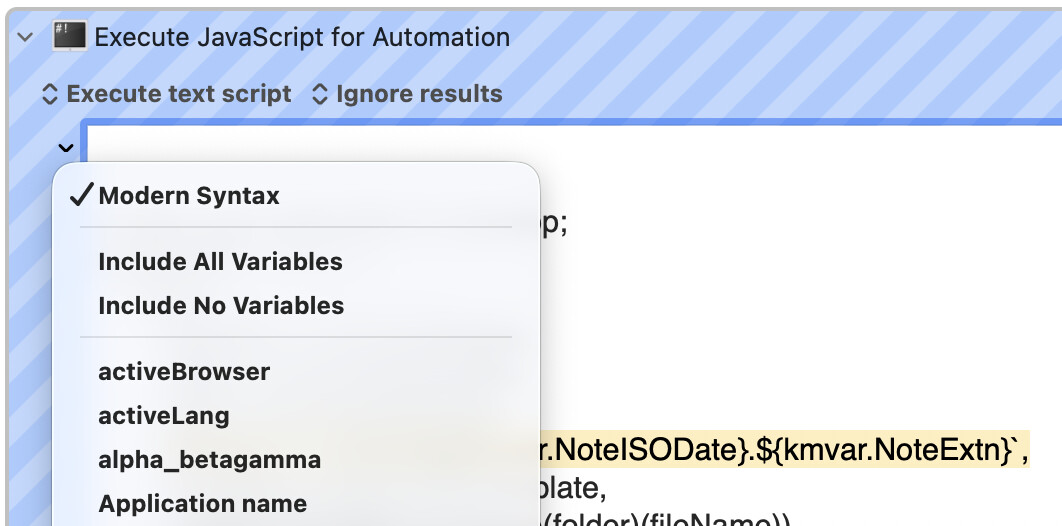
possibly, for example, because in that latter macro the Execute JavaScript for Automation action no longer has the Modern Syntax option checked in the small chevron menu.
As these are really more Keyboard Maestro issue than Bike issues, can I suggest that we switch to the private message channel, to avoid introducing too much noise to the Bike threads ?
1 Like
Now updated, in first post, above,
to use the Bike Preview (282) bike command line tool.
(Installable via the menu system: Bike > Install Command Line Tool... )
1 Like