Bike vs (ugh) Word

I keep a daily journal/tasklist/etc. Have done so for, literally, decades now. And I’ve always done it in some kind of outline mode. I think I started in Word but then used Pages for a long time. Until Apple killed outline mode in Pages. Sad sad.

So, back to Word. Which… ugh. Bloated/slow/annoying in so so many ways.

So I’ve looked for other options but… there’s two key things that Word provides that I don’t think I can live without:

#1 is the ability to save a password-protected file. This journal has many things that I want to protect more than a normal file. But it’s also got to be easy to access, so I don’t want some process where I have to decrypt/crypt the file every time I use it or something like that.

#2 is the feature in Word where it’s super easy to choose the ‘level’ I want to have displayed just using the menu at the top. Level one shows me the outline collapsed to show every year. Level two uncollapses more to shows months within that year. Etc. And of course a quick ‘show all levels’ puts me back to the view that has everything.

I mean I know I can sort of do Number 2 in Bike but it’s not quick or easy. At all. And #1 just isn’t in there, natively, at all, right?

So… I guess I’m wondering what the chances are that Bike 2.0 would eventually include features like these?

Or, more specifically, consider this a request to PLEASE SAVE ME FROM THE HORROR OF WORD. Please. Thank you.
1 Like

I think what you’re trying to do is jump quickly from Level 2 to Level 5, from Level 1 to Level 3 etc.

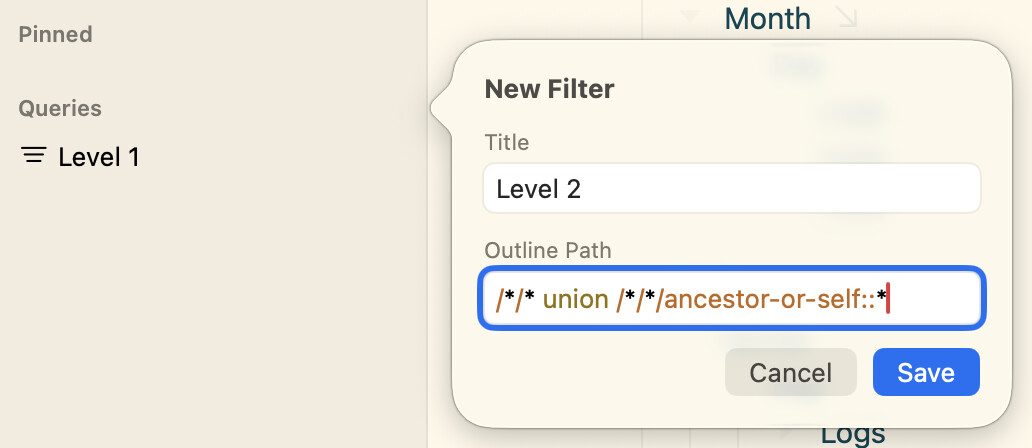
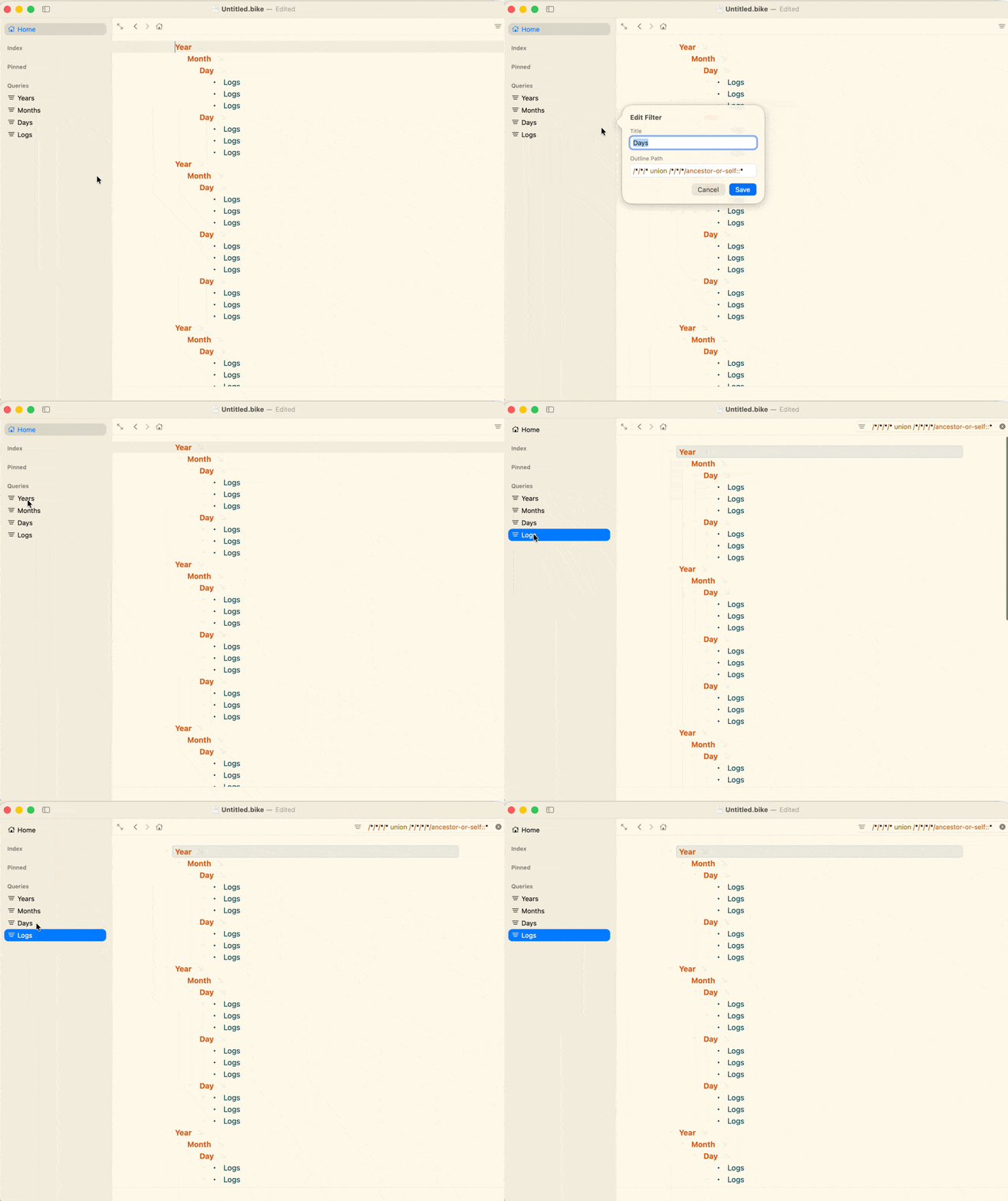
Currently in Bike 2.0 previews, you could manually set up query shortcuts in the sidebar like this:
Level one → /
Level two → /*/*
Level three → /*/*/* etc.

If you want to include ancestry in that, you’d need to add something like union <your query>/ancestor-or-self::* to your query path. Maybe there’s a quicker way to do it but this is how I would set it up.

CleanShot 2026-02-21 at 10.53.47

1 Like

Sweet! This is awesome and definitely something I’ll use.

Although… it also points to a general concern I have with Bike - where does it sit on the spectrum of ease-of-use vs. power? I’m worried that it seems to be trending towards a situation where too many ease-of-use features don’t get implemented into the core package and instead are left for the user to hack together themselves. Is the middle ground between emacs org-mode and, say, Workflowy just too small a market for this to be sustainable? My gut feeling is yes and there should be a concerted effort to make things like this more user-friendly by default?

I know that the 2.0 rewrite is a very involved beast and it’s taking a loooong time to pull together - is there a light at the end of the tunnel where the core functionality is getting close so that UI enhancements can be focused on more?

I think my personal ideal would be that it sits at both ends of the spectrum, but not at the same time. And maybe (hard for me to tell) it never really sits at the super easy to use end of spectrum, but instead sits at the super clean and elegant end of spectrum.

I would say those are my “goals”.

What I try to avoid is lots of specialized/prescriptive/maybe-better-name UI. This lack of specialized UI comes at a cost, many things that are possible in Bike are not immediately obvious. But the benefit is that you don’t need to wade through all that extra UI when you don’t need it. Clean and simple stays clean and simple.

It’s always going to be a moving balance I think, but I would like to error on clean instead of clutter.

I think we are at that point now, so suggestions are welcome for sure.

Your request to expand outline to a specific level is a good example of the tensions. Most obvious, easiest, would be to add new menu items to Outline menu. Maybe Expand to Level 1, Expand to Level 2, Expand to Level 3, but if I added those (and similar detail commands to the menus) the menus might get twice as long and be rather intimidating and cluttered.

You can achieve the same behavior currently by:

  1. Select all
  2. Option-Command-9 or (0 to expand)
  3. Then you can expand/collapse the entire outline by level. It works on current selection, so you can also use the same command to expand/collapse a branch by level.

I feel like Bike’s current solution is more flexible and elegant, but agree that it’s also less direct and harder to find. If you want a single click solution sidebar queries are great, but also pretty complex to understand.

I have hope that Bike’s command system can help in these situations. Unlike menu items, I feel like it’s OK to build in lots of quite specific commands, for example Expand to Level 1, etc, I think could make sense. These commands you can universally discover and execute using the command palette.

In the next release I will be making commands more useful, I’m building a UI for setting keybindings to commands through settings, instead of requiring that you only set keybindings in extension code. This makes the specific commands you use super fast. It does require some discovery and configuration, but my hope is once people know what’s possible it’s not too hard.

And not for the next release, but before 2.0 final I hope to make it possible for you to add your own commands to the status bar and maybe other parts of the UI. So you can just click the specialized commands you use most.

Thoughts and feedback welcome.

All makes sense, and I totally get the tension between power and complexity. And to be fair, when I was at Apple, I was always the guy fighting to add more powerful features even if it meant it was harder for the ‘consumer/ to get up to speed.

(I even tried to get through a platform-wide concept of some kind of mode switch where you could start with the most basic of menus/UI, and then dial up the ‘powerfulness’ to progressively reveal more features. That concept was deemed as being too complex :slight_smile:. )

At the end of the day, a lot of it probably boils down to the configurability of the UI. If you had a nice way to put some custom buttons/etc in the menubar that can call something more complex, that would be swank.

This is going to get even more weird as the AI stuff matures. Everybody’s talking about how AI will just replace the UI with a chat interface but I suspect there’s going to also be a middle ground where you can use a chat interface to define/modify the buttons-and-menus-and-sliders interface of the app’s core functionality. “Give me a set of five radio buttons at the top that let me choose different collapse levels”. Because at the end of the day I’d love to be able to be able to just tune the UI to my working style and also to remove crap I never touch.

Bike is actually really well positioned for a world like this - a powerful outliner engine that defines standards for that world (including file-storage specs), and then people can work on a front-end that suits their needs. Dual-pane? Just tell the UI-LLM to give you that interface. Etc.

Meanwhile, back to my original post… any chance we’re going to see password-protected files? Don’t make me use OpenClaw to write a wrapper to do the decrypt/encrypt whenever I launch the app :slight_smile:

1 Like

Perhaps we’re past peak LLM now ?

I wouldn’t worry too much about all those stories :slight_smile:

How much did AI boost the economy? Maybe zilch, some economists say. - The Washington Post

I mean, not to be rude but… wanna bet? Seriously, I use it more and more every day and I can see a VERY clear path to where this can go, even if the frontier models don’t get any better than they already are. And they absolutely will keep getting better. Fast.

And looking at ‘economic growth’ on a macro level isn’t necessarily a good indicator of the bombshell that can (will) hit at lower levels and in faster-moving, software-focused industries in the short-term. If you’re a garment manufacturer or a builder or any number of things that aren’t pure software, of course it’s not going to be much of a productivity impact yet. And even where AI is starting to get heavily deployed, it’s contributing to job loss at the same time as it’s increasing productivity, which means the consumer spending is dropping while corporate profits are increasing. It could be pretty ugly…

:slight_smile: we will discover in due course

increasing productivity

Possibly. Careful attempts to measure this have revealed over-estimation, by users, of time saved.

Programmers who estimated that they had gained 20% productivity had, when measured, actually been slowed down by 15%.

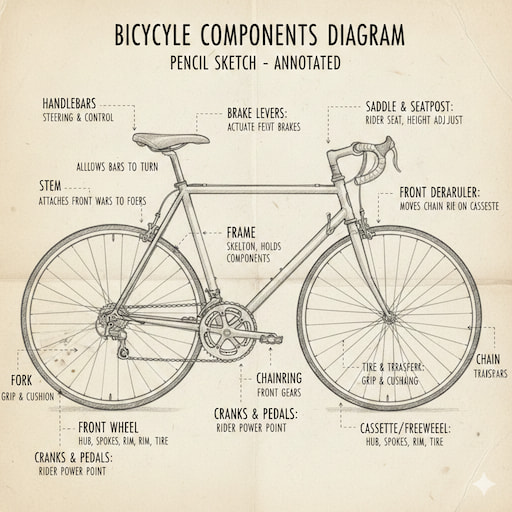
These are models of language – not of the world. None of them has ever ridden a bicycle, performed an experiment, or tried to learn more about something.

The lack of bicycle-riding experience, and the absence of concept-formation, was still evident this afternoon.

And if the model improves next week and accurately labels that bicycle, will you just continue to find other cases that it fails at? I think you’ll probably run out of fail-cases before the models run out of improvements :slight_smile:

And early 2025 measurements of how much the coding models help are practically meaningless in the context of 2026 models. I remember playing with stuff in early 2025 and would agree that it wasn’t a huge productivity boost overall. But man, the stuff I can do now…

And in early 2027? I’m honestly not sure what the terrain of a software developer will look like.

(and even to your mis-labeled diagram - I get something equally bad if I use Gemini’s ‘fast’ model but if I throw a more advanced thinking model at it, it makes something that looks pretty accurate to me).

I think the point there is not so much the quality of the model as the quality of user assessments of productivity.

The quality of user-reported productivity gains is not in any way affected by that of the model.

If real economic gains do appear, then financing of (at least some) LLMs will continue,
but they’re beginning to look like a dead end – particularly because token streams are such a small part of the world, and such lossy serialisations of the structures of thought.

David Silver is interesting on this theme – the progress made when Alpha Zero dropped training on the archive, for example – and is now gathering capital for approaches based on experimental learning.

I think yes, but maybe not for 2.0, but I think sometime after, maybe not too far.

I’ve gotten a bit derailed by this. The issue is I know it will cause problems at some point, someone will forget their password. Or accidentally modify the encrypted file, corrupting it. I want to be sure the implementation is clean, so I can be confident that it wasn’t my bug in these cases.

At the same time, I do get this request somewhat often, and standard apps like Pages support the password feature. So I am prepared to add.

But adding this feature into Bike’s current big and moving codebase seems like a bad idea. So instead I decided to just integrate into a much simpler test app. I think I understand feature now, seems to work. But I will wait until I can focus on this feature before I add to Bike, and that’s likely post 2.0

1 Like