Added optional row log for tracking things, such as dates of attribute changes
Changed Row: Text Delete to leave an empty row behind with the caret in it
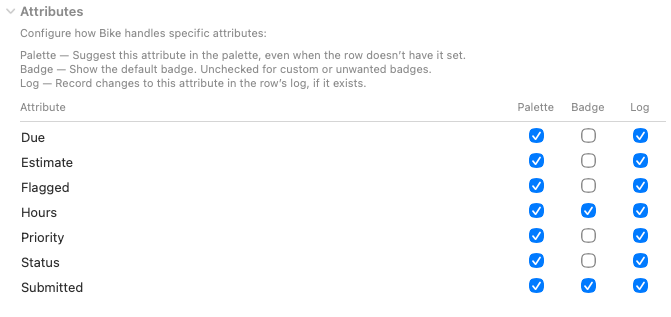
Added Settings › Extensions › Attributes to configure specific attribute behavior
Fixed the context menu system shortcut not working.
This release changes how task’s track “done”. Previously this was tracked with a @done attribute and associated date. Now it is tracked with a @status attribute with possible values of todo, started, canceled, done.
This means a few things:
Outlines using old @done attribute will need to be migrated to use @status. You will be prompted when opening document in the latest Bike.
Queries that reference @done will need to be updated. Use the new open() and closed() path functions. So before where you said //task not @done you can now say //task not closed()
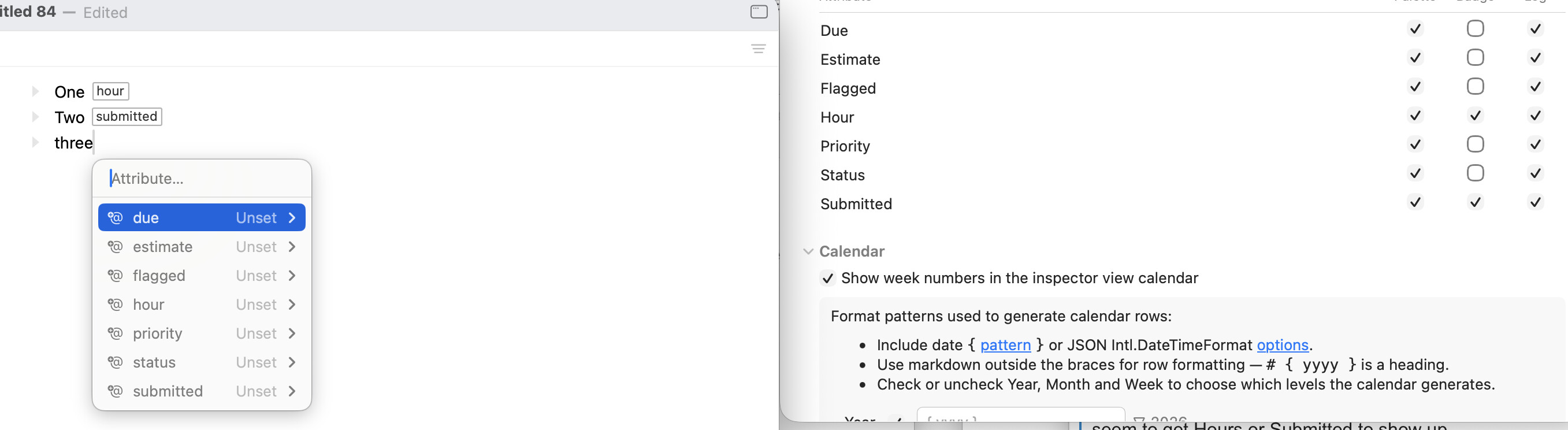
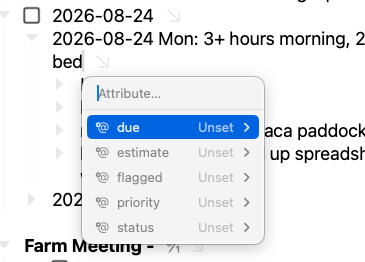
Great changes thank you. I notice that the attributes in the settings are: Due, Estimate, Flagged, Hours, Priority, Status and Submitted. Only Due, Status, Priority, Estimate and Flagged show up in the palette. I can’t seem to get Hours or Submitted to show up.
Not the macOS context menu. Your custom attributes should show up in the above UI as long as they are selected in the settings table (and being set should be on by default for custom attributes)
Thanks, yeah I see nothing odd about that document, but it lead me to one way to recreate the problem. There are actually two sources of information that I’m pulling on when building that attributes editor view:
I read all existing attributes in the current document + attributes declared by extensions
I then compare those attributes the attributes table settings in extension settings
And that’s how I build the final list
The important point is your document will only list a custom attribute, such as hour, when it is already used in your document at least once. Does that explain what you are seeing?
For example the same document that you sent me would not list “hour” because it does not include that attribute. On the other hand “hour” is listed in your extension settings because some other document listed it once.
Hopefully that explains what you are seeing. Next problem is to figure a better UI if that does explain it.
The latest release cleans up the attribute settings a lot. Hopefully it’s easy to make sense of now. I used some different key names, so you’ll have to redo any customizations.
The main change is better update and attributes that are discovered (vrs ones declared by extensions) are now clearly marked. Plus some indication of what you have changed, and a way to reset settings.