The goal is to make Bike’s hidden row attributes visible in useful ways.
To see what I mean select a row and then Format > Row Attributes… Add a “priority” attribute with value 1. Enter to commit. You should see something like:
Note the boxed [1] trailing the row text. That is being created because Bike’s core extension has registered to create a badge for “priority” attributes using the new badge.d.ts api.
Badges read values using outline paths, but you can only read values from the row being “badged” (self values). You can’t traverse into any other rows and read there values… but badges can also show task list progress like this (note the trailing 1/3):
How it works is the new summaries.d.ts API allows you to declare branch summary values that Bike will efficiently maintain for you at each row. Those values can be read using the new summary(name) outline path function. It’s a little confusing, but the total amount of code needed for the progress summaries is quite small.
Next steps
For pure attribute based badges (such as priority) there is a problem with input. How to set badge attribute in first place without having to use the Row Attributes popup.
I think the answer for this is block mode multi stroke key shortcuts bound to commands. For example enter block mode and type p-1 to set priority one. But before I start adding those I still need to think more about which shortcut patterns to use.
Badges can be non-interactive. Can invoke a command when clicked. Or can show a popup of actions (like when you click priority badge now). I expect the possible things that can go in that popup will increase. For example I expect to add read/write text fields. Probably a calendar picker. Requests welcome.
Hopefully the file attachments feature is pretty strait forward, but here are some details on how it works.
Drag a file to your Bike outline
If it doesn’t yet support attachments you’ll be requested to covert it to a text bundle.
The dropped file will be copied into the bundle and linked to from the outline. (hold down Control if you want the previous behavior of just inserting a URL link to the file)
A text bundle is a folder. And inside it will contain your outline file, along with the attachments. The file extension is whatever the original extension was + “d”. So for example “biked”, “markdownd”, “opmld”.
Organizing things this way solves all the sandbox permissions issues, because Bike owns the entire folder and so can read/write the attachment files as needed. Unlike in the case where your Bike document is just a single file.
Once you have an attachment you can right-click it to show commands (Open, etc) and you can also change it’s display mode from the default “File” to quicklook preview based modes that will generate an image based on the file content.
If you also select just the attachment and then press Space you a get a full interactive quicklook preview of the attachment. (So you can play a sound using that UI for example)
And simiar… if you have just the attachment selected then Return will open it.
This isn’t a huge feature, but requires some explanation.
As I was writing guide I realized I had forgotten to implement date based comparisons in outline paths. And then when I started that I remembered that I implemented a whole mini language for TaskPaper’s date searches to make them useful.
For Bike I’m taking a different approach. Bike’s outline paths already support arithmetic to combine values. So instead of creating a specialized syntax for dates I’ve added a bunch of functions for turning date value strings into numbers.
So in TaskPaper your would do something like:
@due <=[d] today + 24h
And in Bike you can instead do it like:
@due <=[d] now() + hours(24)
In progress user guide will document all the functions. I’m not including that here yet, just wanted to give a quick overview of what was meant by “New date functions to use in outline paths”
My first pass at making attributes visible was to take an approach like TaskPaper. Display attribute names and optional values inline with row text. I didn’t like that design in the end and went with badges instead.
But I did create the input.d.ts API in the process and will keep it around, though it’s not being used for any feature currently.
It allows extensions to hook into Bike’s text input and provide completions or stop the input and perform another action.
I expect I’ll use in the future to implement #tags. But maybe useful for other extensions too.
Whoa, massive update! Brings me back to the conversation we had about row versioning, maybe this is something I could start looking at now?
Any chance you might consider adding this to the formatting popup? I like vim-like (multi)gestures but I always feel like I’m playing minesweeper with the combos without good visual feedback.
I remember something about that… but details are gone. I assume it was in these forums, can you link back to it?
Maybe, but I think a little too early at moment. The current priority example is likely to stay in app in some form, but it’s also just a quick demonstration of capabilities. I sorta see all these badge/extension features as a secondary level of features. I want them possible and available, but I don’t yet want them taking up space in the standard menus or UI.
It’s been on my list for a long time to build some good multi stroke visual feedback to block mode. I think I’ll get to that eventually.
Brett Terpstra’s Marked 3 previewer immediately displays inline graphic file attachments in these new .biked text bundles.
Display of the leading <?xml version="1.0" encoding="UTF–8"?> tag can be switched off by specifying a one-line preprocessor command for files (bundles) with the extension .biked
The command is:
/usr/bin/tail -n +2
So in Marked 3 > Settings > Processor > Custom Rules:
I am getting there I think. Now the only big feature that I feel is missing is iOS, and that’s gona have to wait until after 2.0. So back into docs and polish land. Hopefully finally hit the final runway. Please keep an eye out for bugs and report what goes wrong.
Good to hear and I was wondering how my formats would plug into existing Text Bundle tools. I have them declared as inheriting (in the UTI) from Text Bundle. But I never quite trust that inheritance, but maybe its working right this time.
Ah, thanks for reminder. I think you could now build a workable UI, but I’m not sure the data model is quite up to implementing versions in an elegant way.
You could force something… for example serialize and store the different versions in outline metadata or some special “versions” branch of your outline. But I don’t love either of those as a general purpose solution.
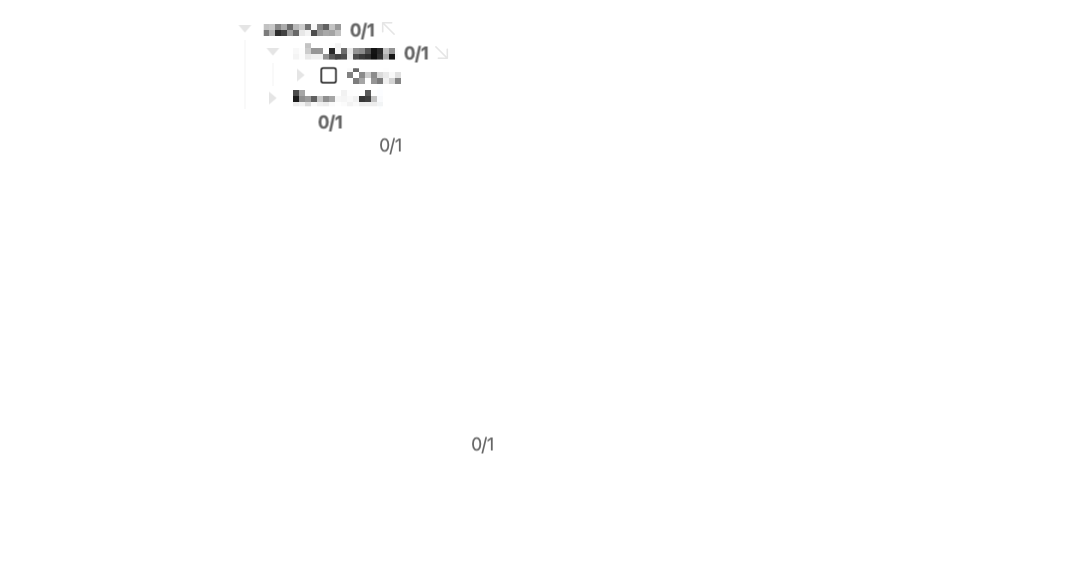
Do you mean ARE still showing. That’s a bug that I know about and have fixed for next release, and it seems to be what you are showing here… 0/1 looks to be visible for unfocused rows. Just making sure “aren’t” is a typo.
I was going for new release today, but not going to make it. This next release will be the polish release for attachments and badges. Turns out there were a ton of hard to get right details, but starting to feel really good I think.