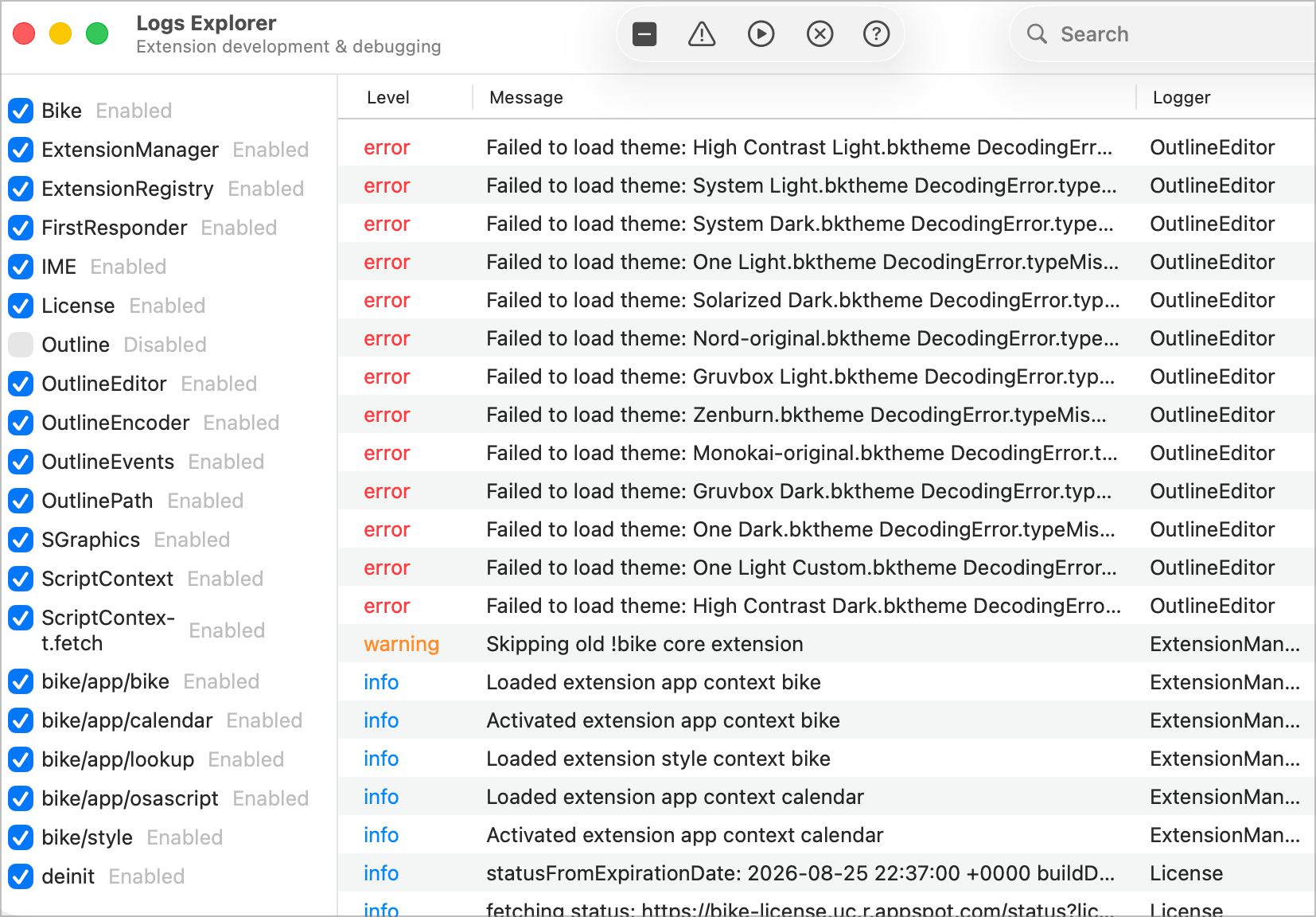
I think those must be old themes that are in some now incompatible format. Go to Session > Themes > Open Themes Folder and delete contents if any.
Also your log says skipping old !bike core extension. You can fix that by going to Bike > Extensions Explorer. Click the folder icon in the toolbar, and then delete extension named !bike.
I’ve been thinking about a couple of potential quality of life improvements.
Bike row links (e.g. bike://nEuBPzo5/NYl) seem to function only as intra-file links, meaning if I am in file A.md I can use it to navigate to different rows. But if I am in file B.md and I paste a link to a row in A.md, it doesn’t do anything. I think it would be nice to have, as sometimes I’ve written something in one file, and I want a way in another file (either a Bike file or somewhere else) to link to this Bike file/row. So ideally bike links would function as inter-file and even inter*-application* links.
Would it be possible to add custom text descriptions to the toolbar customization? Right now I think I can only set a symbol, but that can be hard to remember. If I just put text there, I could have a button that says “MyCommand (ctrl-J)” for example, and then it’s easier to know what it does than an emoji.
The titlebar menu is perhaps similar to what I describe above in #2, but there’s a little bit of friction in using it, because it’s a small icon at the top right of screen, and requires using mouse I think. Would it be possible (perhaps via extension), to add a hotkey that pops open the titlebar menu in the center of screen, or over the current mouse position.
Expanding on what @complexpoint says, this should all already be working. The way it works is links are formatted as bike://<outlineid>/<rowid>. When Bike resolves a link it first looks to see if outline with matching ID is open. And matches link to that. I would think the link should be working for you currently … when you have both documents open?
You can ready more about sandbox settings and fixes here:
I don’t think I will add this now. It would require rethinking of UI sizes, etc. I will make sure that items have proper tooltips though, so when you mouse over you’ll see command name.
I think this already exists in the form of Go > Go to Command (Command-Shift-P). That list should include all Bike commands, including those in the window menu.
I tried creating a minimal reproducible example; please see attached for a screen recording. I have two files, both open in Bike and both in the default iCloud directory. Let me know if you see anything I’m doing wrong.
That is a bit buggy, but I think the link is actually working. What is not working is the linked to document tab (or window if the windows are not grouped) isn’t activated. So in your example clicking on the link in B is focusing the row in A, but I need to update selected tab.
I just checked back to 284 and they all required license for Command-B to make text bold. I did connect up some license validation a month or two back, but I don’t think there has been any changes too recently.
Another possibly, are you sure you didn’t already have a license? If you purchased it a year ago, then one of these recent release could require a renewal, and that would explain the change in behavior.
And another small oddity: If you indent 4 times, then put this in a code block: abcdefg: [ { ab, abcde, abcdefghij }, ... ]it will span two lines (actual size, window full width on a 16” MBP)
If you then add another character to abcdefghij, it jumps back to one line, so the longer text makes it go back to one line even though it was previously on two lines):