I think the lingering filter issue is fixed! Thanks!
This is actually very useful. I love it!
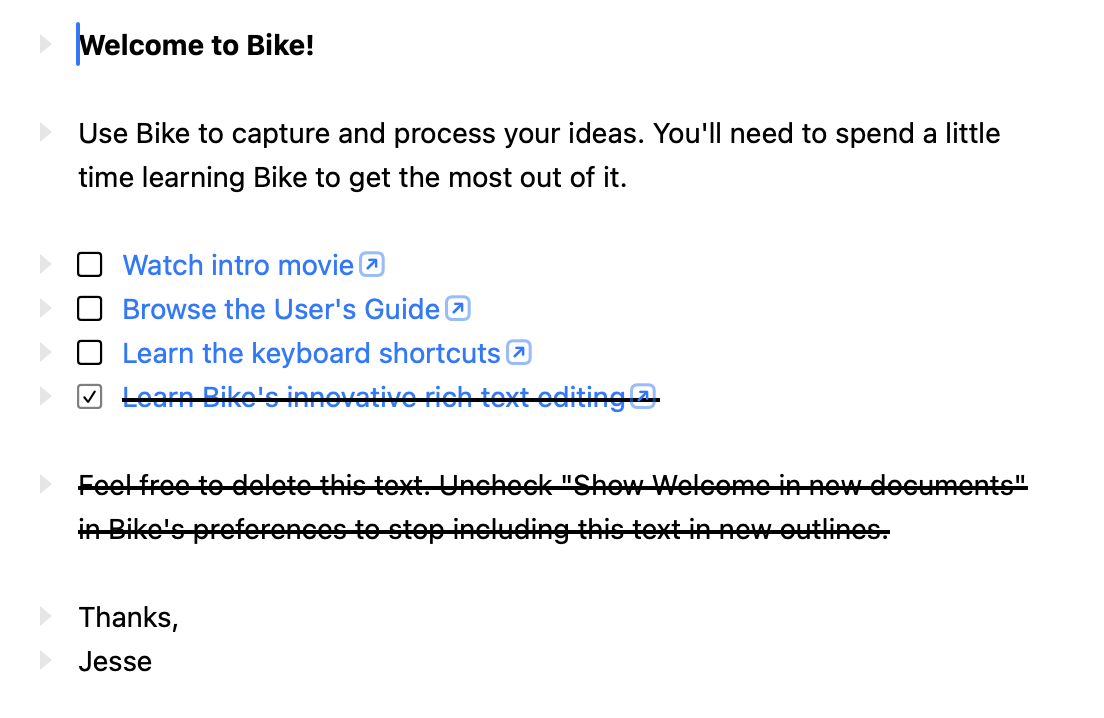
Vote to bring back strikethrough. Or do both. Or give us options. Bear does this for “reasons” too and I absolutely hate it. I prefer the visual confirmation of the strikethru that something has been checked off without a doubt:
Ah, just noticed this. When I filter an outline and press Tab, caret disappears from filter text box, but the yellow highlight remains on row until I start to type/press arrows/return, which feels a little confusing. I think in 285 when I filtered the outline and then pressed Tab, focus would jump to editor, and I’d either get a block selection or caret would be placed at the end of the row (can’t remember which), which felt correct. Am I imagining this was the case?
I’ve been tinkering with being able to set custom attributes via the inspector. Not quite sure where it’ll end up, but I want to be able to specify attributes for tasks/projects.
I wanted to try the dim effect, but can’t say I love it either after living with it for a few days.
The issue I have with strikethrough is it just kinda hurts my eyes. It’s visually dark, so grabs my attention, and then I can’t read it. Maybe not a huge problem, and not so much an issue for short task. But if the completed text wraps lines or has color links or other highlighting, it gets a bit much.
I don’t expect that I’ll add a generic built in attribute editor, at least not in 2.0, but I encourage others to play with the idea and share anything useful.
After 2.0 I expect to add some form of tags/values UI. Similar in concept that what TaskPaper has, not sure about implementation. If expect this will cover most cases where you want to edit row attributes, while still allowing some row attributes to be fully out of the UI (unless of course you build a custom attribute editor).
Row attached notes does seem like it could be a useful special cased attribute inspector/editor. I may decide to add that, but I encourage anyone interested to try it out themselves. Pretty sure the basic feature would be an easy target for an LLM.
I think the difficulty with making such a feature generally useful is that it’s so open ended. And you really need to decide on a schema of sorts for the attributes. So they mean something, maybe get special styling. And once you’ve done that then it might be easier to just build a more specialized UI for just that feature.
Places where I think custom attributes might be most useful… if you are feeding your outline into some other system. Generate website, something like that. And want to markup certain areas as special. But in that case it often because a system specialized for just you.
It would be cool if done tasks could be styled separately from not-done ones, then we could use the strikethrough style properties to change the appearance — or maybe to make the text green instead. All from the theme.
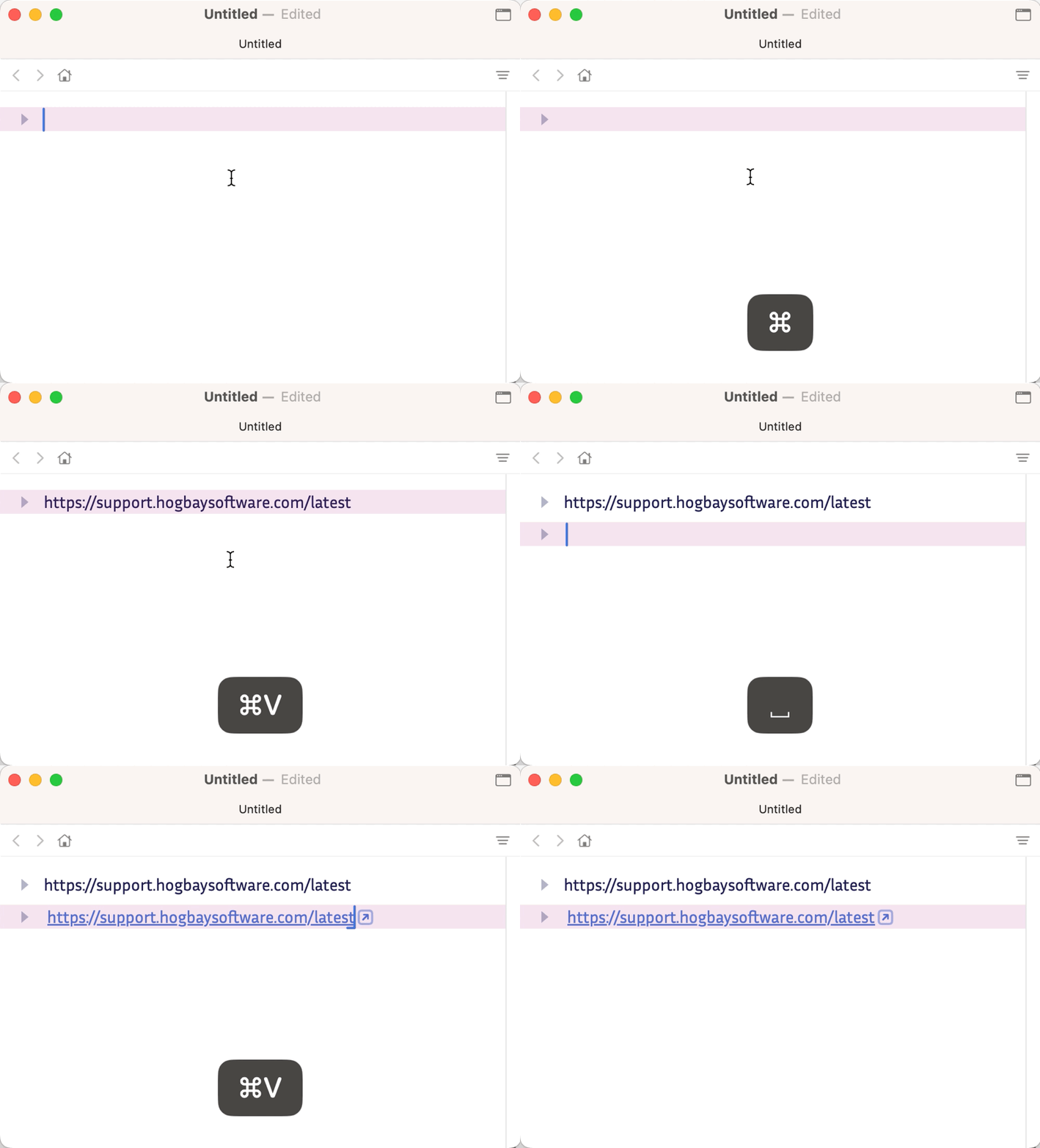
I noticed that pasting a link with “smart links” enabled stays plain text if it’s the first thing on the line. Anywhere else (even after just a space) and it will correctly turn into a link. I believe this behavior might predate the current preview release, but I only now got around to understanding & reproducing it.
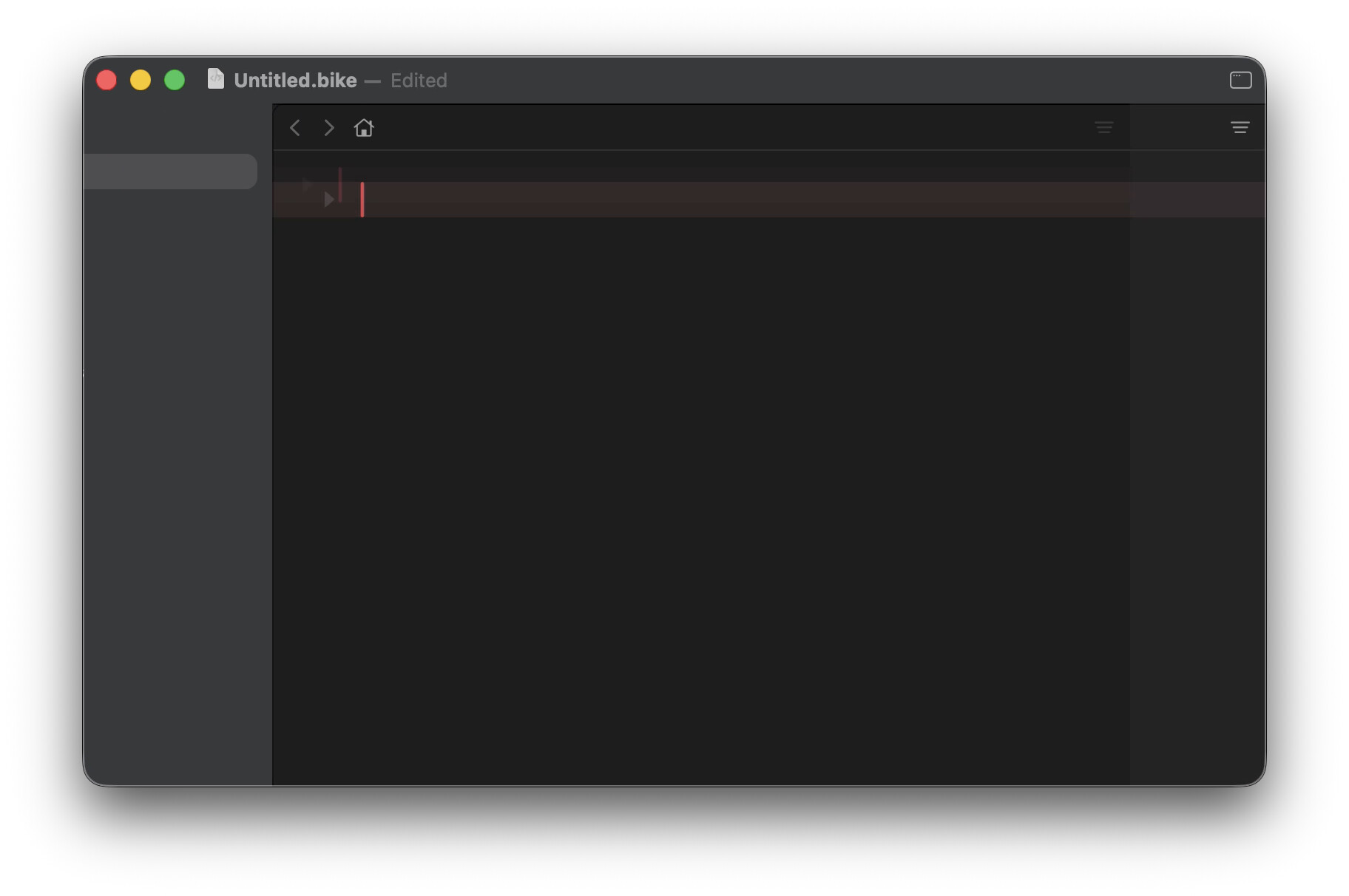
Noticed some visual glitches on right side of UI when hiding Sidebar (looks almost if Inspector collapses too). It’s more pronounced in dark mode. Freeze frame: