I think these are all addressed in latest release. Let me know!
fixed!
1 Like
Is there any option to have the toggle sidebar (and other) buttons back in the tool bar? Especially for the sidebar, having it hidden in a dropdown on the other side of the window is a lot of extra work when you’re used to using a mouse to do things.
I can understand some people not wanting toolbar buttons, but I find having selected important ones readily available to be very helpful..
First, to be clear in Bike’s terminology for these things:
- window titlebar (top of window, also contains window’s title)
- editor toolbar (top of editor, where back/forward buttons are)
- editor status bar (bottom of editor, where word count is)
For now there’s no option in the window titlebar, for directly clicking to show perform command. But you do still have option to include Sidebar/Inspector toggle in editor toolbar or editor status bar.
Ideally I would to allow you to configure commands in these location to be in top level, or in menus, but for 2.0 I expect titlebar will be hard coded to a popup menu, and the other bars hard coded to top level buttons.
Thanks for explaining things about the location of items.
I tried adding it to the sidebar, but it ends up at the opposite side of the window:
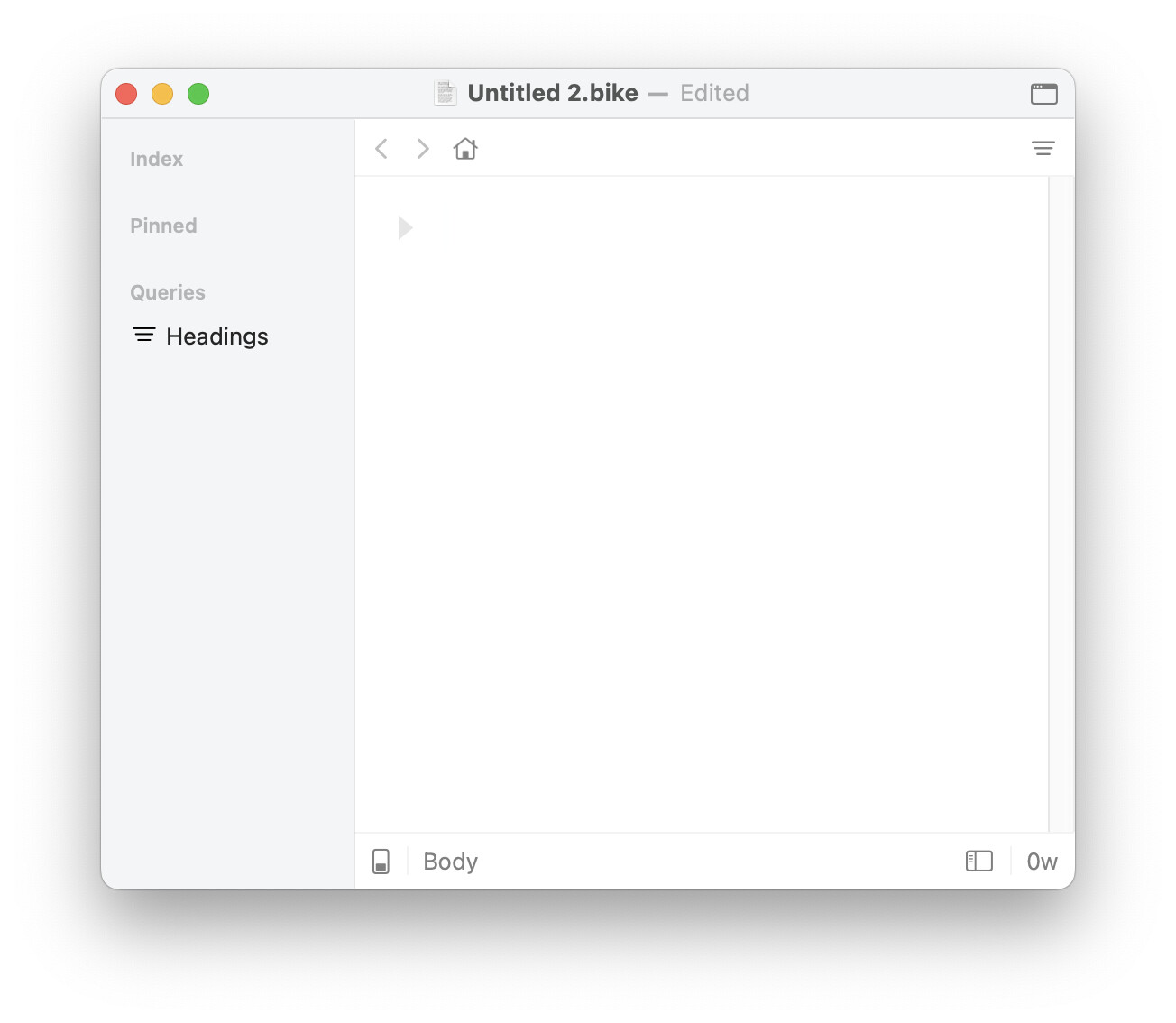
This is honestly really disappointing. 
There’s a lot of muscle memory that’s being put aside suddenly here that goes against how I’ve used apps on the Mac for years. Even if it the toggle button in the status bar could show up on the left side, it’s still not the same as most other apps that I use that have sidebars that can toggle.
Again, I can understand having an option for some kind of a minimal UI, but for people like me, established, consistent patterns are way more helpful.
Thanks for explaining things about the location of items.
I tried adding it to the sidebar, but it ends up at the opposite side of the window:
This is honestly really disappointing.
There’s a lot of muscle memory that’s being put aside suddenly here that goes against how I’ve used apps on the Mac for years. Even if it the toggle button in the status bar could show up on the left side, it’s still not the same as most other apps that I use that have sidebars that can toggle.
Again, I can understand having an option for some kind of a minimal UI, but for people like me, established, consistent patterns are way more helpful.
Edit:
Sorry for reading quickly, I saw that I can put it in the Editor toolbar as well. But it’s still on the wrong side of the window. If the title bar really has to be hard-coded, could it at least have the option to place things in certain places or left/right somehow in the other areas? Ideally, I’d want the option to place it first, before the <> and home buttons.
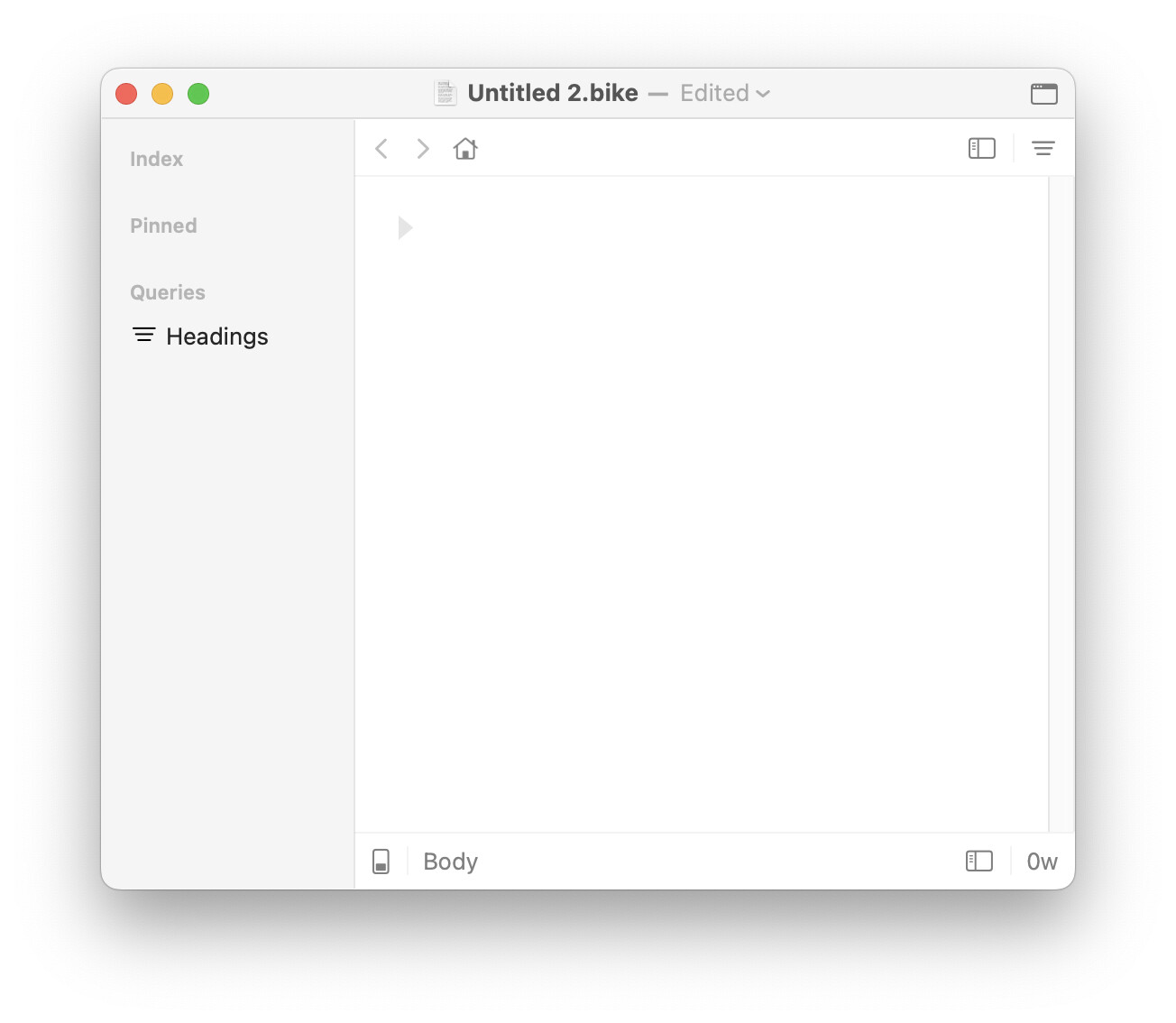
I understand and do expect to add more button position configuration post 2.0. Please do bring it up again if I seem to need reminding.
The goal will be to have them all 3 dynamic. Separators, spacers, submenus, etc. Can it get that far? Not sure. But that’s goal.
1 Like
Thanks! Post-2.0 sounds less ominous than waiting until 3.0. 
With those options, I think I could really like it far more than just having the Apple’s default Customize toolbar options. Looking through the options, it looks way more helpful. So I really do appreciate it.
I think the placement of the sidebar and inspector buttons are what I expect to be most consistent across apps that have them, since toggling them open implies I’m very likely going to move the cursor directly to them afterward. Would it be possible to temporarily hard-code the sidebar button to show up on the left if the user chooses to show it?
1 Like
I don’t think that would be easy with current code. The solution is to build more configuration possibilities into the layout and Interface Explorer. I’ll get there, will just be not immediate.
1 Like
Awesome, thanks for the updates.
I like the new filter highlight behavior a lot (when moving through matches).
And CLI is working without file open in my manual tests. I tried the following command and it appends a new row to the end of the document.
fsh ❯ bike create row --outline ./temp.md --text '*foo*'
{"created":"2026-06-10T20:10:45Z","id":2156101747,"modified":"2026-06-10T20:10:45Z","text":[{"attrs":{"em":""},"string":"foo"}],"type":"body"}