- Added Bike > Install Command Line Tool…
- Use installed
bikecommand in Terminal to automate Bike.app - Use
bike mpcto start a Model Context Protocol server for AI agents - Added menu items+shortcuts (hold option to see them) for text move commands
- More improvements to text move commands, including animation fixes
2 Likes
Two new automation surfaces!
bike - I’ve always wanted a command line companion and finally have one! I’m trying to expose Shortcuts App + AppleScript functionality to terminal with this. I think I’ve got the important stuff, let me know if you think something is missing. It also add something that wasn’t possible before with the observe commands. Now you can live stream state out of Bike and into other processes.
You can try:
bike create row --text 'Hello World'
bike observe rows --filter "//task not @done" -o markdown
bike mcp - This starts a MCP server that you can attach your agent to (Claude Code, etc) and then the agent has an easy way to ask Bike to do things. Please try it out, let me know what needs work.
Also quite a bit more work on row moves with text semantics (ie contained rows are left in place when not selected).
First, I have added new Move Up (Text), Move Down (Text), Indent (Text), Outdent (Text), Delete Rows (Text) items to the Outline menu. They are hidden by default, you’ll need to hold down option to see them, and associated shortcuts. The idea is if you want this behavior you no longer need to set a bunch of custom keybindings.
Now you have a choice in any context for the type of move you want with outline semantics or with row semantics.
Also these text semantic moves are complicated. I now remember why I wanted to keep them out! (but glad they are back). They get particularly complicated when trying to act “correct” and understandable in the face of folded rows. I fixed a bunch of case, and wrote a bunch of tests. Let me know if anything seems off or unexpected when text moving in context of folded rows.
Last I fixed an animation bug related to these text semantic moves. Maybe you noticed that sometimes animations didn’t quite look right in places with them? I sure did, but I think that’s all fixed now. Should be smooth animations in all cases now.
3 Likes
Just a note, CLI is very much “preview” at this point. I’m already changing/breaking a few things. What I really hope for is feedback/suggestions so it will be right for 2.0 release and not need changing after that.
3 Likes
starting with
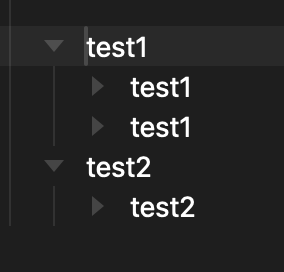
folding test1
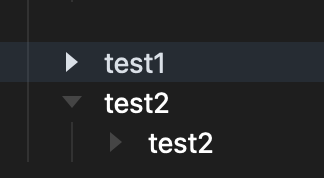
text move down
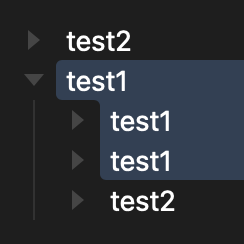
test 1 opens.
do you want this behaviour? I can see why you would.
Yes! This was my trickiest case.
1 Like
Why - Test two was an intentional 2nd nested structure. This breaks it?
Just to be clear, this is an example of “Row: Text Moves” where rows move like they do in a plain text editor. Without hierarchical constraints. Being able to break structures is the point/tradeoff for having very predictable moves.
Also, the previous “Row: Moves” that do not break outline structure are still the default. This is just a new set of options.
With that in mind I think about these text moves with these goals in mind:
- Move like text editor (one line up/down)
- Maintain folds when possible
- Maintain structure hidden behind folded rows
- Structure hidden behind folded selected rows moves with selection
- Maintain selected rows (don’t add new selected rows, or loose existing selected rows)
In this particular case the user says “move test1 down by one row”. The problem in this case is that means test1 will adopt that test2 child. There’s no way around it, that was the move that was asked for.
So we do the move, but we also expand test1 and the trick part is we only select the part of test1 that was folded before the move. That means when we do our next move down the test2 > test2 hierarchy is repaired.
You can now freely (text moves give you freedom of movement) move text all through your outline, breaking structures as you go. But the behavior is nice because if you are just moving through then the structures recover once you’ve moved away.
That was long winded, maybe I can explain better.
I think the core goal is reversibility. Text moves by definition will break outline structure. But it’s always easily reversible by moving back or moving forward through that part of the tree?
in other words, if i move text through an outline, it should flow through the outline like a wave, leaving behind the same structure.
however, it isn’t doing that yet.
test1 picks up test2’s child and drags it down, which it shouldn’t
(also, without a test3 heading, i cannot move test1 down at all, and moving a folded test2 upwards picks up test1’s child.)
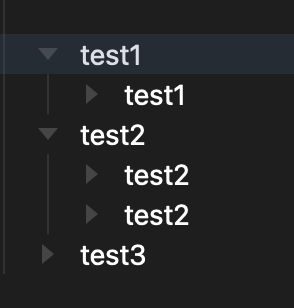
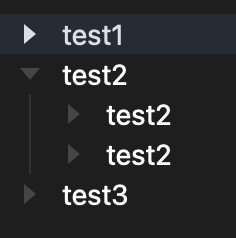
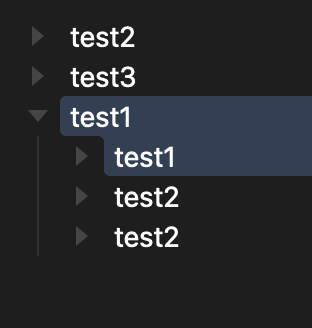
Thanks for continued feedback on this. It’s got many complicated edge cases. Bugs definitely possible, but for me I think I’m still seeing correct behavior… though what I’m seeing also doesn’t quite match up with your screenshots.
Here’s what I see (minus the weird squishing that got added in screen capture process)
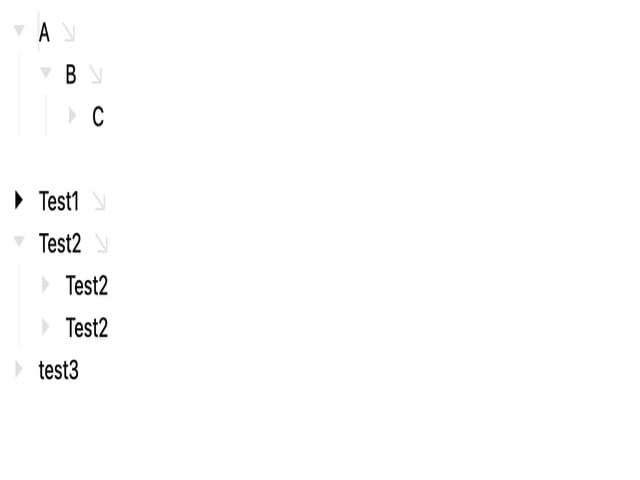
1 Like
what you show is how i understand that things should work. My problem is that i couldn’t get the moves starting at 2:56 to work. Test1 stole Test2’s children when moving down through Test2.
It turns out that it’s my keybindings that are causing the problem.
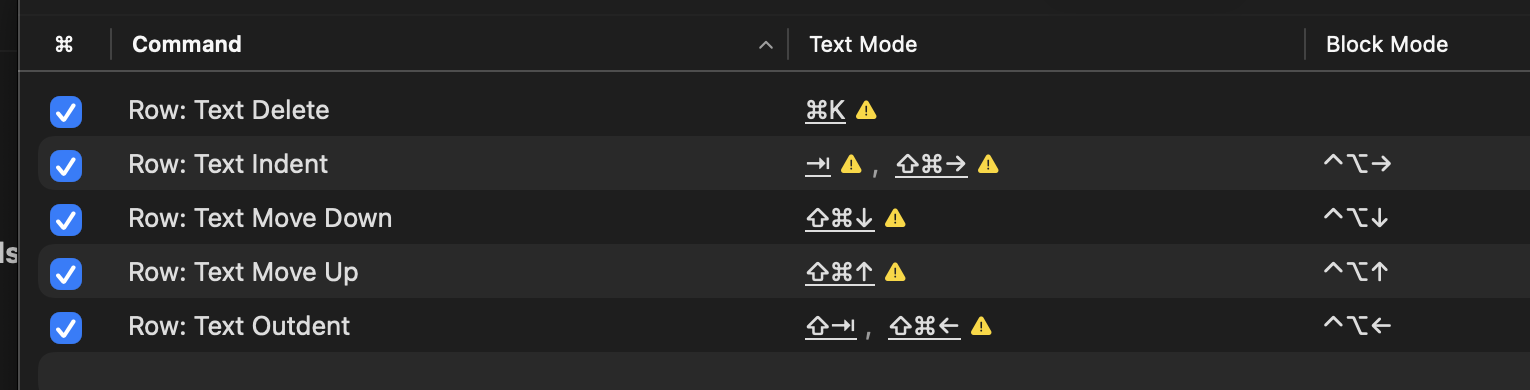
When i went back to the default ctrl-opt-up/downarrows (even leaving my custom cmd-shift-left/rightarrows in place), my Bike works like in your video.
1 Like
That’s good to hear. I haven’t quite reasoned my way through why the keybinding overrides would cause a problem. Does it seem logical to you that it behaved that way, or do you think a bug?
I’m mystified.
1 Like
I’m getting some funny results with autocorrect writing in my native Slovene. In some places, autocorrect is correcting words using characters that don’t belong in the language.
Is this a macOS thing or is Bike using its own correction logic?
I’m using macOS correction system, but certainly possible for integration bugs. Can you give some examples? Is this something that was working and has recently broken?
Hm, I’m not really sure how to test this, and I very rarely use Bike to write in Slovene. Therefore, I can’t tell if this is a recent issue or if it’s always been this way.
If I open ‘Show Spelling and Grammar’ in apps like Pages/TextEdit, I can usually select language:
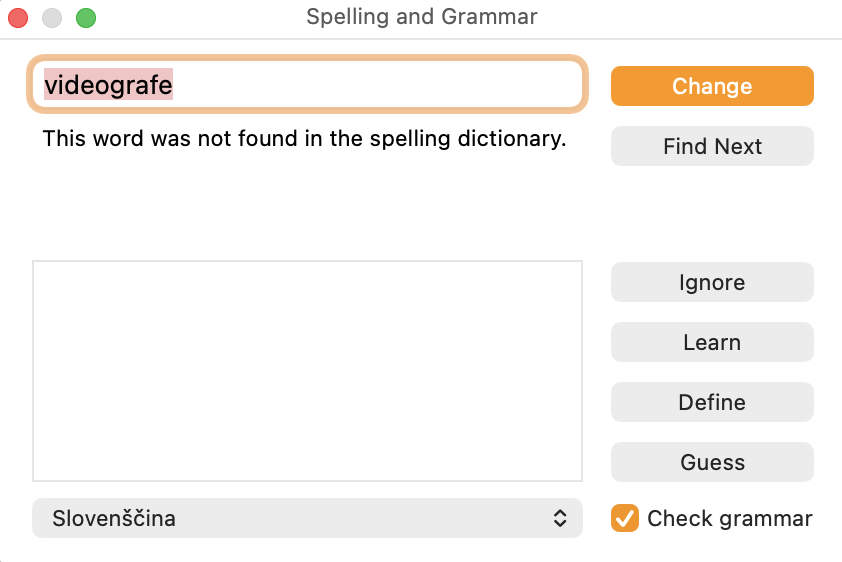
I don’t see a setting to set language in Bike. But it’s highlighting correct words as wrong:
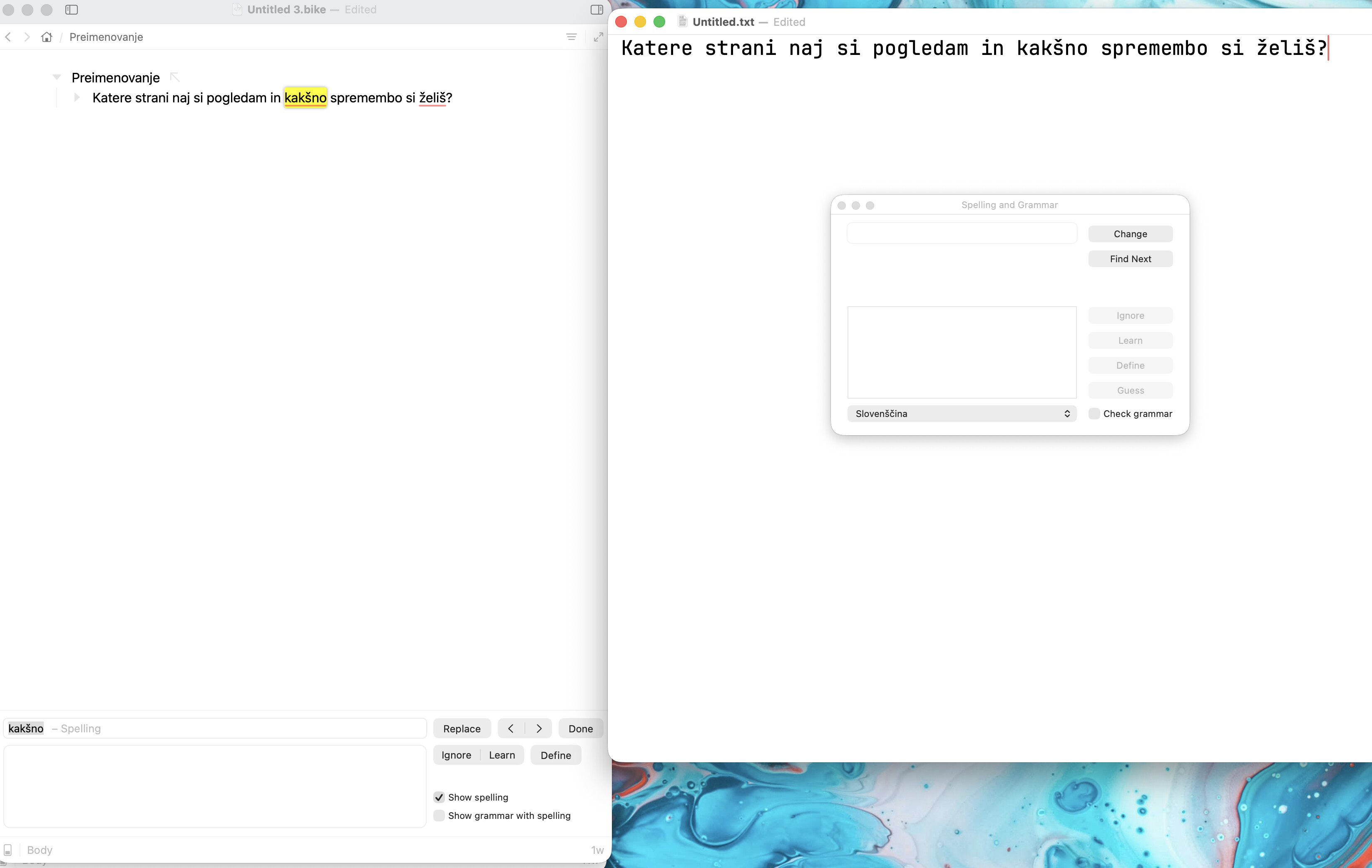
I didn’t get to these issues in the recent 282 release, but will try to resolve today
1 Like
I think what is happening is you only have your custom keybindings set for text mode. The move that must expand rows and select subset of children changes your editor to block mode. And then your override stops working.
1 Like
applying the keybindings to both text and block mode solves the problem. thanks!
1 Like
Please try the latest 284 release. It allows you to choose spelling language and I think that will fix this issue.
1 Like