This would be quite useful, actually. I hope this is still planned sometime in the near future:
This seems to cause Bike 274 to hang consistently:
- Filter outline by whatever (match not needed)
- With filter still active, close document.
If document was unsaved, a save dialog pops up. If you click Delete or Save, Bike hangs. If this was an existing document, Bike will hang on Close.
1 Like
Tho I do wonder if “selection”, as in the extension-kit’s
/** Select rows to create a "block" selection. */
selectRows(anchor: Row, head?: Row): void
is quite the right metaphor, here ?
A set of (probably discontinuous) matches is perhaps a slightly different animal from a selection block defined by putting down an anchor and extending a range by some number of rows.
query.value.forEach
does seem a closer fit …
continuing to test this. there’s a long delay before being able to add link to row. i guess Bike is reading all the rows, and I have a lot of rows.
Also, the link arrow doesn’t let me jump anywhere (either link to row or URL link)
1 Like
Not being able to click the link arrow may relate to something which, I understand, is fixed for the next build (z-Axis layering of the link decoration),
but you may find, meanwhille, that selecting any blue text in the link range,
and using ⇧⌘O, does work. (Bike > Go > Open Link)
1 Like
works. thanks
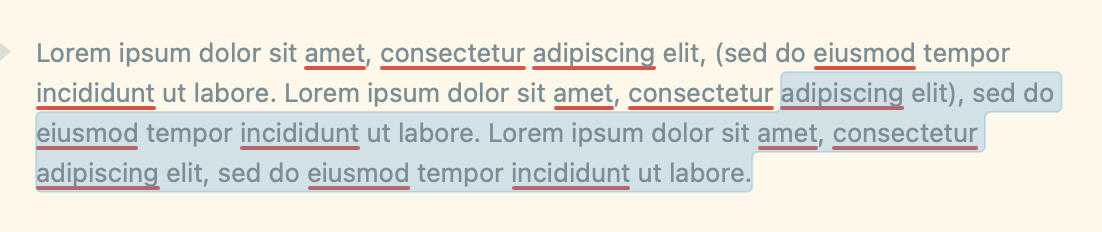
if i doubleclick on elit and drag directly downwards, i only select the words elit and the words after

however, if i inadvertently drag left over one or more preceding words (here, adipiscing) after doubleclicking on elit, i end up selecting the preceding words too, which i don’t think is your intention.
1 Like
Can you explain in a bit more detail? Is this on by default in VS Code? I’m not sure that I see it. Also, I think this information is already present in Bike’s breadcrumb UI?
Thanks for pointing out this performance regression. Should be fixed in release later today.
I have added documentation to Calendar’s readme here:
Feedback welcome… do those docs help you? (For generating a years worth of dates use the command “Calendar: Year”.
1 Like
That’s correct, Select All isn’t really compatible with filter views.
I don’t think I want to modify selection to be discontiguous. It would add complexity and also require extension API changes. Could you describe a few scenarios where you would want to use this?
One possibility:
Currently when you have a filter, and then long click on the filter (three horizontal line) leading icon you get a popup menu that allows you to “Copy Matches without Children” in addition to other actions. One option would be a new menu item along the lines of “Apply Command To Matches”, which would then open command pallet and apply selected command to only matches. Maybe useful for your cases?
1 Like
I completely missed this feature! I think it does 90% of what I need it to. I’m still unsure how to avoid duplicates if I want to include both matches + parents/ancestors AND preserve outline structure, but that’s probably a skill issue.
As for bulk operations on matches → yes, I think applying a command through command palette would be a nice solution.
ah, it’s one of those command panel things. thanks.
1 Like
feature request for calendar (for well after v2 is published): to display the day of the week alongside the date
This might already be possible… do you mean in the outline row? If you go to Bike > Settings > Extensions > Calendar then you can fill in the patterns that are used when generating Year, Month, and Day rows.
that, plus letting Claude look at core-extensions/src/calendar.bkext at main · bike-outliner/core-extensions · GitHub
gave me this to paste in:
{“weekday”:“short”,“day”:“numeric”,“month”:“long”,“year”:“numeric”}
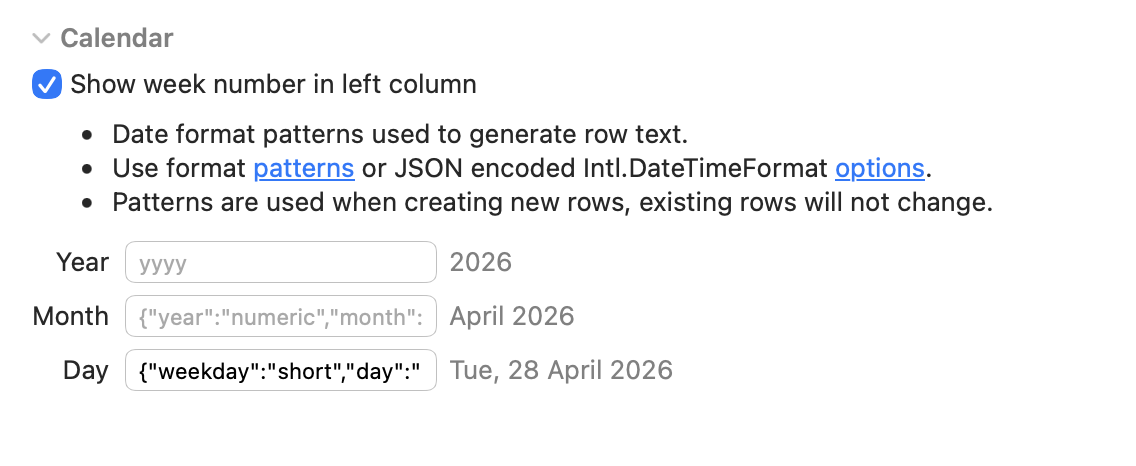
and it works!
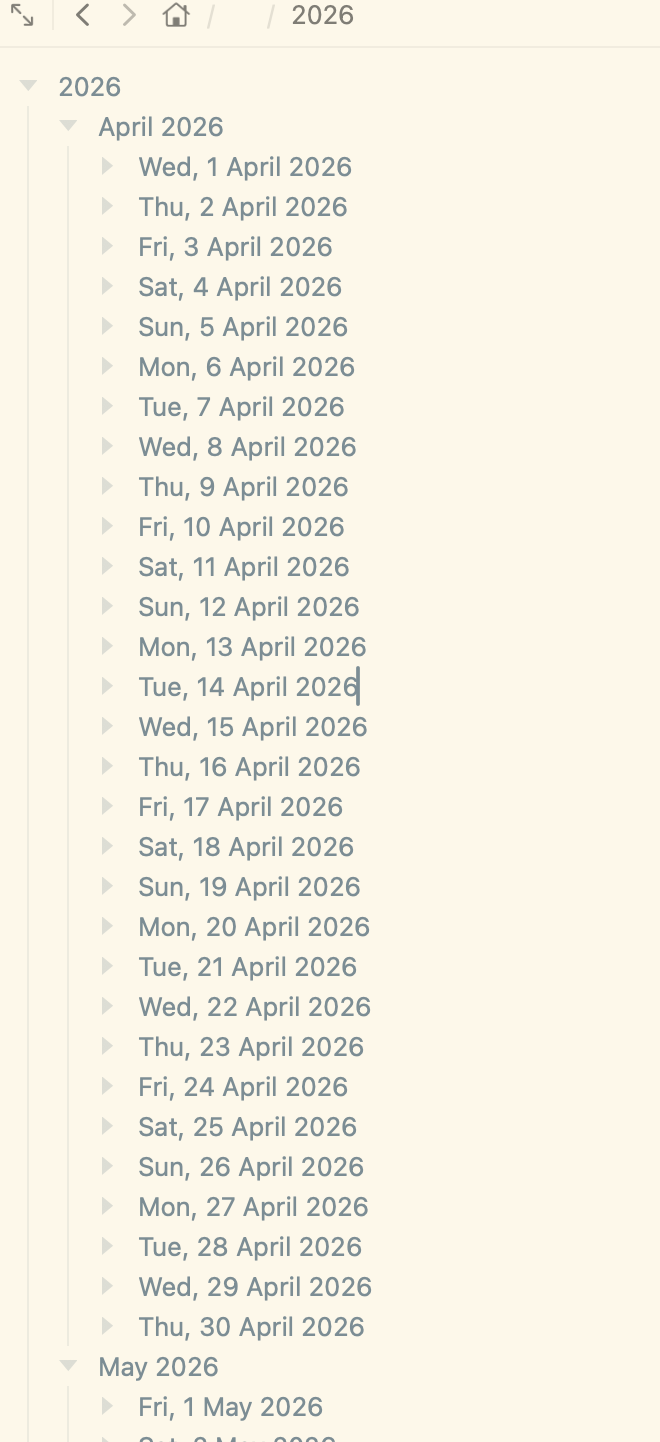
1 Like
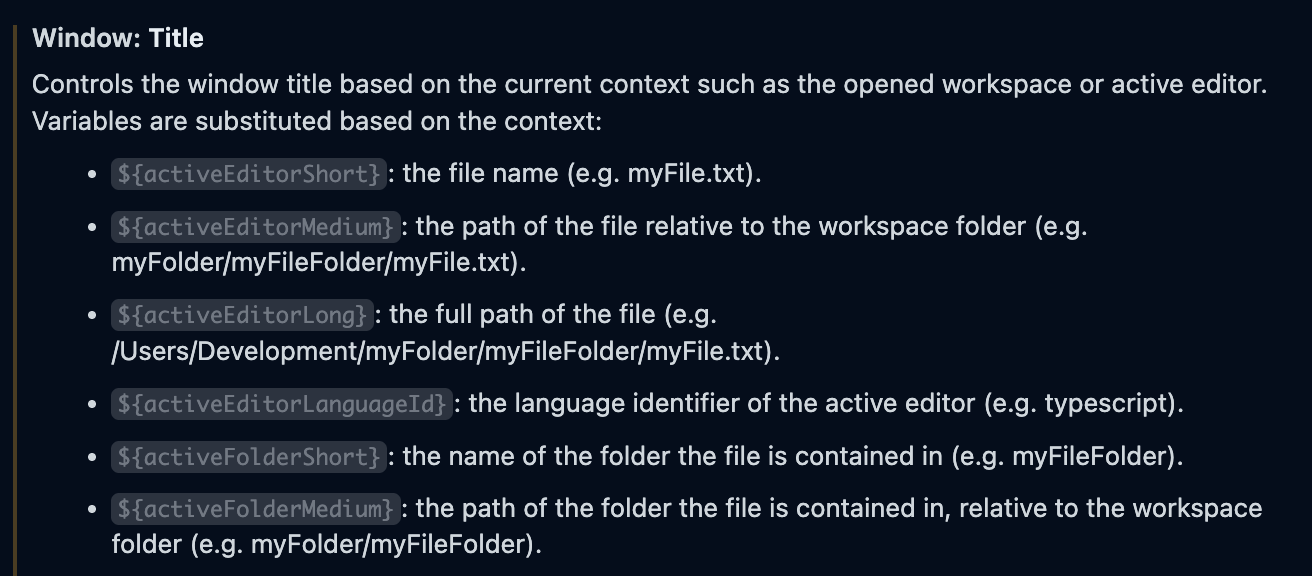
Sorry, I mean the window title. I use folder templates, so I have the same filenames in different directories. Being able to show the parent folder on the window title would help tell one from another.
Looking into this.
When I turn on Keyboard Navigation I see the change in behavior that you describe. Tab/Shift tab moves by day, and I think this is expected. When turning on keyboard navigation all tabbing becomes very granular. I also see an indicator in light/dark mode. I’m not sure why you are not seeing that… actually I see it sometimes, not other times…
Will look into that.
In any case I will also add navigation commands to the go menu for Sidebar (Command-1), Editor (Command-2), Inspector (Command-3). That will at least allow you to quickly switch to a known location without first having to consider your current location. Or as a quick way to get back to editor from calendar when Keyboard Navigation is on.
I think that starts to get too complicated, especially since I think this information is already available in breadcrumb bar. The complication is exemplified by all the options that VS code provides, everyone will want something different! 
What I think I can do is provide an API so that you could set window’s subtitle yourself from an extension. Does that seem useful for your case?
Could you help with a screenshot of the breadcrumb bar showing parent folder of the active file? I couldn’t find it and google didn’t help. The Interface Manager mentions Title Bar. And yes, I’d be grateful for such API.