Thanks again. I think next step is I’ll add more logging for the next release. I still got no idea! :). One more test if you have time… can you try running Bike from a second test user account on your machine and see if that resolves the problem?
I set up a test account. Using that test account I run into zero problems using the bold formatting or using headings (which should be in bold). Put differently, perfect behavior.
Progress! So the problem is either in your local Bike config, or in macOS setting that’s different than what I have. Let’s check Bike first.
Can you:
- Bike > Extensions to show extensions folder in finder
- Quit Bike
- From that Extensions folder in finder navigate up to the containing Application Support folder. Move that to your desktop (don’t delete).
- Then restart Bike and see if difference.
If that fixes it please zip and send original Application Support folder.
I did what you suggested. No change. So I’m guessing there’s some macOS setting that’s related to the issue.
Hum… the way this should be working is Bike reads stylesheet. Then Bike calculates a specification for the font to use in each part of the outline. Then Bike asks macOS to resolve this specification into an actual font.
I “think” (after you removed App Support) we can be sure that your version of Bike is generating the same font specification that mine is. So I guess it must be that macOS is resolving those specifications differently. And in your case can’t find a font that satisfies all the constraints, and so is using a font that isn’t bold. Maybe!
Part of specification is things like “systemFont”. Can you (or anyone else) think of any system settings that might result in a different system font that doesn’t support bold? Seems unlikely.
In the next release I’m going to add logging that will print out the exact font specifications and resolved fronts. Hope that will help find problem.
1 Like
@mitchellm Oh, shoot. I forgot this was a possibility. What is your Bike > Settings > Typography > Font setting? If it’s not “System” try changing it to system.
getting closer! I did have System chosen but … when I switched to this (via Restore Typography Defaults) all works find in terms of bold:
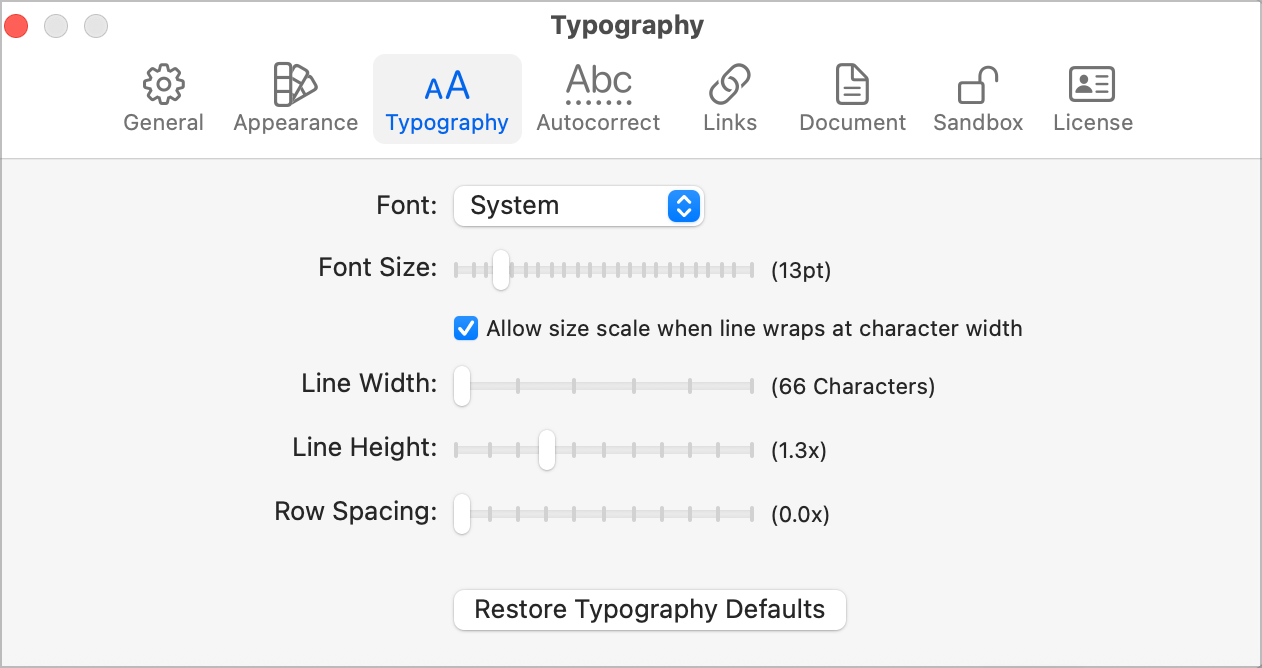
However, my typography settings were/are :
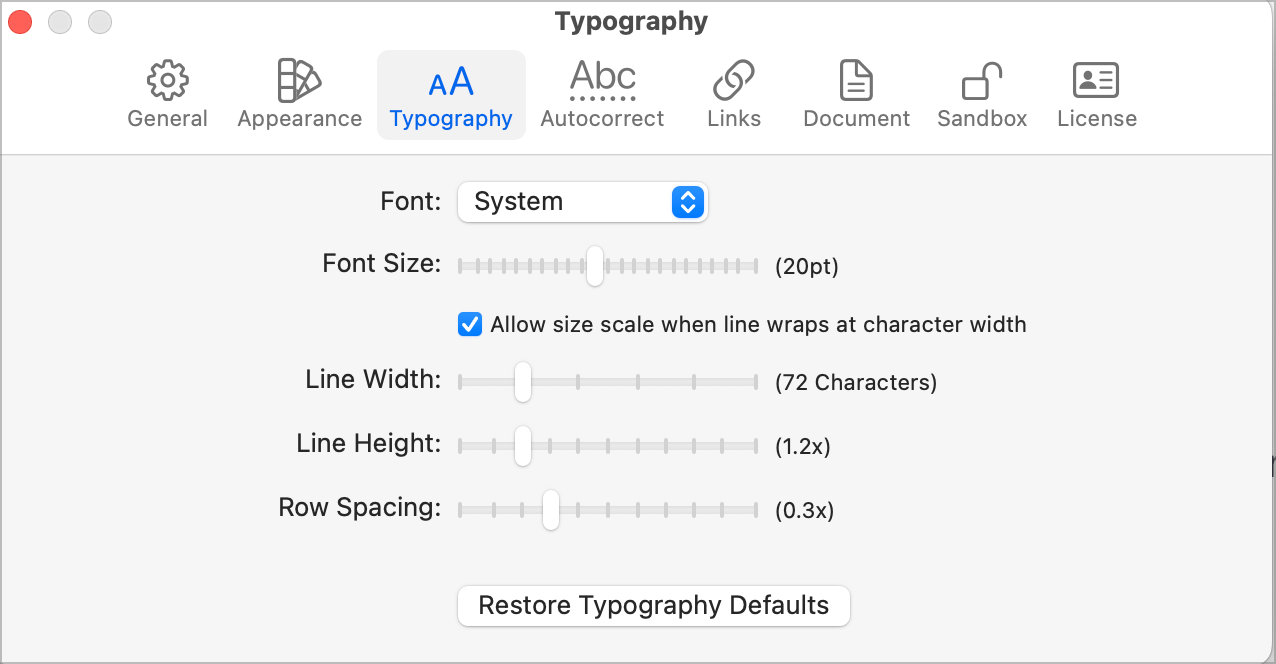
I messed around with the various typography settings and none of them result in the bold type not showing, EXCEPT if I change the font size even a nudge to 14 pt from the default of 13 pt
In fact, if I change the font from System to anything else (it seems) then I don’t get the non-bold result if I increase font-size. Only when System is chosen.
1 Like
Ha that’s it!!! I can reproduce the issue with your settings. Except for the fact that it’s impossible that those settings could have anything to do with it (in my mind, not in truth)… this is great news and I expect I’ll be able to fix (or at least explain) for the next release.
Thanks for taking all this time to dig into the issue. Really helpful to me 
1 Like
I just added this text to the above reply by me:
In fact, if I change the font from System to anything else (it seems) then I don’t get the non-bold result if I increase font-size. Only when System is chosen.
1 Like
For me the issue is touching the Font size slider. Just clicking on its handle causes font weights to default to regular.
1 Like