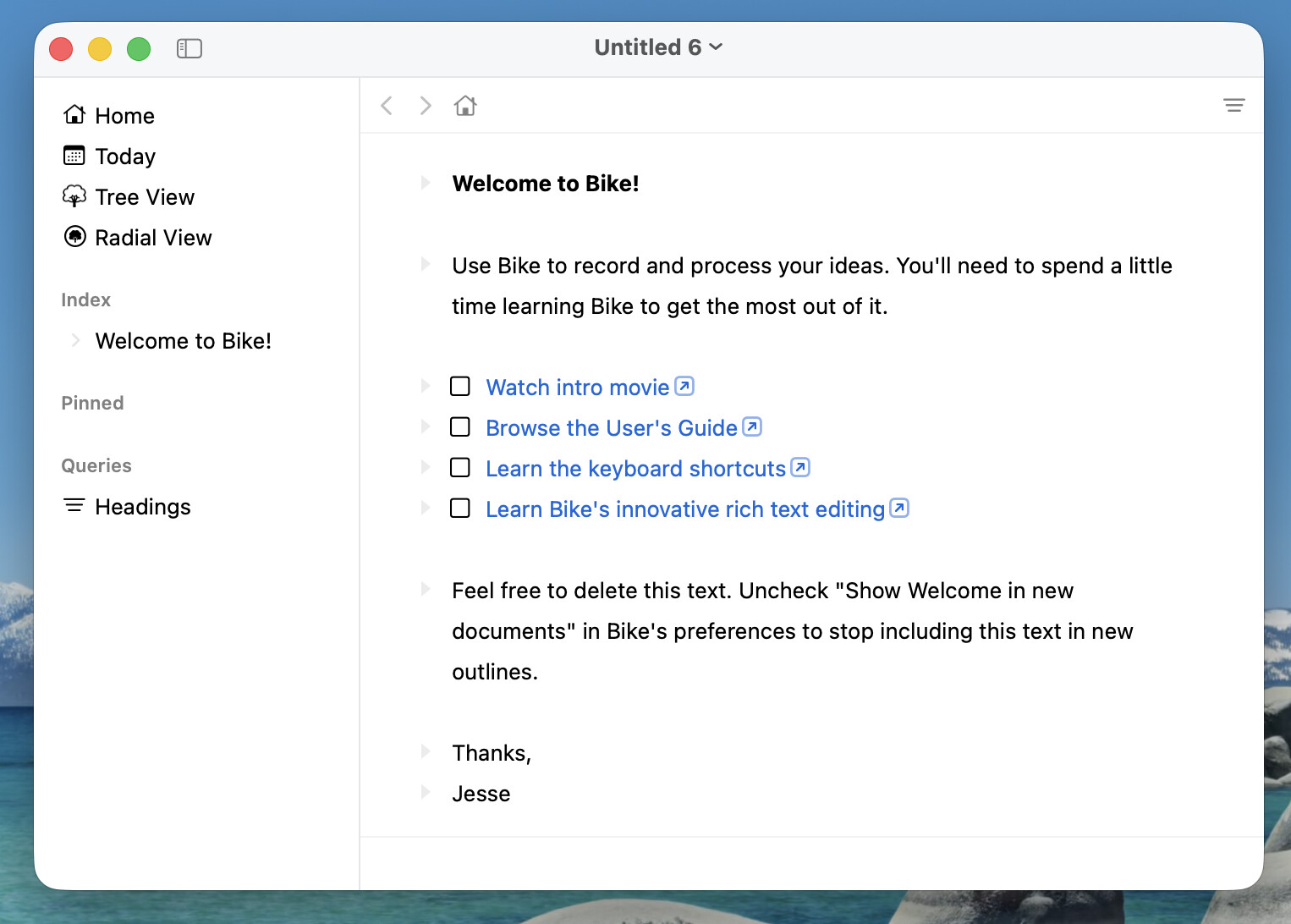
To many compromises, to much distraction pushing pixels one way and then the other to attempt to thread the looks good and works needle. This release reverts to a simpler more traditional UI… pixel pushing done, back to fixing bugs and adding features.
Fixed a bunch of common crashes
Added Sidebar (actions, index, pinned, queries)
Added View > Hide Interface (⌘.)
Added Outline > Move to Index Row
Added Go > Focus Index Row
UI Reversal, dropped glass, added more theming
Removed + shortcut for unordered list replacement (use -)
Standardized on term level across AppleScript, API, and internal code
Fixed crash when opening links in Hebrew text (out-of-bounds index)
Expanded theme support (see bike-theme.json in bike-extension-kit)
API
Added Outline.observeChanges to see fine grained outline changes
Added accessors to row including Row.ancestors, etc
Added AttributedString.count to get character count
Renamed editor style editor.focusMode to writingFocusMode
Limited Sidebar API to new addAction call
Updated bike-extension-kit extensions to use new APIs.
First impression maybe be that this release looks very plain. It does, but much of the window chrome can be configured through themes now. You can set material (color, gradient, system titlebar/header, glass) for most of the window areas. See full-example for AI generated use all the features theme.
Another big change is sidebar. Now extensions can only provide action items at the top. The groupings (Index, pinned, queries) are built in, but the content of those sections is user configurable:
Right click on index to modify the query that defines your index rows
Drag rows to pinned and drag to reorder them. Right click to unpin a row.
Right click on queries to create, edit, remove. Select to apply
Hide Interface (Command-.) is my favorite new command. Give it a try.
Added back choice pallet for Focus Index Row (was focus heading before) and Move to Index Row. These pallets still need a some work, but basic function is there.
Thoughts and bugs welcome. Hope releases speed up again now that I don’t have to think about glass. What a derailment that was!
Note There are issues with selection in the sidebar. I haven’t quite decided how selection should work there, and parts work one way other parts work another way. I think I have to make it a little less smart.
I had two simple themes in the themes folder that still show up in the “Appearance” section of settings that worked on the previous release. Not working now?
Oh, I see the problem. This theme is “working”, valid syntax, and being loaded correctly, but I changed the underlying Bike style to use some of these values differently. So I think you’ll see that this theme is setting the text color, but it is no longer setting the background color.
I have added a new section of “materials” for configuring backgrounds in the UI (window, titlebar, sidebar, editor, editorBars, inspector). These can be simple colors, but they are more flexible and can be gradients, glass, etc. Here’s how to recreate your above theme using materials:
You could, though I’ve now added that to my list as well. There’s no direct API to do it, but pinned rows are stored in outline metadata, so you could use that API to modify.
Good. I expect 1 more round of theme expansion in the next release. I don’t think any existing features will be removed, but I’ll be adding ways to theme text of some predefined runs and rows.
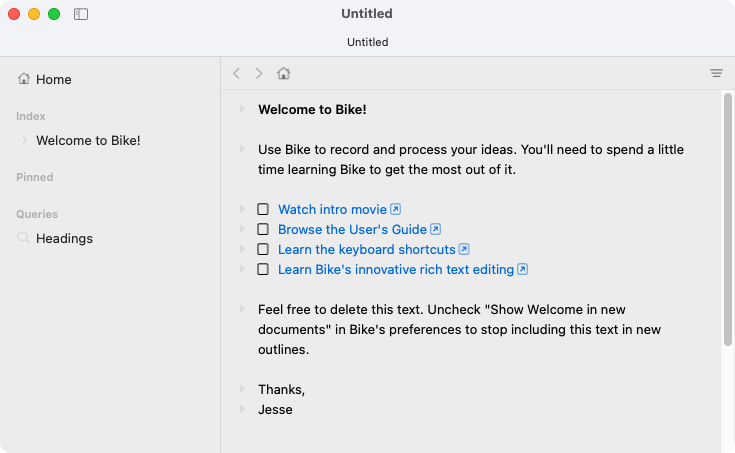
I just updated to this preview – and I get a gray background in the document window, same color as the sidebar’s background. That’s not right, is it? I tried to delete all settings, but no change.
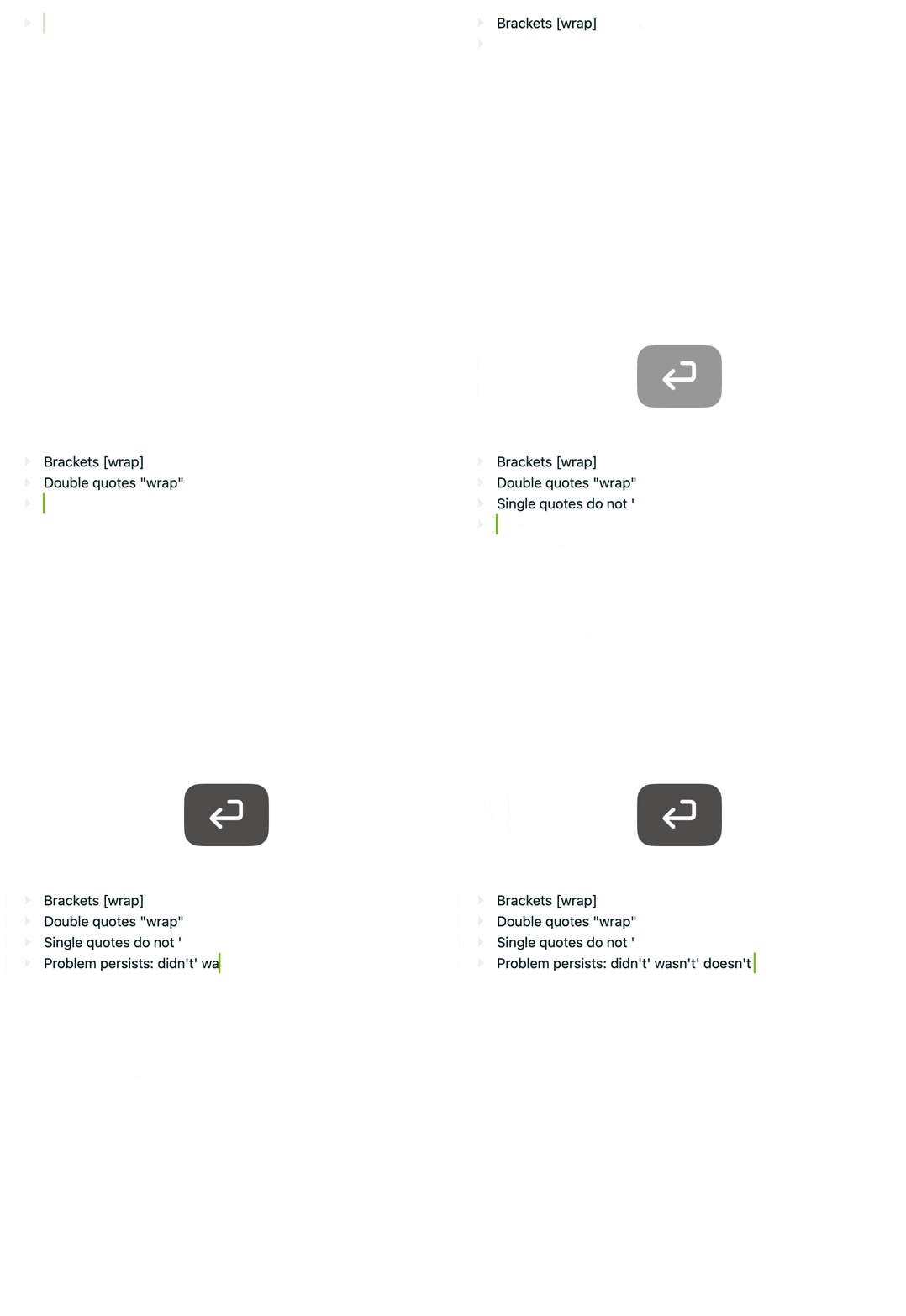
I did add, not too long ago, if you have a none-empty selection and then type `, or various other bracket/quote characters, it will insert the character and it’s mirror at both ends of the selection.
Maybe that’s what is being triggered somehow… but doesn’t appear like you have non-empty selection as you type… and I can’t reproduce the problem myself.
I think you already have Bike extension kit installed… you could test above theory by:
Launch Bike
Open Bike extension kit file /bike-extension-kit/src/!bike.bkext/app/main.ts
Remove the addKeybindings call that maps ``` and calls wrapTextSelection
Save, build and install extensions (should load into running Bike)
Type in Bike and see if problem persists
(Note modifying this default !bike.bkext is only temporary. Each time Bike launches it will replace the modified version you just built with the version shipped from app, so you need to make sure you build/install your modification after Bike has launched)
The default right now is same color for all backgrounds except for the titlebar. I think should be white background though, not grey. This is what I see:
Tried rebuilding !bike.bkext as you suggested, but problem persists:
I’m not sure it’s autocomplete for brackets/quotes. If I disable autocorrect in Bike’s settings, the problem goes away.
Similarly, if I enable Smart quotes and type in didn', it will automatically get corrected to didn't but without the trailing ' like with example above which shows didn't'.
I noticed in an earlier version that typing ' would also disable currently active rich formatting somehow, but wasn’t sure how to reproduce the problem. I don’t think this problem exists anymore, but something feels off about the '
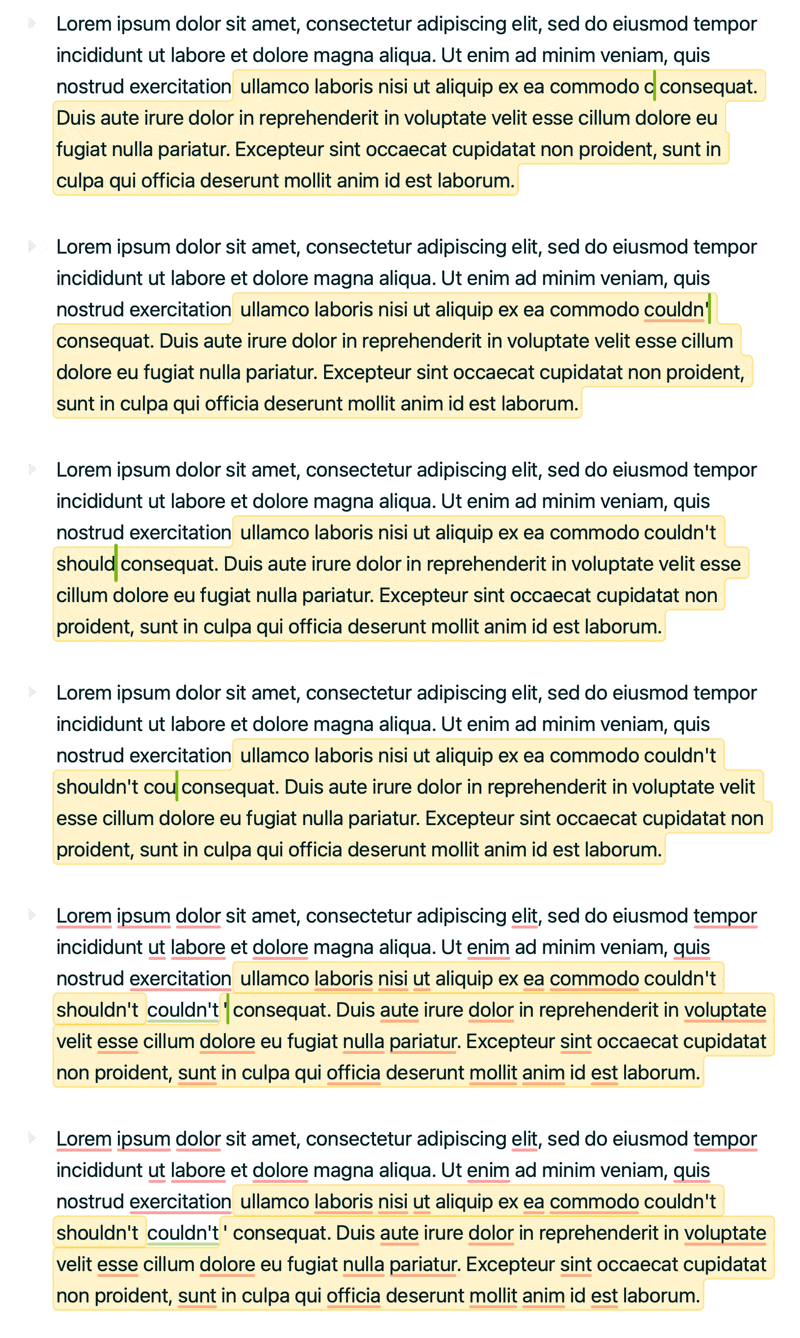
At this point I’m pretty sure it’s an autocorrect issue. Using ' at the end of a mis-spelled word seems to trigger autocorrect, but the issue is that it’s not consistent and not always on the same words.
And here’s the issue where formatting is removed when autocorrect is triggered. What drives me crazy is that it’s the same damn word that behaves differently each time