Bike 2.0 (Preview 247)

  • .bikemd is now strictly list-based
  • .bikemd now represents all outline data, using Pandoc attributes when needed
  • Updated runtime tag names to better align with HTML standards — for example: link → a, emphasis → em, highlight → mark, strikethrough → s, etc.

Bike Markdown is still a work in progress, but I think a lot closer to a stable format now. Known bugs at moment: Problems with code spans and horizontal rules. Also no escaping is being performed yet, so if you type in Markdown syntax it will be interpreted as such on next file load.

The changing of runtime tag names may break some things. For example those names are used in themes, so you’ll need to update any custom themes you have. Also if you have Bike Extension code the processes attributed strings, the attribute names will have changed.

Download:

2 Likes

Well the first .bikemd demo code was so easy, only a few hours!

Then I started to encounter all the things that didn’t quite work. Ugh!

The problem is Bike’s data model and Markdown’s data model don’t align everywhere. Each can express things the other cannot. For Bike .bikemd the goal is a file format for Bike, it should be able to express the full Bike outline data model.

To make that work I have limited the set of supported markdown to simple ordered and unordered lists. (Bike will load other markdown, but it just scans for chunks of text and adds that to outline, doesn’t try to encode structure).

To encode Bike row and text run attributes that don’t have a corresponding Markdown syntax, Bike uses Pandoc attributes. Previously I was using embedded HTML tags, but those don’t work well recursively, where Pandoc attributes do.

Another issue that I’m running into is some attributed string patterns are just not expressible in Markdown. For example abc where ab is bold and bc is italic can’t be expressed, but being able to express those sorts of overlaps is important to support Bike’s data model. To solve this I’m trying to detect these cases, and when it’s a problem I use pandoc attributes to express the formatting instead of markdown syntax.

Here are some examples of what you might see:

// Normal markdown when possible:
**hello**

// Use pandoc attributes when not expressible in Markdown (such as for highlighting):
[hello]{mark}

// These syntaxes can be combined:
[**hello**]{mark}

// Custom attributes attached to strong:
**hello**{a=b}

// Use pandoc attributes to represent things Markdown cannot (like `abc` case)
- **a*b***[c]{em}

For rows Bike body rows are mapped to simple unordered list, but then what is Bike unodered row type mapped to? It is also mapped to markdown unordered list, but it also gets row level {type=unordered} attribute so that type is preserved when round-tripping through Markdown.

Please give the new format representation a try and let me know how it goes and what you think.

The goals are:

  1. Round trip Bike outline doesn’t loose data (#id support still needed)
  2. Readable/editable elsewhere “standard as possible” markdown

I think this really opens up some possibilities with Bike, but it’s also more limited in some ways then the original .bikemd format. No special heading treatment, the end result doesn’t look like a document, it will always be a list.

I think longer term it will make sense to have a “publish” feature that processes your carefully constructed outline into something that looks more like a published markdown document, but that’s not what this file format will be for.
1 Like

Also, anyone with Pandoc experience, I would like Bike’s format to generally be compatible with the way that pandoc applies span and block attributes. I “think” I’m doing that to a degree, but I’m not all that familiar with Pandoc, just eyeballing their docs and applying what I see to Bike. Happy to tweak things if it will help with compatibility.

With this recent approach, scripting the outline to regular markdown text would be much easier I guess. Thanks.

Not sure if this is what you meant, but with the Bike Extension API you can use row.text.toMarkdown() to get the inline markdown representation, while at the same time having easy read/write access to the full outline structure.

It takes a minute to get yourself oriented and running code in Bike’s Extensions system, but once you’ve done that I think this approach would likely be easier then trying to parse/manipulate the .bikemd format to other forms.

Ah got it. Hopefully I can get the extension to work. Will dig into it.

- # Heading
	- paragraph text
	- ul {type=unordered}
	- ul {type=unordered}
		- ul ul {type=unordered}
		- ul ul {type=unordered}
- > block quote
- ---[]{embed}
- paragraph with 'inline code'
- pararapgrpa **bold text **and some *italic text also a **bold and italic text***

- # Heading
	- # indented Heading
		- parapgraph
		- ul {type=unordered}
		- ul {type=unordered}
			- ul ul {type=unordered}
			- ul ul {type=unordered}
		- > blockquote
		- paragraph 'inline code'

This is what i see inside the .bikemd file

Instead of {type=unordered} suffix for ul/ol items, what do you think about using additional - or 1 after the preceeding - ? This way we can have cleaner text when opened in another text editor.

- # Heading
	- # indented Heading
		- parapgraph
		- - ul
		- - ul
			- - ul ul
			- - ul ul
		- > blockquote
		- paragraph 'inline code'

Though I’m not sure if this is feasible or not.

Just to be clear, does your outline appear to be serializing correctly, and you just think the format could be less verbose? I think that’s what you are saying, but some of the lines such as with ul ul look a little weird.

Anyway, all those {type=unordered} don’t look great, even if they are not errors. In my outlines using unordered is very rare, so I guess I didn’t think about it much.

It’s feasible, but the cost would be another special syntax in Bike’s format. I would prefer to use the existing pandoc attribute extension that Bike’s format already has to adopt to support custom attributes.

In the end pandoc’s attribute syntax generates a key/value dictionary, but it has a lot of shortcuts, so you don’t have to type out the whole key="value" syntax. I guess easiest option is can certainly change to {key=ul}. Second, not sure on the semantics, but we could also detect this case by setting a class which is just {.ul}.

Last, I had previously considered using a special bullet char to distinguish the cases. So use - for standard rows, and use * for unordered item rows. To me this probably is nicest, but I didn’t do it because this is also a bit of extra syntax that readers of the file would need to be aware of.

Thoughts and feedback welcome.

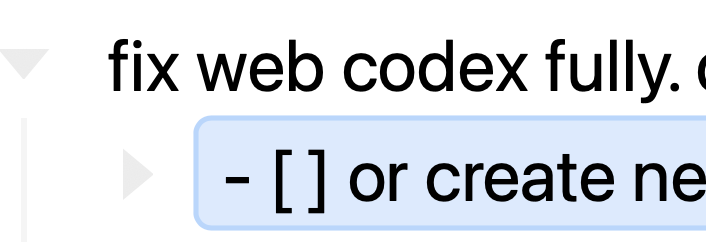
in new bike if I am in this state

how do I turn it to edit mode?

Ah, this is “outline editing” (what I think of as “block editing”).

Press esc to get out of it (or to enter it, again).

1 Like

Another way is left or right arrow key.

Just to be clear, does your outline appear to be serializing correctly, and you just think the format could be less verbose?

Yes it is serializing correctly and yes I would prefer cleaner output in the markdown file.

- paragraph
	1. text
	2. text
		1. text

By the way, those - uland - ul ulwere the text i just entered to distinguish between the two levels of unordered lists; so no errors.

1 Like

For the next release I’ve decided to treat that “unordered” case by using list marker + instead of the default -. So you’ll see no {type=unordered}

1 Like

  • A few questions:

  • Is there a reason in-line code formatting is formatted as 'code' instead of `code`? {type=unordered}
  • Numbered lists don’t seem to have - prefixes to them {type=unordered}
  • Does the --- divider need additional []{embed} since it would be presented in the markdown file as - --- anyway? {type=unordered}
  • This was written in Bike and copied with Edit → Copy → Bike Markdown to see how practical it is.

I think all these issues are addressed for the next version except numbered lists will start with a number instead of a dash just because a number is also a list type

1 Like

Started using 2.0 and it’s actually usable now. Can change font and everything feels nice. Great job @jessegrosjean :black_heart:

However one thing I am missing from 1.0 is that I need a way with palette to jump between bullet items. Specifically only the root level items.

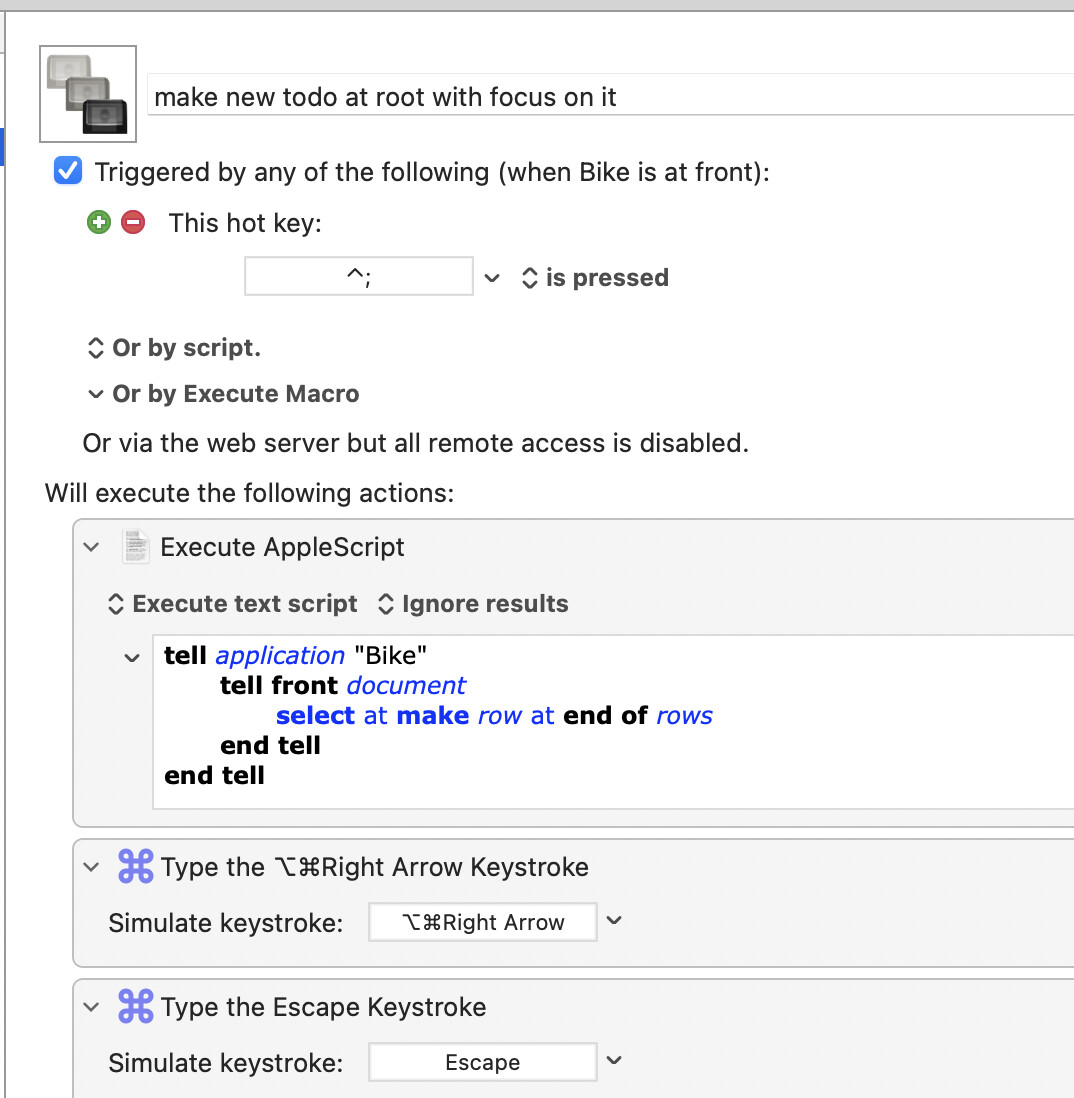
I use Bike as outliner of tasks I work on. I do this to create new such task to work on:

And I need a palette that lets me fuzzy find a top level task to switch too. Super important for my workflow. Hope you can add this.

Thank you lots.

Definitely on my list to add that back for selecting rows, just been working on other things.

Also this

tell application "Bike"
	tell front document
		select at make row at end of rows
	end tell
end tell

No longer does what it did in Bike 1.

Is there a new something I can use. I need smth that will let me create a new item at the root (end of document) with focus on it.

No longer does what it did in Bike 1.

It seems to work here – I wonder whether you still have Bike 1 installed, in addition to Bike 2 ?

(The trick is to ensure that the right version gets targeted by the AppleScript)

1 Like

It is working for me, but it does have slightly different behavior related to the end UI state.

(I will look more into that)

@nikivi With that said, you might have better luck looking into the new extension’s API. That API will give you much more control and integrate more deeply with Bike. It is a learning curve to setup the environment, but then I think dev is quite a bit easier then AppleScript based dev.

I think in the past you’ve posted about creating very specific keystroke workflows. With the extension API you can set code to run with single key bindings, or sequences of keys. I think you might like it.

2 Likes