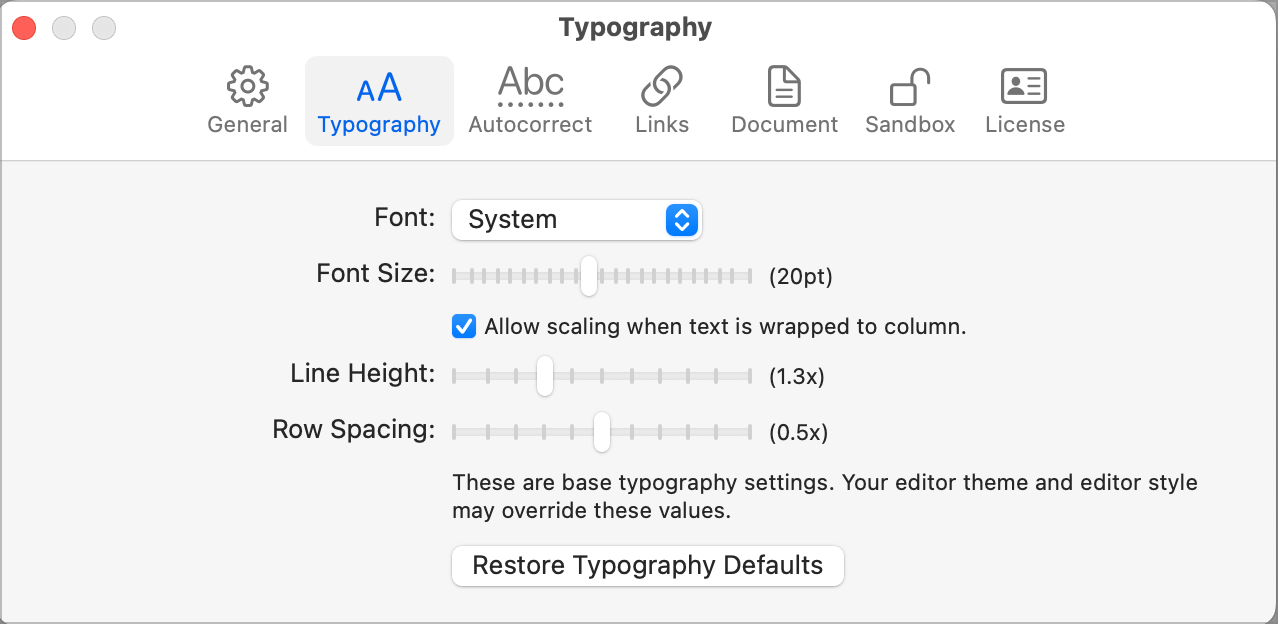
- Added License panel
- Added Preview release indicator
- Added Text caret to empty outline
- Added View > Editor Zoom
- Added View > Editor Style (Moved from Window menu)
- Added Restorable state for folded rows
- Added Restorable state for View > Text Wrap, Focus, etc
- Reorganized settings panels
- Changed some of the theme and settings API
- Fixed repeat clicks (now work) on decoration buttons
- Fixed some broken caches, performance is a bit better
- Fixed broken scroll correction, scroll to end of document, etc
Implemented many settings “per editor”. If you change that setting (such as Text Wrap) then it will effect the frontmost editor and also set a new default that new editors will use. Any already open editors will keep their current value.
Download:
3 Likes
Thanks for adding font sizing! Now I’m using Bike 2. I’ve run into a crash where if I edit or add a space everything goes bonkers .. i.e. crashes. Do you want me to post the report here?
I’m attaching below. If this is the wrong info for you then feel free to delete and prompt me what to send to you. I realize this is super lengthy.
Hmm report is too long to include. I don’t seem to be able to upload RTF or PDF.
Yes please. Can you tell me how to reproduce the problem? At the moment edits/spaces/etc seem to be working for me. You can also email me crash at jesse@hogbaysoftware.com
Just sent you an email with details. I hope it helps. If something is missing in my description just let me know.
A number of crashes reported with this release! If you have a crash you can reproduce, let me know. @mitchellm sent me one they can reproduce, unfortunately I’m not able to yet.
If you are having a crash on startup please try:
- Quite Bike
- Locate and send me your preferences file
- Delete that preferences file and try starting Bike again
You can find your preferences file by:
- Open Bike’s extensions folder via Bike > Extensions
- Navigate up two directories to the Library folder
- Navigate into the Preferences folder contained in that Library folder
- The preferences file is the com.hogbaysoftware.Bike.plist file
I can confirm that when I delete the preferences file I no longer have any crashing problems.
I definitely had Typography preferences set before. I think I’ve reset them to be exactly the same as previous. Attached is a screenshot showing the exact prefs. I’ve experieced no crashes yet, but when I worked on Bike 2 yesterday I also did not have any crashes until working with the document for about 20 minutes.
1 Like
I definitely had Typography preferences set before.
Were you able to also preserve the preferences plist file? I will try to reproduce problem using your set settings, but a number of things have changed internally, probably might be related to old preferences file state.
The stack you posted seemed to indicate that something was off with the text content, in particular maybe I messed up unicode character mapping. But if that was the case it was weird that you could keep reproducing the problem editing the file, while I could not. Anyway, that would be something to watch for, any insert/delete around non simple abc type characters.
Glad you have things working now 
Don’t know if this helps, but all the content were text fragments copy/pasted from a PDF file. This PDF file also included annotations. So, e.g., all the content I copied was text that had been highlighted already in PDF Expert. I also did some handwritten annotations and it seems there’s one case where I copied text and a smidgeon of the text annotation was “on top” of it.
I don’t know if any of these things could be a problem, but just reporting in case I’m wrong.
Bumping up the zoom doesnt set the font size pref which It either should or zoom value should be kept for new / reopening documents?
also default reset view is cmd+0 in most apps but this is expand row ?
however i have bumped font in prefs up to max and so I think I can work with bike 2 now
1 Like
This is intentional, but maybe overthought.
The idea is:
- Use Bike > Settings to set the default font size that you want to see outlines (existing and new) at. When you change this it will also clear any Zoom In/Out scales that you have set.
- Use View > Zoom In / Out to adjust the size of a single outline view, without effecting other views. It’s a scale applied to the Font Size in Settings panel.
Make sense, is it working that way for you? Seems to be working for me.
Yeah, ideally Command+0 would be free, but I think it makes more sense paired with Command+9 to expand/collapse.
Ok fair - yes that’s how it is working but zoom view is not remembered maybe it should ?
I get that however cmd+0 is a default… changing a default is a big deal…
I think it’s being remember/applied in the same way that zoom is remembered/applied in Safari. That is zoom is per view and remembered as part of restorable state…
So if you zoom into a document, then quit Bike without closing that document, then next time you open Bike that custom zoom state should be restored. This seems to be the way that Safari works… zoom is per tab, not global. So you can have different zoom level in different tabs.
The other option is to link zoom directly to that font size in Settings > Typography. That would be easier to understand, but would mean that you couldn’t have different outlines with different zoom levels.
I guess I’m up for other options, but there are a lot of conflicting defaults to contend with. I chose Command-9, Command-0 because it seemed to be a standard that other outliners were using. And also it’s been the standard combo for Bike 1.x too. I think it makes sense to keep that, and just sacrifice the “Zoom to Default” shortcut which is less central to Bike then is expand/collapse.
2 Likes