When mergeDistance is set similar decorations (equal style & nearby frames) are merged together into an irregular shape. This makes it possible to draw nice exterior borders and rounded corners around decorations that span multiple runs. In a future release I hope to make this work for text and row decorations too.
I started a bunch of refactoring to make connecting up preferences easier, but never got that finished. Instead I had an idea for how to support irregular shaped decorations, and then kept heading in that direction.
Wasn’t my plan, but I like the end result, have wanted for a long time, but seemed too hard. Right now they only work for text run decorations, but I hope to get them working for text and row decorations eventually too.
You can see what I mean in the latest Bike, by selecting some text. Previously text selection was styled using only background filled rects. Now they have a light border and a corner radius. (This wasn’t possible to do well previously, when the selection wrapped multiple lines) This has two nice effects. With the border it means the selection color can be a bit lighter, and so text easer to read. Second the rounded corners look cool!
These mergeDistance decorations also work well with typing animations. For example mark a sentence or two as highlighted. Enough to wrap the screen. Then type some extra text into the highlighted range. The yellow background highlight animates to match the sliding text where it should, while also snapping without animation where it should. Subtle, but a tricky and nice effect I think.
Some observations - Bike is my go to note tool has been since pre 1.0 and I think I am keen to make / suggest some extensions for slidedeck view and accessible PDF export from there… but for now
- Cannot see Caret when you first click into untiltled document, which is weird.
- Cannot increase text size under view.
- When viewing on a external monitor via HDMI out on Macbook Pro
text starts very very small and as you type it expands to normal size. (it seems to be applying the tiny filter size first)
Also I just noticed everything I had in the dock is called untitled2 ? when they are named files
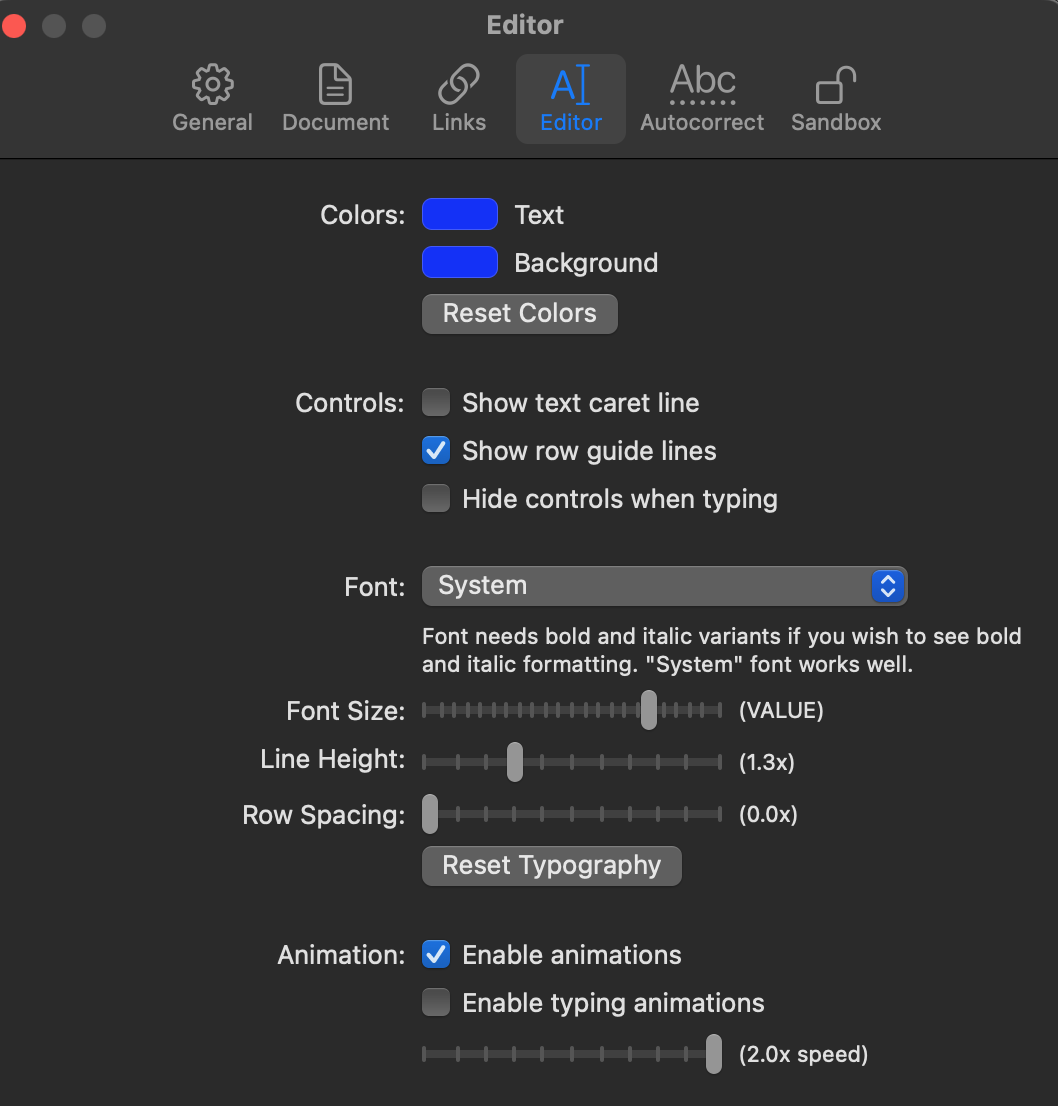
Not sure if there’s a better place to report bugs, but I just updated from 1.x to 234 and the app does not uses the default font settings (font family and size). The text is pretty small and if I try to change it in the settings, it does not work.
Check in the screenshot, the bug on the font size row
Hi Jesse
The scaling filter view is really good. One suggestion for improvement would be if you could highlight the filtered search term in the results as this would allow you to read the reference in context.
There are a few different modes for that search… if you just type a random string then rows are matched that contain the string. That should be easy to highlight. You can also do outline path based searches if you start the search with . or /. Those are more complex to highlight, not sure there is a right answer in many cases… and that’s caused me to avoid thinking too much about highlighting.
But I think most people will just use random string searches, and those should be easyish to highlight, so I’ll just go for that for now.
Use the menu item Bike > Extensions to reveal Bike’s extension folder in the finder.
Copy the built extension to that folder. That should it in most cases. On possible catch is that each extension has a manifest.json file inside the extension folder. And that file has an enabled property that must not be set to false.
If things are still not working open Window > Logs Explorer and look for errors/warnings.
Note: I the extension system is fairly “good!” from developers point of view, but it’s not very uses friendly to non-developers, and will likely stay that way until some 2.x point release.
In particular extensions require a build step, and the calendar extension is not prebuilt. So while the above is what is needed to install a built extension, for the calendar extension you will also need to:
Install bike-extension-kit and follow through tutorial to get it working (building).
Then copy the built version of the calendar extension that it creates to your Bike extensions folder. (Or set the manifest.json flag “install” to true, and then the kit will install it for you on each build)
Hope all that makes some sense. Please let me know if you still run into problems, and if you have thoughts for updating the documentation to be more helpful.