TestFlight
PaperTrail 1.3 (371)
Is this supposed to show up in TestFlight? Not seeing on my end
This is probably a dummy question. I believe somewhere you stated we could customize the icons in the toolbar. Specifically I want to move the show/hide keyboard to the far left. I “think” the instructions were something like “long press icon then move in toolbar”. Either I remember incorrectly, or that approach does not work for me. How can I reorganize the order of icons?
This is a new TestFlight, for users of Bike @mitchellm
See the OP, look for block quotes like this one.
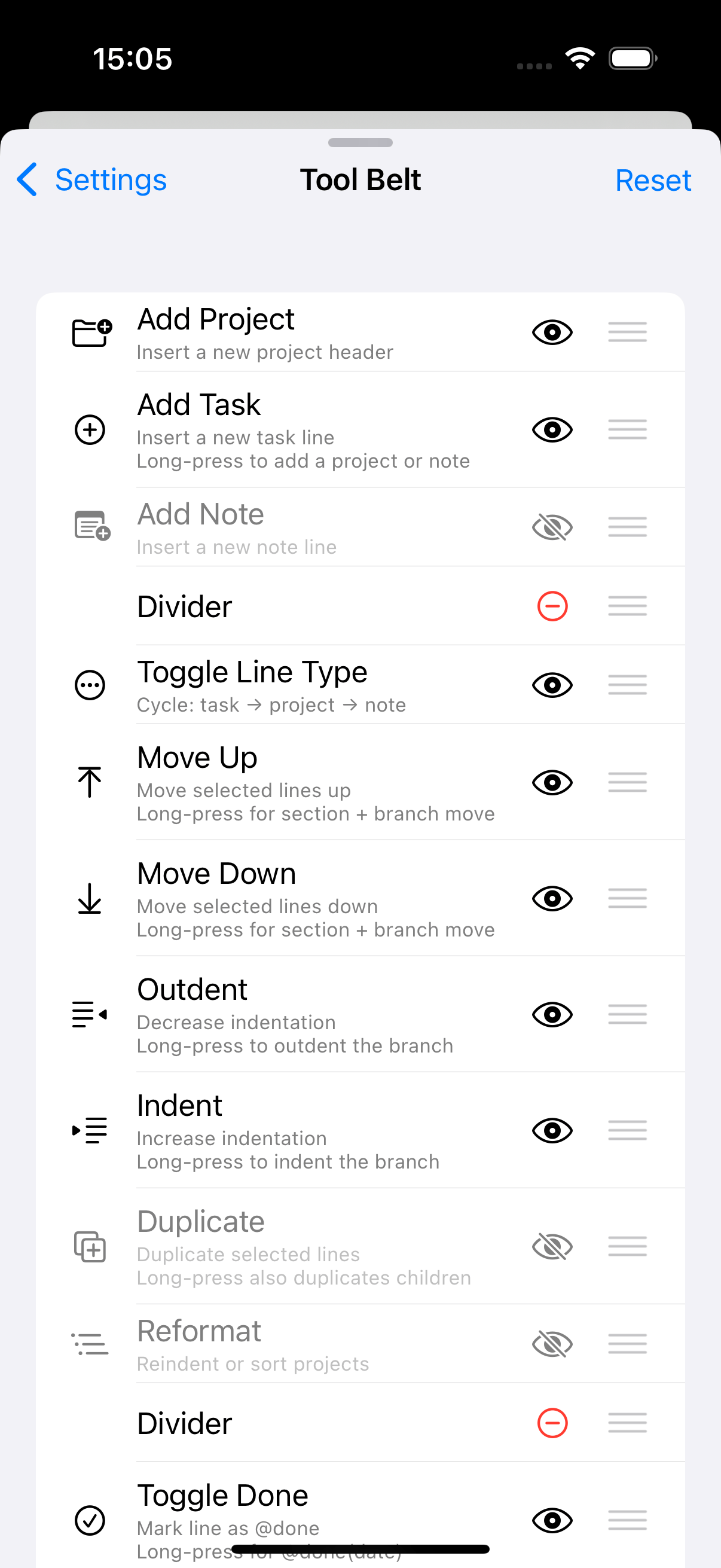
In 1.0, 1.1, 1.2 you reorder using the “?” help tool button and drag to reorder, toggle which buttons you want and don’t want to see. Reordering keyboard button was a fairly recent change. See below.

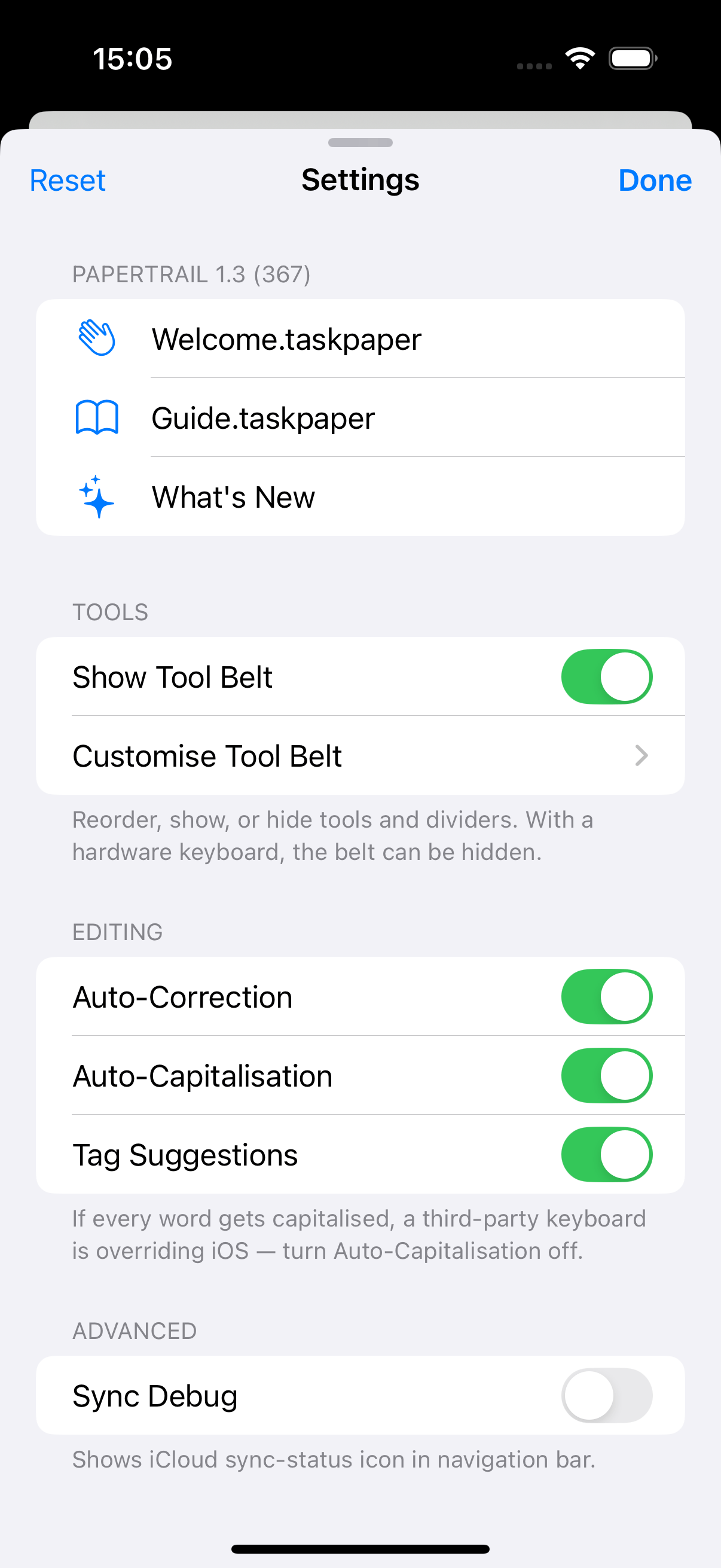
In 1.3 there is a new settings tool button that replaces “?” help tool button, which surfaces some toggles and has the customise tool belt option there. The interface for reordering is largely the same, with the addition that dividers can now be moved/removed/added.
Thanks! I’m still on 1.2 and the instructions you provided work great.
Note that you can also dismiss the keyboard with a single long swipe down (this is an iOS thing that well behaved apps take note of), and make it appear by tapping the screen to place the cursor.
Yep, thanks for the reminder. I use long swipe down pretty often, but still like having a toolbar option for doing the same … sometimes that’s just more convenient (strangely enough).
For sure!
I like to remind people of the little UI time savers, just in case it’s new to them!
App Store Connect been down for 10h, so 1.3 (372) only just been delivered.
@Oli your test stats vs mine! All-time greatest! 
| Sessions | Crashes | Feedback | |
|---|---|---|---|
| Oli | 1079 | 2 | 36 |
| Matt | 701 | 0 | 2 |
Any final feedback?
Gonna push this for approval today, Thu.
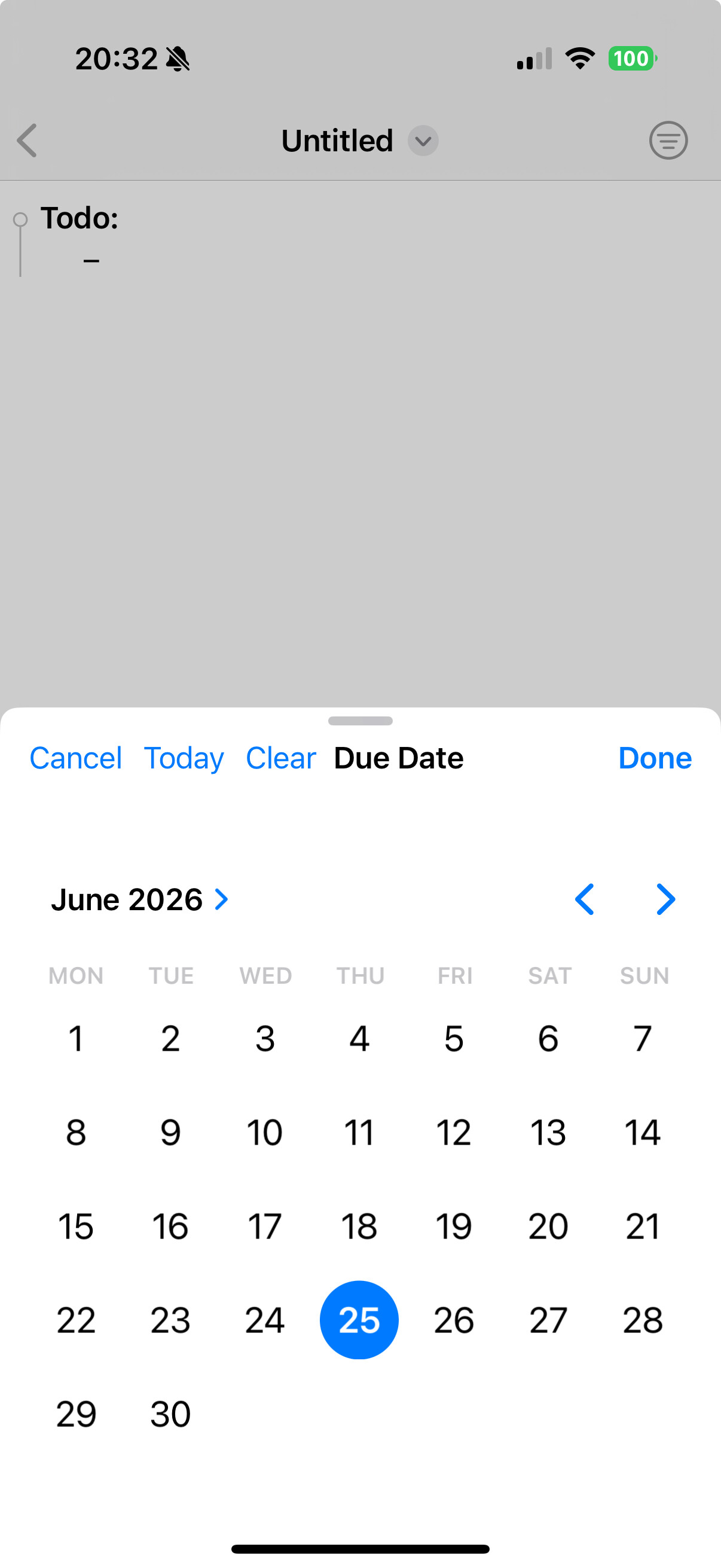
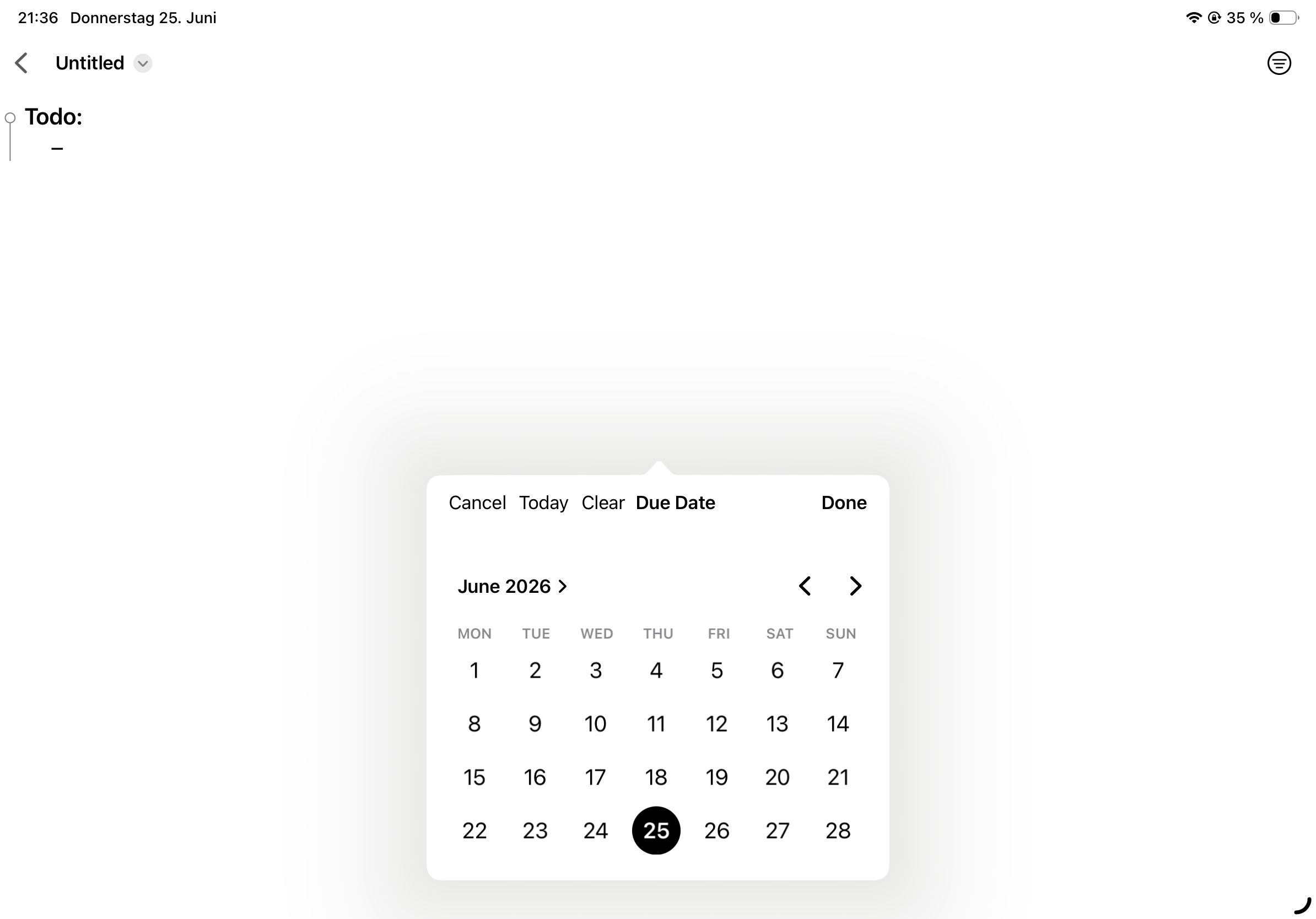
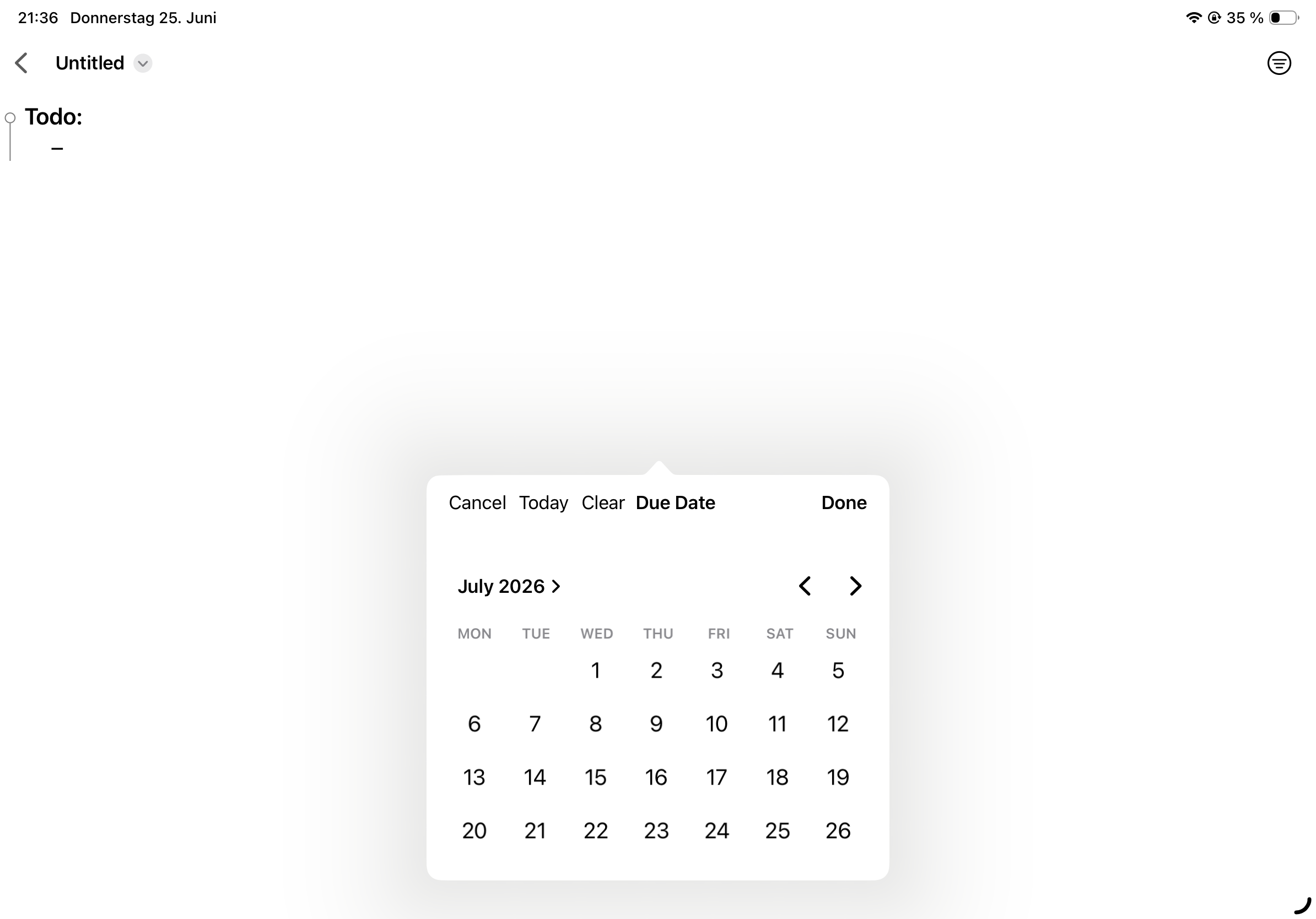
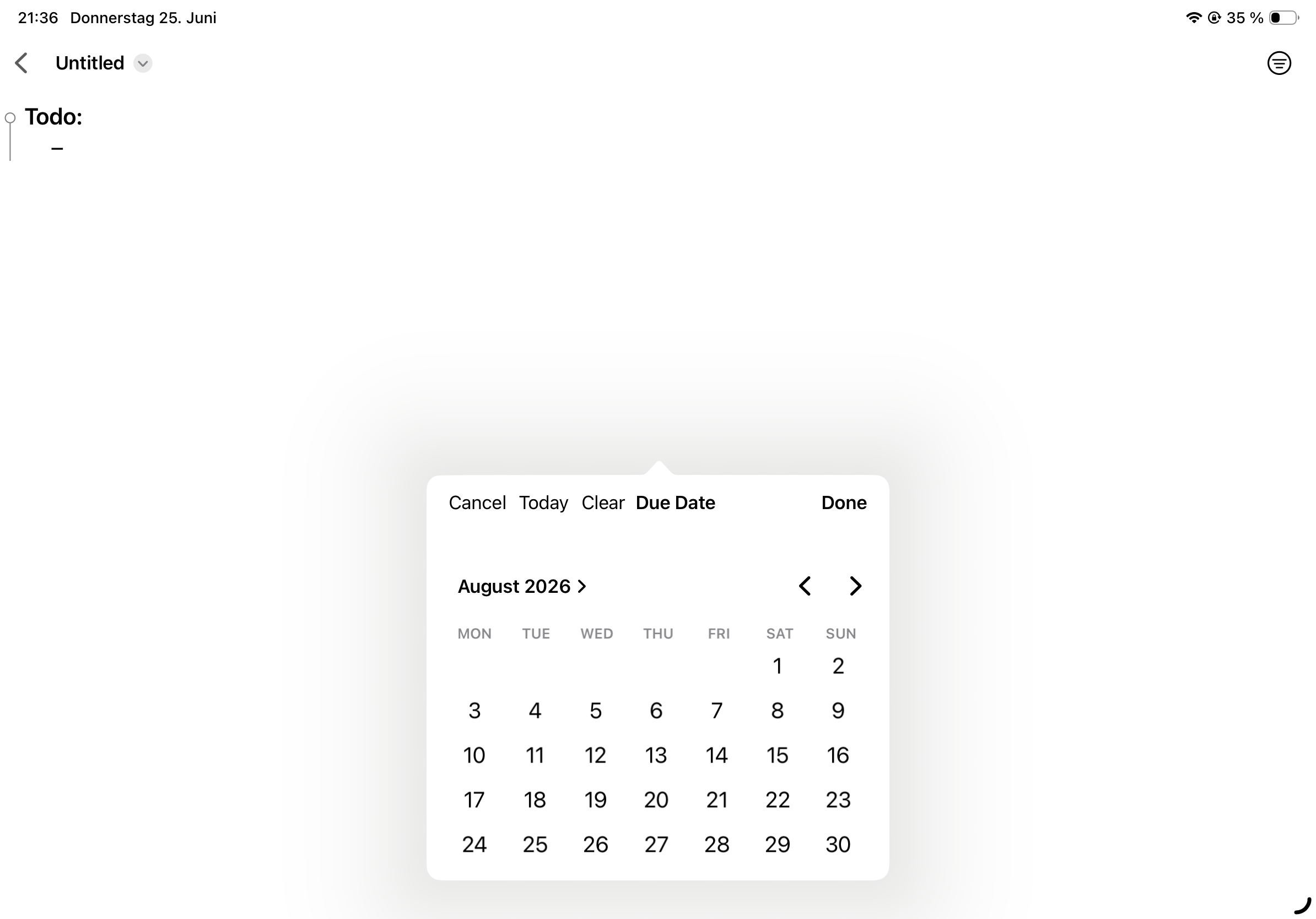
In the calendar view, I can’t see June 29 and 30, 2026 (iPad).
There are still lots of blank lines between projects in the main view after I focus out from editing an individual project.
Fixed in 1.3 (373):
Please help me reproduce
Edit: I’ve reproduced it! WOOP!
TestFlight
PaperTrail 1.3 (374)
Fixed:
The issue with the calendar view is still there 
The last two days of June are not displayed. In July, the last five days are not displayed. The end of time is near… 
It’s probably related to the iPad’s display settings. Your calendar pop-up looks different from mine?
I have no idea
It’s related to the Display Zoom setting. I had it set to Standard. I switched it to More Space, and now it works.
I’m on it!