There were two problems, I was anchoring the picker wrongly on iPad (bad for landscape) and your text size compounded the problem.
Both fixed in 1.3 (375)
There were two problems, I was anchoring the picker wrongly on iPad (bad for landscape) and your text size compounded the problem.
Both fixed in 1.3 (375)
1.3 (376)
SUBMITTED
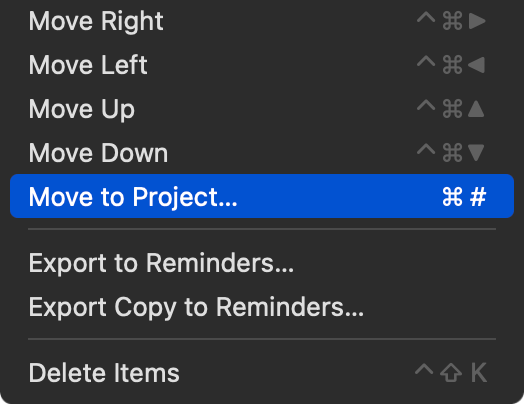
The hotkey cmd+# (move to project) interferes with system wide hardcoded take screenshot shortcut on iPad (cmd+shift+3). Unless I am missing something and there’s a way to get the # without pressing shift+3?
Interferes in what way? What behaviour are you seeing?
I guess it depends on external(?) keyboard layout? My keyboard has # on its own key, no shift required.
Cmd+# is the standard TaskPaper shortcut so I’ll have to think hard about this issue.
A workaround might be to use the command palette or tool belt to do the move.
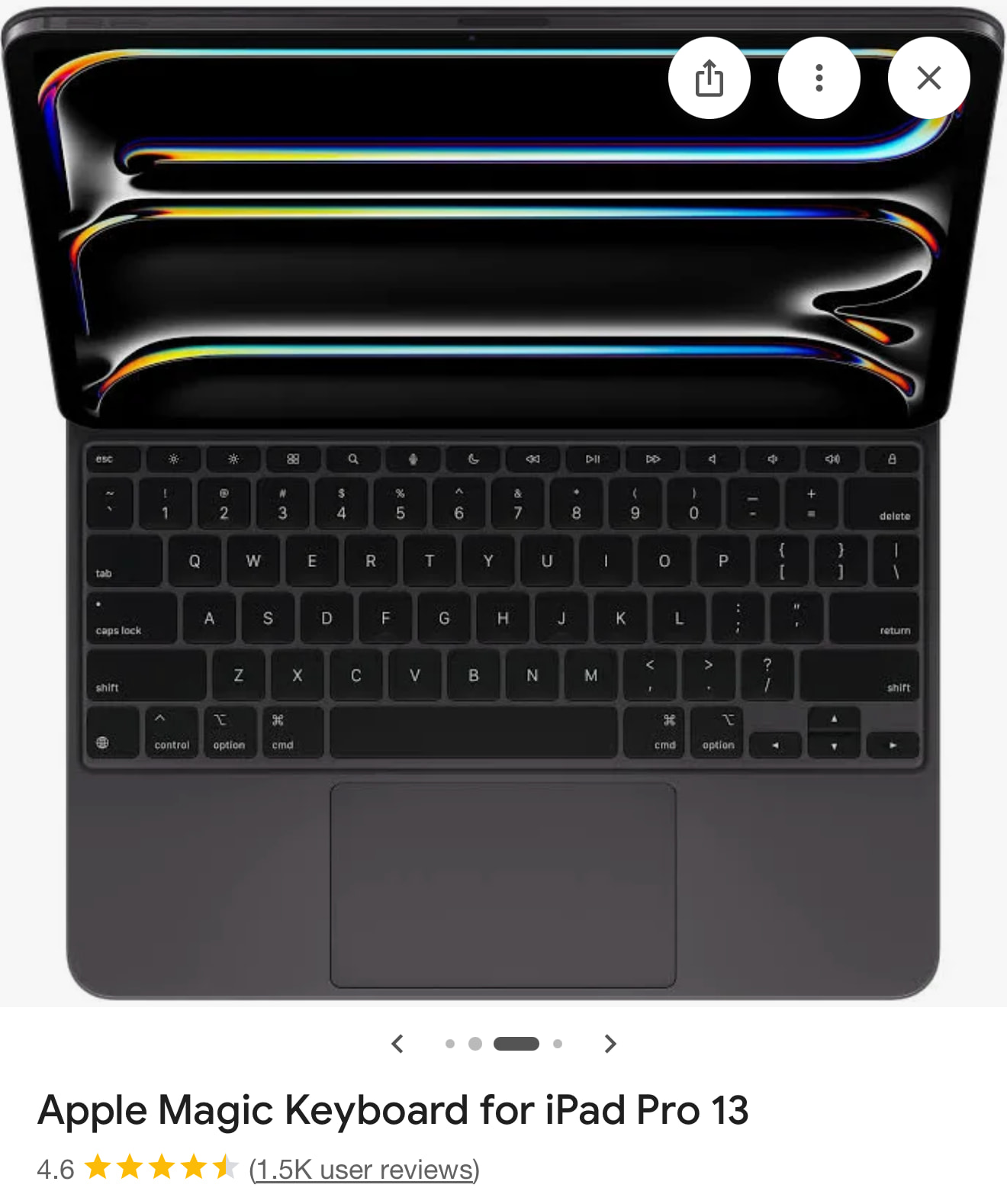
it just invokes the system fullscreen screenshot command instead of papertrail’s one and there’s no way around it for me. I’m using the Magic Keyboard, and to get # I have to press shift+3, which makes it cmd+shift+3 to get cmd+#.
Wasn’t it cmd+\ in Taskpaper?
Yeah, the workaround works, that’s what I’m using for now, thank you! Not as fast as a shortcut but still good.
Curious!
This might be related to some old remappings I may have set on my keyboard? Or the fact I’m using British layout? If so, apologies. I’ll look into it.
@jessegrosjean are there official TaskPaper mappings anywhere?
In other news…
PaperTrail 1.3 (376) is live on the App Store
The javascript adds another layer of needed escaping in the stylesheet.
In the menus!  I don’t know why you would see Command-# … I see Command-/.
And it maybe be related to British layout? I’m not sure.
Don’t think so – I have that too
Will look into this. Feels like a rabbit hole 
Move to: For me both TP and PaperTrail: cmd+# ( German layout). 
Which build ?
I wonder if (in some or all TaskPaper 3 builds) the binding is to a virtual keycode for / rather than to the specific text character ?
There’s some regional variation in the height of the Return key, and in the ecosystem of keys that cluster around it. (# and ~ vs /).
I’m not sure. It’s specified in TaskPaper’s MainMenu.storyboard. So I guess handled however apple things it should be handled in that case.
Apparently, if I do:
command("moveToProject", ... shortcut: shortcut("\\", .command, priority: true), ...)
it should pick # or \ depending on keyboard layout region.
Will do a test build later. I can test this one!
So this was really difficult.
What I’ve ended up doing, and I hate it, is:
I can’t help but think there must be a better way to do this.
And now I wonder if I need to do this for any other shortcut keys 
Edit: OK I found the proper way will do it soon.
Edit2: nope, still won’t allow me to have dynamic labels of my own until user has pressed once. System does always show the correct key combo wherever it shows it itself (eg. iPadOS menu).
Edit3: the good news is this is the only one affected.
Looking into whether the fix will solve your issue.
I’m hoping you will see “Cmd+\ or Cmd+#” and when you press Cmd+\ it changes to just show "Cmd+"
If you’re not convinced, that’s reasonable. So can you please give me more info so I can reproduce your setup?
Or I can send you a one person TestFlight?
It’s the standard Apple Magic Keyboard, Canadian region. You can send me the TestFlight, sure, sent you an email in private.