@matt Gave PT the clean wipe and hard restarted the phone then installed the new build and recreated the shortcuts.
The good news is that shortcuts seem more reliable generally and never create a failure state aka white screen.
The meh news is that under some circumstances the shortcuts don’t actually succeed in opening either the named doc or most recent. This fails to just being on the opening screen, so I personally can live with this.
For the most part the shortcuts work as expected. Fairly consistently when I hard quit the app and then run the shortcut, I get the meh result.
Will take one final, final look at this. Maybe I can add some delays to make it work a bit more reliably. Right now I just let everything go as fast as it wants.
The reason I asked to delete/reboot is that the results in Spotlight etc can become stale from an old version of the app.
Ideally, I test like this:
erase simulator and start fresh
install app
open a doc (so the record is created)
force quit app
then
swipe down for spotlight
type doc name
tap it
or
create shortcut widget
set it to PaperTrail > open recent
tap it
similarly with action button.
these work all the time for me in the Simulator, will test 26.x and my real 18.x device tomorrow
For me, this opens QuickLook that displays the option to open directly in PaperTrail at the bottom. When I tap that, it’ll open PT but it won’t open the doc.
EDIT:
Similarly if I try to open a file from the Files app, it’ll open PT, but it won’t load the doc. App displays the document browser in both cases.
I think the method you describe works for documents created with latest version of app.
Older documents that I open in PT will appear as results in spotlight with PT document label, but won’t open. Similarly, I still can’t get PT to open a document from the Files app (even newly created docs).
I’ll collect feedback until there is enough to warrant 1.1.x or 1.2
I’m particularly interested in the perceived usefulness of the “sync feedback icon” and whether it adds any real value. It is basically a debug feature that I have left switched on. I tend to think it’s not useful, and am thinking I’ll remove it in next version.
Thanks for making this! I’m a long time TaskPaper user, very happy to see a new option for iOS.
I’ve run immediately into a bug that’s a bit of a dealbreaker, which is the forced capitalization / broken autocomplete when creating new tasks. I see the same bug mentioned in the App Store feedback, but I couldn’t find it in this thread or the previous one. I’m not sure whether it’s one bug under the hood or multiple, but it presents with a few related aspects.
When I create a new task (whether by hitting return from a project or task line, entering the hyphen manually, or tapping the plus button), capitalize (shift) is on, regardless of the state of the shift key itself.
Typically, but not 100% of the time, the shift key displays as off, even though the keyboard behaves as though it’s on. Sometimes it displays as on and behaves that way. I couldn’t figure out a way to reliably reproduce the latter scenario, but it’s in the video below.
Then typing a word and letting autocomplete do its thing (by typing space or return) creates a task with a duplicated first letter. “Task ” becomes “TTask ”.
If I tap the shift key, it turns on visually and the behavior is as I just described.
If I tap it again to turn it off, it turns off visually, but it’s secretly still on and the behavior is as I described above.
There’s a lot of latency when typing. You can see it in the video, typing is very sluggish. “Very” meaning hundreds of milliseconds of delay, so not the end of the world, but not a nice experience.
Using the “…” (in a circle) icon for changing line type is confusing, that’s not at all the standard use for that symbol.
The biggest missing feature, for my purposes, is the ability to easily archive completed tasks.
You’ve probably seen this, but in case not: There’s some very negative feedback on the App Store partially due to the inability to interact with you (submit bug reports, eg) without having an account somewhere. Obviously not a problem for me, but seems like reasonable feedback.
Thanks again for your work! Look forward to your thoughts.
Ah! I found the “archive done” button. It wasn’t obvious to me that the toolbar was scrollable.
I took a quick look to see how other apps handle making that obvious, and I can’t find any on my phone that both have scrollable toolbars and are using the pre-26 toolbar style. The general convention, IME and what I see on my phone, is to always show a partial icon button when the toolbar first loads, FWTW.
capitalisation: this has been a unsolved issue since the very first version, and it has remained on my Todo list. I haven’t been able to figure out why the shift key state becomes decoupled from the state of the editor. Are you using standard keyboard?
the duplicated first letter is a new one, something I have not seen in my daily use of the app.
the latency you report is unheard of, all my automated and manual testing reports very fast per-key response (as advertised on the website!)
I’ve not seen the negative app reviews, so thanks for letting me know. FWIW my email is on the website and there is a support option in the app itself that leads to GitHub, where there have been zero bugs reported
The scrollable tool belt has a faded edge to show that there is more, which is something I considered in great detail. If you do not see this what device are you using?
If you can provide steps to reproduce the issues you describe I will solve them.
email on the website: I don’t see it. If I can’t see it easily, probably others can’t as well. Typical behavior is to provide email link at relevant app page.
GitHub … I can’t find where this support option is on PaperTrail. It may be there but if I need to look more that 5-10 seconds, a typical user will give up. Plus GitHub won’t be a “friendly space” for a lot of potential customers.
@matt Thanks for the replies! Good to know you have some additional support options. I don’t see the in-app option, though, where’s that?
Were you able to look at my screen recording? You should be able to see the latency pretty clearly, I’m typing at a normal speed, or trying to, and it’s coming out at the speed you see, which is to say slow and jerky. And yes, standard keyboard.
You can also see in the screen recording that the faded toolbar edge doesn’t overlap anything by default on my phone. As I mentioned, this is an iPhone 16 Pro.
Do you need additional repro steps beyond my details above and the screen recording? Happy to provide whatever’s helpful, not sure what else I can say at this point though.
I’ve responded to the two bad reviews on the App Store. Hopefully they will get in touch with more information.
@mitchellm I’ve made the email more visible on the general support page. I’ve also added a “support options” section to the PaperTrail app page. Be sure to refresh the pages just in case the browser has them cached!
@cboone in the app bring up the Command Palette (⌘) and scroll down to PaperTrail Support (or just search for: Support) tap it to open GitHub issue tracker. I will make this more discoverable, somehow, in the next version.
I am also on a iPhone 16 Pro and the faded edge lands exactly in the middle of an icon. On yours the edge of the done button is a little faded, but I guess you are using slightly larger type so the fade is mostly invisible. Will see what I can do.
Your video shows iOS auto-correction messing up the first word. Will see if I can workaround that! As I say, this was not reported through the 6 month test period and I have not seen it before today. I use iOS 18, and 26 only on Simulator. So we need definite steps to reproduce because I can’t get it to happen right now. Obviously, I can see it happening for you!
@cboone I’m most interested in your latency issue as the speed of the app is what I am most proud of.
Seems like the help screen would be a good spot for a support link, but that’s just my 2¢.
The double character bug at the beginning of the line was reported on your App Store reviews by “Jofesus” on May 10th, FWTW. So definitely not just my phone. And that was a day before 26.5 came out, which seems like the next obvious culprit, so presumably not that either.
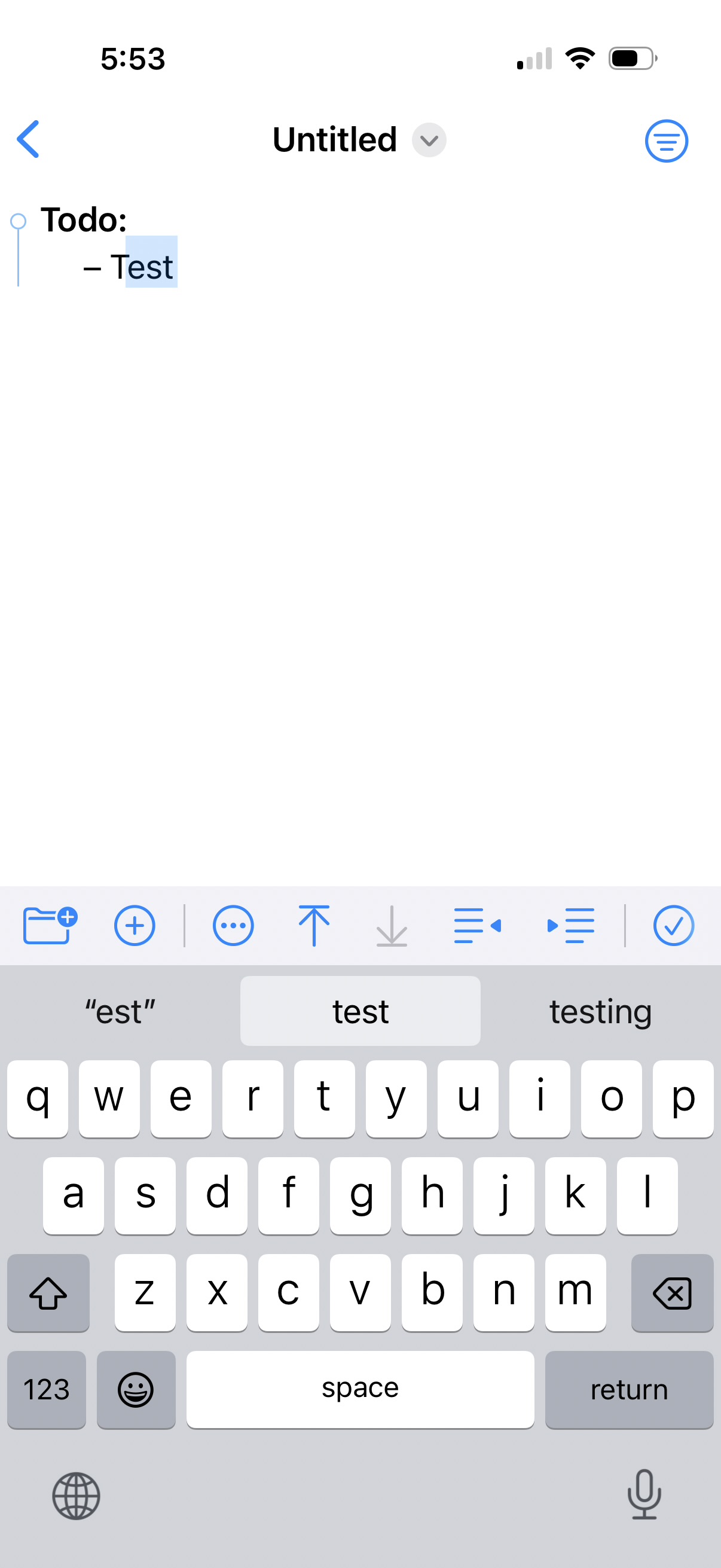
My hunch is it’s directly related to the shift key bug. (Obviously take this with a grain of salt, I haven’t seen your codebase; but I have built and debugged a lot of apps.) You can see in the screenshot here that the autocomplete thinks I’ve only typed “est” despite having actually typed “test”, and having gotten “Test” despite not having typed that. Seems odd to have two distinct bugs related to the typing of a line’s first character. Are you handling the first character of a task in some special way?
Regarding latency, I think it’s simply file size. In this brand new, empty file the latency is great, exactly what I’d expect it to be. In my existing todo list file of 983 lines (lots of archived tasks), the latency is what you saw in the screen recording.
Thanks for your attention! Very much appreciate the rapid responses.
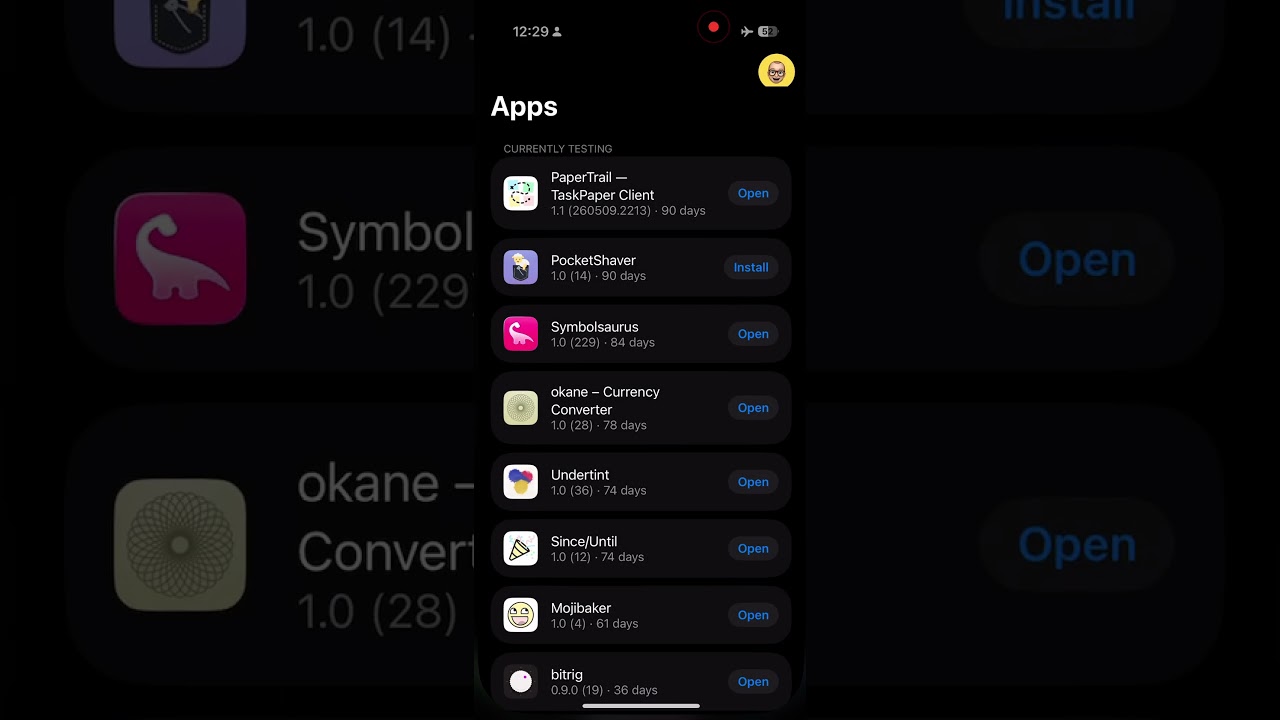
 let me know if you want to try it.